Chapter 38: FPC Insertion for Displays |
Force-Controlled Cobots in Flexible Printed Circuit Assembly for Vehicle Displays |
1. Summary |
Flexible printed circuits, commonly called FPCs, are thin, bendable wiring boards used to connect electronic components in tight spaces. In modern vehicle displays, FPC insertion is a delicate assembly step: a narrow ribbon of circuitry must be aligned and pushed into a fragile connector without bending pins, cracking glass, or scraping conductive pads. Traditional position-controlled robots struggle here because they cannot feel what they are doing. Force-controlled collaborative robots, or cobots, solve this problem by sensing micro-contact forces and adjusting their path in real time. This chapter explains how force-controlled cobots work in FPC insertion for displays, why vehicle displays are a demanding case, and how the same approach appears across many industries, including consumer electronics, medical devices, aerospace, appliances, and telecommunications. The goal is a practical, non-mathematical overview for engineers, technicians, and technical managers who want to understand where this technology fits and how to apply it. |

|
2. Why FPC Insertion Is Difficult |
2.1 The nature of flexible printed circuits |
A flexible printed circuit is a pattern of copper traces sandwiched between thin layers of polyimide or similar polymer film. It can be less than a tenth of a millimeter thick. It bends, twists, and flutters like a ribbon. That flexibility is exactly what makes it useful in vehicle displays, where space behind the screen is cramped and the circuit must fold around corners. But the same flexibility makes automated insertion hard. A rigid printed circuit board can be gripped and pushed with simple position control. A flexible circuit can buckle, fold, or slide sideways with almost no warning. |
2.2 The connector interface |
The FPC usually terminates in a zero insertion force connector or a low insertion force connector. In a zero insertion force connector, a small latch or slider is opened, the FPC is slid into place with almost no resistance, and then the latch is closed to press the contacts against the pads. In a low insertion force connector, the FPC must be pushed in with a small but carefully controlled force. If the force is too low, the circuit does not seat fully. If the force is too high, the connector housing can crack, the pads can be scraped, or the FPC can buckle and miss the slot entirely. |
2.3 The vehicle display context |
Vehicle displays are not like phone screens. They must survive vibration, temperature swings from minus forty to plus eighty-five degrees Celsius, humidity, and years of service. The connectors are often smaller and denser than those in consumer devices because the display module must fit behind a dashboard or instrument cluster. The FPC may carry both power and high-speed data. A single bent pin or a partially seated circuit can cause flickering, dead pixels, or a complete failure of the display. Because a vehicle display is safety-related in many cases, the assembly process must be highly repeatable. |
2.4 Why position control alone fails |
A robot that only follows a preprogrammed path cannot know whether the FPC has touched the connector, whether it has entered the slot, or whether it has hit an obstacle. Small variations in part position, connector height, or FPC stiffness can cause a position-controlled robot to push too hard or not hard enough. In high-volume production, these variations add up to scrap, rework, and downtime. Force control gives the robot a sense of touch, so it can react to what is actually happening. |

|
3. What Force-Controlled Cobots Are |
3.1 Cobots versus traditional industrial robots |
A collaborative robot is designed to work safely alongside people. It usually has rounded joints, lightweight arms, and force-limiting features. Many cobots include joint torque sensors or a wrist force-torque sensor. These sensors measure the forces and torques applied at the tool or at each joint. The robot controller uses this information to adjust motion in real time. |
3.2 Force control modes |
There are several common force control modes. Direct force control tries to maintain a specific contact force. Impedance control makes the robot behave like a spring and damper, so it yields when it meets resistance. Admittance control measures force and converts it into a motion correction. Hybrid control combines position control in some directions with force control in others. For FPC insertion, the most useful modes are usually impedance control and admittance control, because they allow the robot to search for a slot, follow a surface, and seat a connector with a gentle, controlled push. |
3.3 Sensing micro-contact forces |
Micro-contact forces are small, often less than a few newtons. A newton is about the weight of a small apple. In FPC insertion, the robot may need to detect forces of a few tenths of a newton or less. High-resolution force-torque sensors and joint torque sensors make this possible. Some systems also use tactile sensors in the gripper or a compliant wrist to add sensitivity. The key is that the robot must distinguish between noise, gravity, and the tiny force of a flexible circuit touching a connector edge. |
3.4 Real-time path adjustment |
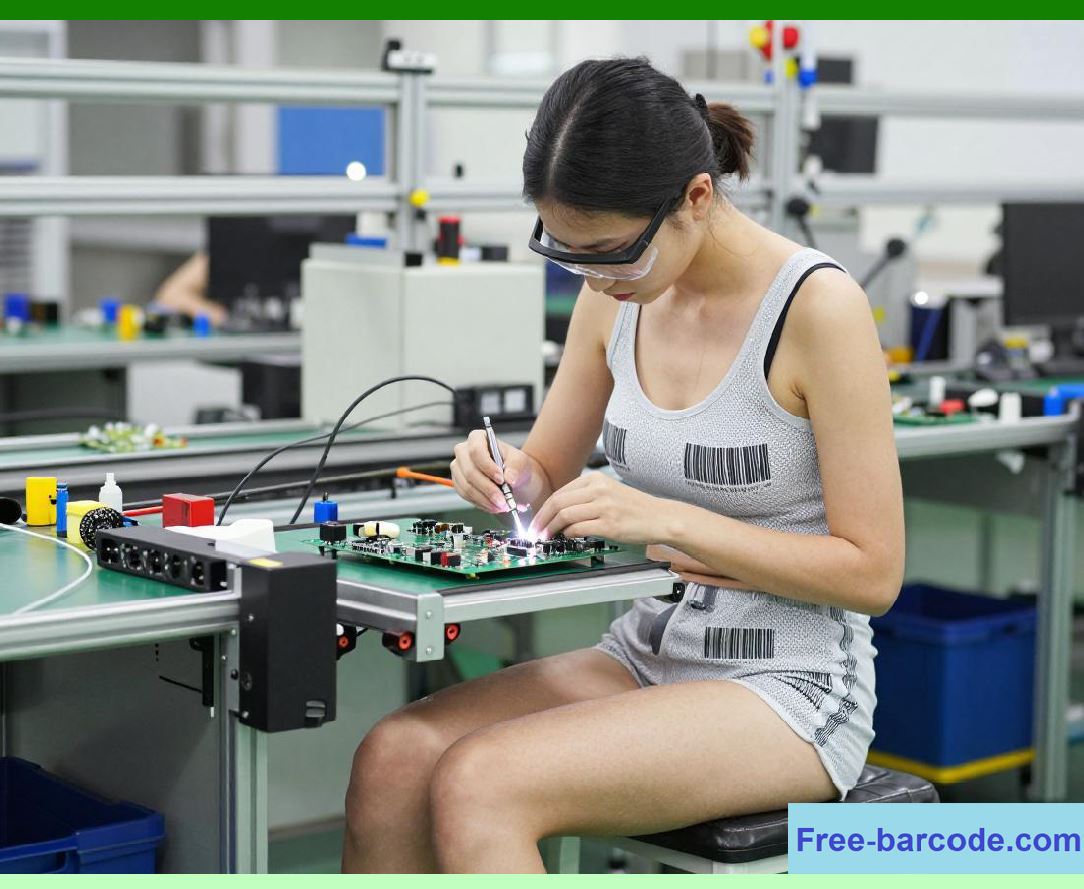
Real-time path adjustment means the robot changes its trajectory while moving, not after the fact. If the FPC touches the connector housing, the robot can slide along the surface until it finds the slot. If the FPC begins to buckle, the robot can reduce forward force and adjust its angle. If the connector is slightly misaligned, the robot can rotate or shift the FPC to compensate. This is often called search and insert behavior. It mimics what a human operator does with their fingertips. |
|
4. How FPC Insertion Works with Force Control |
4.1 Grasping the FPC |
The first step is to grasp the flexible circuit without damaging it. Vacuum grippers are common because they distribute force over a wide area and do not leave marks. Mechanical grippers with soft pads are also used. The gripper must hold the FPC rigid enough to push it into the connector, but not so rigid that it creases the circuit. Some systems use a two-finger gripper that supports the FPC from both sides near the insertion end. |
4.2 Aligning to the connector |
Vision systems often provide coarse alignment. A camera locates the connector and the FPC. The robot moves to a starting pose. But vision alone cannot guarantee perfect alignment because the connector may be partially hidden, reflective, or slightly different from the CAD model. Force control takes over for fine alignment. The robot lowers the FPC until it feels contact, then uses small lateral motions to center the FPC in the slot. |
4.3 Searching for the slot |
Search strategies vary. A common one is a spiral search: the robot moves in a small expanding pattern while maintaining light contact. Another is a raster search: the robot moves back and forth along one axis, then steps over and repeats. A third is a tilt-and-slide search: the robot tilts the FPC slightly and slides it along the connector face until it drops into the slot. The force sensor tells the robot when the FPC has entered the slot because the resistance changes. |
4.4 Inserting with controlled force |
Once the FPC is in the slot, the robot pushes it forward with a controlled force. The force must be high enough to overcome friction and seat the circuit, but low enough to avoid damage. The robot monitors force and position together. If force rises too quickly, the robot stops or backs off. If the FPC stops moving before it should, the robot may wiggle it gently to overcome stiction. Stiction is the extra force needed to start motion after the parts have been stationary. |
4.5 Verifying seating |
After insertion, the robot may verify that the FPC is fully seated. Some systems use a small additional push and measure the force profile. A fully seated FPC usually shows a sharp increase in force at the end of travel. Others use vision to check that the FPC is flush with the connector. In high-reliability applications, an electrical test may confirm continuity. If the check fails, the robot can retract the FPC and try again, or flag the part for human review. |
4.6 Closing the latch |
Many FPC connectors have a latch or slider that locks the circuit in place. The robot can close the latch with a separate tool or with a controlled motion of the same gripper. Force control is useful here too, because the latch must be pressed evenly and not forced past its stop. A common approach is to apply a gentle force until the latch clicks or until the force profile indicates that it has reached its end position. |

|
5. Why Vehicle Displays Are a Leading Application |
5.1 Tight packaging |
Vehicle dashboards are crowded. Behind a single display there may be a touch sensor, a backlight, a heat sink, and several wiring harnesses. The FPC must often make a sharp bend or fold into a narrow space. The connector may be placed at an angle that is hard to reach. Force-controlled cobots can work in these confined spaces because they can feel their way in rather than relying on a clear line of sight. |
5.2 High mix, lower volume |
Automotive display variants change with each model and each trim level. A single production line may handle several screen sizes and connector types. Replacing a hard-tooled fixture for each variant is expensive. A force-controlled cobot can adapt to small changes in position and shape, so it can handle multiple variants with less retooling. This flexibility is a major reason automotive suppliers adopt cobots for FPC insertion. |
5.3 Safety and ergonomics |
FPC insertion is tedious and can cause repetitive strain injuries in human workers. The parts are small, the tolerances are tight, and the work is often done under a magnifier. Cobots can take over the repetitive insertion task while still allowing humans to work nearby. Because cobots are designed to be safe around people, they can share the same cell without expensive fencing. This improves ergonomics and allows human workers to focus on tasks that require judgment, such as inspecting the final assembly or handling exceptions. |
5.4 Quality and traceability |
Vehicle manufacturers demand traceability. Every insertion should be recorded with force, position, and time data. Force-controlled cobots generate this data naturally. If a display fails later, engineers can review the insertion profile to see whether the FPC was seated correctly. This data also helps improve the process over time. For example, a gradual increase in insertion force may indicate that a connector supplier has changed its tolerances. |

|
6. Practical Application Examples Across Industries |
6.1 Consumer electronics: smartphones and tablets |
Smartphone assembly is one of the earliest and largest applications for force-controlled FPC insertion. A typical phone has several FPCs connecting the display, camera, battery, and main board. The connectors are tiny, often with pitches below half a millimeter. A cobot with a force-torque sensor can insert these FPCs without bending the pins. The same robot can often handle different phone models by loading a new program. In high-volume factories, arrays of cobots work side by side with human inspectors. The force data helps engineers catch trends, such as a batch of connectors that requires slightly higher insertion force. |
6.2 Consumer electronics: wearables and hearables |
Smartwatches and wireless earbuds are even smaller than phones. The FPCs may be only a few millimeters wide. The connectors are often board-to-board or fine-pitch ZIF types. Force control is essential because the parts are fragile and the margins are tiny. Some manufacturers use micro-cobots with very high-resolution force sensors. The robot may insert the FPC under a microscope, with the human operator monitoring the force curve on a screen. Because the volumes are lower than phones, flexibility matters more than raw speed. |
6.3 Medical devices: handheld monitors and infusion pumps |
Medical devices often use FPCs to connect sensors, displays, and control boards. The assemblies may be produced in cleanrooms, where human contamination is a concern. Force-controlled cobots can work in cleanroom environments with proper sealing and materials. In handheld patient monitors, the FPC must be inserted without generating particles or stressing the connector. In infusion pumps, reliability is critical because a failed connection could affect drug delivery. Force control provides the repeatability and traceability that medical quality systems require. |
6.4 Medical devices: imaging and diagnostics |
Large medical imaging systems, such as ultrasound carts and portable X-ray machines, use FPCs in their display and control panels. These systems are often built in low volumes with many options. A force-controlled cobot can adapt to different panel layouts without a complete redesign of the workcell. In diagnostic equipment, the FPC may carry low-noise signals, so the insertion process must avoid scraping or bending that could change electrical properties. Force control helps maintain consistent contact quality. |
6.5 Aerospace and defense: cockpit displays |
Aircraft cockpit displays must meet extreme reliability standards. The FPCs behind these displays are often secured with redundant connectors and inspected at multiple stages. Force-controlled cobots are used to insert FPCs in avionics assemblies where access is limited and human error is a concern. The force data becomes part of the build record. In defense applications, the same approach is used for ruggedized displays in vehicles and field equipment. The ability to work with high-mix, low-volume production is a major advantage. |
6.6 Aerospace and defense: satellites and space instruments |
Space hardware is built in very low volumes, often one or a few units. The cost of failure is extreme. FPC insertion for satellite displays and instrument panels is often done by highly skilled technicians. Force-controlled cobots can assist by performing the insertion while the technician supervises. The robot provides a consistent motion and force profile, while the human provides judgment. This collaborative approach is becoming more common in space assembly, where every gram and every connection matters. |
6.7 Automotive: instrument clusters and center stacks |
Beyond the display itself, force-controlled cobots are used for many FPC insertion tasks in instrument clusters and center stack modules. These modules combine displays, buttons, knobs, and touch surfaces. The FPCs connect the display to the main board and to the touch controller. The connectors may be placed at odd angles because of packaging constraints. A cobot with force control can approach from an angle, find the slot, and insert the FPC without a complex fixture. This reduces tooling cost and shortens changeover time between model variants. |
6.8 Automotive: lighting and sensors |
Modern vehicles use FPCs in lighting assemblies, such as thin taillights and interior ambient lighting. These FPCs are often long and flexible, and they must be routed through narrow channels before being inserted into a connector. Force control helps the robot follow the channel and avoid snagging. The same technology is used in sensor modules, such as radar and camera units, where FPCs connect the sensor to the processing board. The insertion force must be controlled to avoid damaging the sensor alignment. |
6.9 Industrial equipment: human-machine interfaces |
Industrial control panels and human-machine interfaces often use FPCs to connect displays, membrane keypads, and touch sensors. These panels are built in many sizes and configurations. A force-controlled cobot can handle a range of panel sizes by adjusting its search and insertion parameters. In factories that build their own equipment, cobots offer a way to automate a task that would otherwise be done by hand. The force data can be logged for quality control and used to detect worn connectors or misaligned fixtures. |
6.10 Appliances: washing machines and refrigerators |
Home appliances increasingly use displays and touch controls. A washing machine may have a curved display with an FPC that connects to a control board. A refrigerator may have a touch panel on the door. These assemblies are produced in high volumes, but with many model variations. Force-controlled cobots can insert the FPCs without scratching the decorative surfaces. Because appliances are cost-sensitive, the robot solution must be affordable and easy to maintain. Cobots with built-in force sensing are often a good fit because they reduce the need for custom fixtures and complex programming. |
|
6.11 Telecommunications: network equipment and routers |
Telecommunications equipment, such as routers and switches, uses FPCs to connect status displays, port indicators, and internal antennas. These products are often built in high mix and low volume. A force-controlled cobot can insert FPCs into connectors that are difficult to reach because of dense circuit boards. The force data helps ensure that the FPC is seated properly, which is important for signal integrity. In some cases, the robot also performs a gentle pull test after insertion to confirm that the FPC is locked in place. |
6.12 Computing: servers and data storage |
Servers and storage arrays use FPCs for internal displays, indicator panels, and cable management. These systems are often assembled to order, with many possible configurations. A force-controlled cobot can adapt to different chassis layouts without a new fixture. The insertion process must avoid damaging the FPC or the connector, because a failure in a data center can be costly. Force control also helps with blind insertion, where the connector is not visible to the robot or the operator. |
6.13 Energy: smart meters and control panels |
Smart meters and energy control panels use FPCs to connect displays and communication modules. These devices are often produced in large volumes and must be reliable for many years. Force-controlled cobots can insert the FPCs with consistent force, reducing the risk of partial seating. In some cases, the robot also performs a visual check or an electrical test after insertion. The force data is stored for traceability, which is important for utility customers. |
6.14 Robotics and drones: control boards and sensors |
Robots and drones use FPCs to connect sensors, cameras, and control boards. The assemblies are often compact and lightweight. A force-controlled cobot can insert these FPCs without adding stress to the frame. In drone manufacturing, the FPC may connect a camera gimbal to the main board. The insertion must be gentle to avoid misaligning the gimbal. In robot manufacturing, the FPC may connect a joint encoder to the controller. Force control helps ensure a reliable connection in a moving assembly. |
6.15 Test and measurement: instrument displays |
Test and measurement instruments, such as oscilloscopes and spectrum analyzers, use FPCs to connect their displays and front-panel controls. These instruments are built in moderate volumes with many options. A force-controlled cobot can insert the FPCs and then perform a test to confirm the connection. The force data helps engineers understand whether a connector design is robust. In some cases, the robot is used in a rework station, where it removes and reinserts FPCs during repair. |
6.16 Retail and hospitality: self-service kiosks |
Self-service kiosks, such as ticketing machines and ordering stations, use large touch displays with FPCs connecting the touch sensor to the controller. These kiosks are built in relatively low volumes and often customized for each customer. A force-controlled cobot can handle the FPC insertion without a dedicated fixture. The robot can also be reprogrammed quickly when the kiosk design changes. This is a good example of how force-controlled cobots make automation accessible to smaller manufacturers. |
6.17 Agriculture and construction: rugged displays |
Agricultural and construction equipment use rugged displays in cabs and control panels. These displays must survive vibration, dust, and temperature extremes. The FPCs are often protected by seals and gaskets. Force-controlled cobots can insert the FPCs without damaging the seals. The robot can also apply a controlled force to press the display into its housing, ensuring a proper seal. This reduces the risk of water or dust ingress, which is a common cause of failure in these environments. |
6.18 Marine and rail: transportation displays |
Marine and rail vehicles use displays for navigation, control, and passenger information. These displays must meet stringent safety and reliability standards. FPC insertion is often done in a controlled environment, but the connectors may be large and stiff. A force-controlled cobot can handle the insertion with a gentle, consistent force. The force data is recorded for maintenance and warranty purposes. In rail applications, the same robot can be used for different train models by loading a new program. |
6.19 Education and research: prototyping and small batches |
Universities and research labs often build small batches of devices with FPCs. These batches may be as small as one unit. A force-controlled cobot can be used for prototyping because it does not require a custom fixture. The researcher can teach the robot the insertion path by guiding it by hand, a feature called hand guiding. The robot records the path and force profile, then repeats it. This makes force-controlled cobots a valuable tool for research and development. |
6.20 Repair and rework: display refurbishment |
FPC insertion is not only for new assemblies. Repair and rework centers often need to remove and reinsert FPCs when replacing displays or connectors. A force-controlled cobot can perform these tasks with the same care as a human technician. The robot can be programmed to handle different display models, and the force data can be used to detect a worn connector that needs replacement. This application is growing as more devices are designed for repair and refurbishment. |

|
7. Designing a Force-Controlled FPC Insertion Cell |
7.1 Part presentation |
The first design decision is how to present the FPC and the connector. The FPC may be supplied in a tray, on a reel, or in a carrier. The connector may be on a display module that is held in a fixture. Good part presentation reduces the amount of searching the robot must do. It also makes the process more repeatable. In high-volume production, the FPC may be presented by a feeder that peels it from a reel and places it in a known position. In low-volume production, a simple tray may be enough. |
7.2 Gripper selection |
The gripper must hold the FPC securely without damaging it. Vacuum grippers are gentle and can handle a wide range of sizes. Mechanical grippers with soft pads are more precise and can push with higher force. Some grippers combine vacuum and mechanical holding. The gripper should be easy to change if the FPC size changes. Quick-change tooling is a common feature in flexible workcells. |
7.3 Force sensor selection |
The force sensor must be sensitive enough to detect micro-contact forces, but robust enough to survive occasional overloads. A wrist force-torque sensor is a common choice because it measures forces and torques in all directions. Joint torque sensors are another option, especially in cobots that have them built in. Some systems use a combination of both. The sensor resolution should be matched to the task. For very small FPCs, a high-resolution sensor is needed. For larger FPCs, a standard sensor may be sufficient. |
7.4 Control software |
The control software must support force control modes, search strategies, and data logging. Many cobot vendors provide built-in force control functions. Others require a separate force controller or a custom program. The software should allow the user to set force limits, search parameters, and insertion profiles. It should also provide a way to visualize the force data in real time. This helps operators understand what the robot is feeling and makes it easier to troubleshoot. |
7.5 Safety |
Even though cobots are designed to be safe, a force-controlled FPC insertion cell still needs a risk assessment. The robot may be moving quickly during the search phase, and the gripper may have sharp edges. The cell should have proper guarding or safety-rated sensors. The force limits should be set so that the robot cannot injure a person who enters the workspace. In some cases, a light curtain or a safety mat is used to slow or stop the robot when a person approaches. |
7.6 Calibration and maintenance |
Force sensors need regular calibration. The calibration should be done with the tool and payload attached, because the weight of the tool affects the readings. The robot should also be checked for drift, which is a gradual change in sensor output over time. Maintenance should include checking the gripper pads, the vacuum system, and the cables. A well-maintained cell will have fewer false contacts and more reliable insertion. |
7.7 Data logging and analysis |
Data logging is one of the biggest advantages of force-controlled cobots. The robot can record the force and position during each insertion. This data can be used to detect trends, such as increasing insertion force or longer search times. It can also be used to create a digital record for each part. In regulated industries, this record is important for traceability. The data can be stored locally or sent to a factory database. Simple charts and alerts can help operators catch problems before they cause defects. |

|
8. Challenges and Solutions |
8.1 Part variation |
FPCs and connectors vary from batch to batch. The variation may be in thickness, stiffness, or pad position. A force-controlled robot can adapt to some variation, but not all. The solution is to set realistic force limits and search ranges, and to inspect incoming parts. In some cases, a vision system can measure the FPC before insertion and adjust the robot program. In other cases, a compliant gripper can absorb small variations. |
8.2 Stiction and friction |
Stiction can cause the FPC to stick and then slip suddenly. This makes force control difficult because the force may spike before the FPC moves. The solution is to use a gentle wiggle or vibration during insertion. Some robots have a built-in function for this. Another solution is to reduce friction by using a lubricant or a low-friction coating on the connector. In some cases, the robot can approach with a slight angle to reduce the contact area. |
8.3 Buckling |
A flexible circuit can buckle if it is pushed too hard. Buckling is a sudden sideways bend that can cause the FPC to miss the slot. The solution is to limit the forward force and to support the FPC close to the insertion point. A gripper that holds the FPC near the tip is better than one that holds it far away. The robot can also use a two-stage insertion: first, a gentle push to start the FPC into the slot; second, a slightly higher force to seat it. If buckling is detected, the robot can retract and try again with a different angle. |
8.4 Misalignment |
Misalignment can be caused by part variation, fixture wear, or thermal expansion. Force control can compensate for small misalignment by searching. For larger misalignment, vision or a mechanical guide is needed. A common solution is a chamfered guide on the connector that funnels the FPC into the slot. The robot can also use a tilt-and-slide motion to find the slot. In some cases, the robot can push the FPC against a reference surface to align it before insertion. |
8.5 Cycle time |
Force-controlled insertion can be slower than position-controlled insertion because the robot must search and react. In high-volume production, cycle time matters. The solution is to optimize the search strategy, reduce the amount of searching, and use vision for coarse alignment. A good part presentation also reduces search time. In some cases, the robot can use a fast approach and then slow down only when contact is detected. This is called force-guided motion with a fast approach. |
8.6 Sensor noise and drift |
Force sensors can be affected by noise from motors, cables, and the environment. Drift can cause the robot to think it is touching something when it is not. The solution is to use filtering, shielding, and regular calibration. A temperature compensation function can also help. In some cases, the robot can perform a zeroing routine before each insertion. This routine measures the force with no contact and subtracts it from the readings. |
8.7 Integration with existing lines |
Many factories already have existing assembly lines. Adding a cobot cell can be challenging if the line is not designed for it. The solution is to use a modular cell that can be installed beside the line or integrated into it. The cobot should be able to communicate with the line controller, the vision system, and the factory database. Standard interfaces, such as Ethernet and common industrial protocols, make integration easier. A phased approach, starting with a pilot cell, can reduce risk. |

|
9. Best Practices |
9.1 Start with a clear task definition |
Before choosing a robot, define the task. What is the FPC size and stiffnessWhat is the connector typeWhat is the required cycle timeWhat is the acceptable force rangeWhat are the quality requirementsA clear task definition helps select the right robot, gripper, and sensor. It also helps set realistic expectations. |
9.2 Use vision for coarse alignment |
Vision is good at finding parts and measuring position. Force control is good at fine alignment and insertion. Using both together gives the best results. Vision reduces the search range, and force control handles the final contact. This combination is common in high-volume production. |
9.3 Keep the force low |
The general rule is to use the lowest force that will reliably seat the FPC. Higher force increases the risk of damage. The force limit should be set based on the connector specification and the FPC stiffness. A safety margin should be included, but not so large that it hides problems. If the robot consistently needs high force, the process or the parts may need to be improved. |
9.4 Monitor the force profile |
The force profile is a graph of force over time or distance. A good profile is smooth and repeatable. A bad profile may show spikes, steps, or long flat regions. Spikes may indicate a collision or a burr. Steps may indicate a latch or a change in friction. Long flat regions may indicate that the FPC is not moving. By monitoring the profile, operators can catch problems early. |
9.5 Train operators and technicians |
Force-controlled cobots are easy to use, but they still require training. Operators should understand how to start and stop the robot, how to load parts, and how to respond to errors. Technicians should understand how to calibrate the sensor, adjust the force limits, and troubleshoot common problems. Training reduces downtime and improves safety. |
9.6 Document the process |
Documentation is important for quality and for continuous improvement. The documentation should include the robot program, the force limits, the search parameters, the gripper settings, and the maintenance schedule. It should also include examples of good and bad force profiles. This helps new operators learn the process and helps engineers diagnose problems. |
9.7 Review data regularly |
The force data should be reviewed regularly, not just when there is a problem. Trends can reveal gradual changes in parts, fixtures, or the robot. A monthly review can catch issues before they cause defects. In some cases, the data can be used to predict maintenance needs, such as when a gripper pad is wearing out. |

|
10. Future Directions |
10.1 Better sensors |
Force sensors are becoming more sensitive, more compact, and less expensive. This will make force-controlled FPC insertion accessible to more manufacturers. New sensor technologies, such as optical force sensing and MEMS-based sensors, may offer higher resolution and faster response. This will allow robots to insert even smaller FPCs with even greater care. |
10.2 Learning from demonstration |
Learning from demonstration allows a human to guide the robot through the insertion task. The robot records the motion and force, then repeats it. This makes programming faster and more intuitive. In the future, the robot may be able to learn from a few demonstrations and generalize to new parts. This would be especially useful in high-mix, low-volume production. |
10.3 Artificial intelligence for process optimization |
Artificial intelligence can analyze force data and find patterns that humans might miss. It can suggest optimal force limits, search strategies, and insertion speeds. It can also predict when a connector or FPC is likely to fail. This can reduce defects and improve yield. In the future, AI may be integrated into the robot controller, so the robot can adjust its own parameters in real time. |
10.4 Digital twins |
A digital twin is a computer model of the robot cell. It can be used to simulate the insertion process before the cell is built. This helps engineers choose the right robot, gripper, and sensor. It also helps optimize the search strategy and the force limits. In the future, the digital twin may be updated with real data from the cell, so it becomes a living model that can predict maintenance and performance. |
10.5 Standardization |
Standards for force-controlled insertion are still developing. Standards for force sensor calibration, data formats, and safety would make it easier to integrate robots from different vendors. They would also make it easier to compare performance. As the technology matures, standards are likely to emerge. This will help manufacturers adopt force-controlled cobots with confidence. |
10.6 Collaboration with humans |
The future of FPC insertion is likely to be collaborative. Humans and robots will work together, with robots doing the repetitive insertion and humans doing the inspection and exception handling. This combines the strengths of both. Cobots are already designed for this kind of collaboration. As force control improves, the collaboration will become even smoother. |

|
11. Detailed Summary |
This chapter has explained how force-controlled cobots are used for flexible printed circuit insertion in vehicle displays. It began with a summary and then described why FPC insertion is difficult, especially in vehicle displays where space is tight, reliability is critical, and part variation is common. It explained what force-controlled cobots are and how they use force sensors, impedance control, admittance control, and real-time path adjustment to feel their way through the insertion task. It described the steps of FPC insertion: grasping, aligning, searching, inserting, verifying, and closing the latch. It explained why vehicle displays are a leading application, including tight packaging, high mix and lower volume, safety and ergonomics, and quality and traceability. |
The chapter then listed practical application examples across many industries. In consumer electronics, force-controlled cobots insert FPCs in smartphones, tablets, wearables, and hearables. In medical devices, they are used in handheld monitors, infusion pumps, imaging systems, and diagnostic equipment. In aerospace and defense, they appear in cockpit displays, satellites, and space instruments. In automotive, they are used in instrument clusters, center stacks, lighting, and sensors. In industrial equipment, they are used in human-machine interfaces. In appliances, they are used in washing machines and refrigerators. In telecommunications, they are used in network equipment and routers. In computing, they are used in servers and data storage. In energy, they are used in smart meters and control panels. In robotics and drones, they are used in control boards and sensors. In test and measurement, they are used in instrument displays. In retail and hospitality, they are used in self-service kiosks. In agriculture and construction, they are used in rugged displays. In marine and rail, they are used in transportation displays. In education and research, they are used for prototyping and small batches. In repair and rework, they are used for display refurbishment. |
The chapter also covered the design of a force-controlled FPC insertion cell, including part presentation, gripper selection, force sensor selection, control software, safety, calibration and maintenance, and data logging and analysis. It discussed challenges such as part variation, stiction and friction, buckling, misalignment, cycle time, sensor noise and drift, and integration with existing lines. It offered best practices, including starting with a clear task definition, using vision for coarse alignment, keeping the force low, monitoring the force profile, training operators and technicians, documenting the process, and reviewing data regularly. Finally, it looked at future directions, including better sensors, learning from demonstration, artificial intelligence for process optimization, digital twins, standardization, and collaboration with humans. |

|
The key message is that force-controlled cobots bring a sense of touch to automated assembly. In FPC insertion for vehicle displays, that sense of touch is not a luxury; it is a necessity. The same technology is valuable across a wide range of industries because it handles variation, protects fragile parts, and generates data for quality and traceability. As sensors improve and software becomes more intuitive, force-controlled cobots will become even more capable and more common. For engineers and manufacturers, the time to learn about this technology is now. |
 cs@easiersoft.com