Chapter 31: Collaborative Operation |
31.1 A Short Summary of What This Chapter Covers |
Collaborative operation is the practice of letting humans and industrial robots share a workspace without a fixed physical fence between them. Instead of separating people from machines with cages and gates, a collaborative system uses one or more safety-rated functions to keep the risk at an acceptable level at every moment. The most common of these functions are the safety-rated monitored stop, hand guiding, speed and separation monitoring, and power and force limiting. Each of these functions answers a different question. The safety-rated monitored stop asks whether the robot should be allowed to move at all while a person is nearby. Hand guiding asks how a person can directly lead the robot through a motion. Speed and separation monitoring asks how fast the robot may move given how close the person is. Power and force limiting asks how much energy the robot may transfer to a person if contact occurs. Real installations often combine several of these functions in one cell. |
This chapter explains what each function means in plain language, how it is used in practice, and where it has already proved useful across many industries. It draws on examples from automotive assembly, electronics manufacturing, food processing, logistics, medical device production, metalworking, plastics, laboratory work, and agriculture. The goal is not to turn the reader into a safety engineer, but to give a working understanding of why collaborative operation looks the way it does and what it can realistically achieve. The chapter ends with a detailed summary that pulls the main ideas together. |
|
31.2 Why Collaborative Operation Exists |
For most of the history of industrial robotics, safety was achieved by separation. A robot worked inside a cage. People stayed outside. If a person needed to enter the cage, the robot was stopped and locked out. This approach is simple and effective, and it is still the right choice for many high-speed, high-payload applications. But it has costs. It takes floor space. It makes loading and unloading slow. It prevents the kind of close, iterative work that happens when a person and a machine cooperate on the same task. |
Collaborative operation was developed to remove some of those costs without removing the safety. The idea is that a robot can be aware of people in its workspace and can adjust its behavior accordingly. It can stop when someone comes too close. It can slow down when someone is near. It can let a person guide it by hand. It can limit its own force so that even an unexpected contact does not cause injury. These abilities are not magic. They depend on sensors, control software, and a careful risk assessment. But when they are applied correctly, they allow people and robots to work side by side in ways that were not possible before. |
|
31.3 The Four Main Collaborative Functions |
The international safety standards for industrial robots and collaborative operation describe several techniques that can be used to achieve a collaborative workspace. Four of them are especially common and are named in the chapter title. It is useful to understand each one separately before looking at how they are combined. |
31.3.1 Safety-Rated Monitored Stop |
A safety-rated monitored stop is a condition in which the robot is stopped and the stop is monitored by a safety-rated system. This is not the same as simply cutting power. The robot's controller knows that the robot is stopped, and it knows that the stop is being enforced by a safety function. When a person enters a defined area, the robot stops and stays stopped until the person leaves. When the person leaves, the robot may resume automatically or after a deliberate restart, depending on the risk assessment and the chosen design. |
The key idea is that the stop is reliable. It is not dependent on the normal, non-safety part of the control system. It is enforced by hardware and software that have been designed and tested to a high level of integrity. This means that a single fault in the normal control system cannot cause the robot to move while a person is inside the collaborative area. |
Safety-rated monitored stop is often used in applications where the robot does most of its work alone, but a person occasionally needs to enter the workspace. For example, a robot may pick parts from a conveyor and place them into a fixture. Most of the time, no one is near. But when the fixture needs to be changed or a part needs to be adjusted, an operator steps into the workspace. The robot detects the entry and stops. The operator does the work and steps out. The robot resumes. |
This function is also used as a fallback in more complex collaborative systems. Even if the primary collaborative function is speed and separation monitoring or power and force limiting, a safety-rated monitored stop may be used as a final layer of protection. |
|
31.3.2 Hand Guiding |
Hand guiding allows a person to move the robot by hand. The robot is put into a special mode in which its motors are still active but the motion is controlled by the operator rather than by a pre-programmed path. The operator grips a handle or a tool attached to the robot and leads it through the desired motion. The robot records the path and can then replay it. |
Hand guiding is useful for programming and for tasks that require a human sense of touch or judgment. Instead of teaching a path by using a teach pendant and a series of jog buttons, the operator simply moves the robot to where it needs to go. This can be much faster and more intuitive, especially for complex curves or for tasks where the exact position depends on the shape of the part. |
Hand guiding is also used in applications where the robot acts as a tool holder or a lifting aid. The operator guides the robot to the right position, and the robot holds the tool or the part while the operator does the fine work. The robot carries the weight and provides the stability, while the human provides the skill and the decision-making. |
Safety is maintained in several ways. The hand guiding mode is enabled by a deliberate action, such as holding a deadman switch. The robot's speed is limited. The robot's force is limited. If the operator lets go of the enabling device, the robot stops. The robot's own safety system monitors these conditions continuously. |

|
31.3.3 Speed and Separation Monitoring |
Speed and separation monitoring is a function in which the robot's speed and the distance between the robot and a person are monitored continuously. The robot is allowed to move at a speed that depends on how close the person is. If the person is far away, the robot may move at full speed. As the person gets closer, the robot slows down. If the person gets too close, the robot stops. |
The idea is to maintain a protective separation distance. This distance is calculated from several factors, including the robot's stopping distance, the person's approach speed, the reaction time of the safety system, and a margin for uncertainty. The safety system continuously checks that the actual separation is greater than the required separation. If it is not, the robot's speed is reduced or the robot is stopped. |
Speed and separation monitoring is often used in applications where the robot and the person share a large workspace but do not need to be in direct contact. For example, a robot may move along an assembly line while an operator works at a station nearby. The robot slows down as it approaches the operator and speeds up again as it moves away. The operator can work without constantly stopping the robot, and the robot can keep moving without endangering the operator. |
This function requires a reliable way to detect the person's position. This is usually done with a combination of scanners, light curtains, vision systems, and safety-rated encoders on the robot's joints. The safety system must be able to determine the person's location and the robot's location in real time, and it must be able to react quickly enough to prevent a collision. |
|
31.3.4 Power and Force Limiting |
Power and force limiting is a function in which the robot is designed or controlled so that it cannot exert excessive force on a person. This is the function that is most closely associated with the popular image of a collaborative robot, or cobot. The robot is lightweight, it has rounded surfaces, it has no sharp edges, and it has sensors that can detect contact. When it touches a person, it stops or retreats before the force reaches a level that could cause injury. |
The key idea is that contact is allowed, but the consequences of contact are limited. The robot is not required to avoid all contact. It is required to ensure that any contact that does occur is safe. This is achieved through a combination of mechanical design, control software, and safety-rated sensing. |
Power and force limiting is often used in applications where the robot and the person need to work very close together. For example, a robot may hand a tool to a person, or a person may hand a part to a robot. The robot may hold a part while the person tightens a screw. The robot may apply a force to a surface while the person guides it. In these cases, the robot and the person are in the same space, and contact is expected. |
The safety of power and force limiting depends on a careful risk assessment. The robot's force and pressure limits must be chosen based on the body parts that might be contacted and the likelihood of injury. The robot's speed must be limited. The robot's shape must be considered. The end effector must be designed so that it does not create sharp edges or pinch points. The workpiece must be considered as well, because a heavy or sharp workpiece can cause injury even if the robot itself is safe. |

|
31.4 How the Functions Work Together |
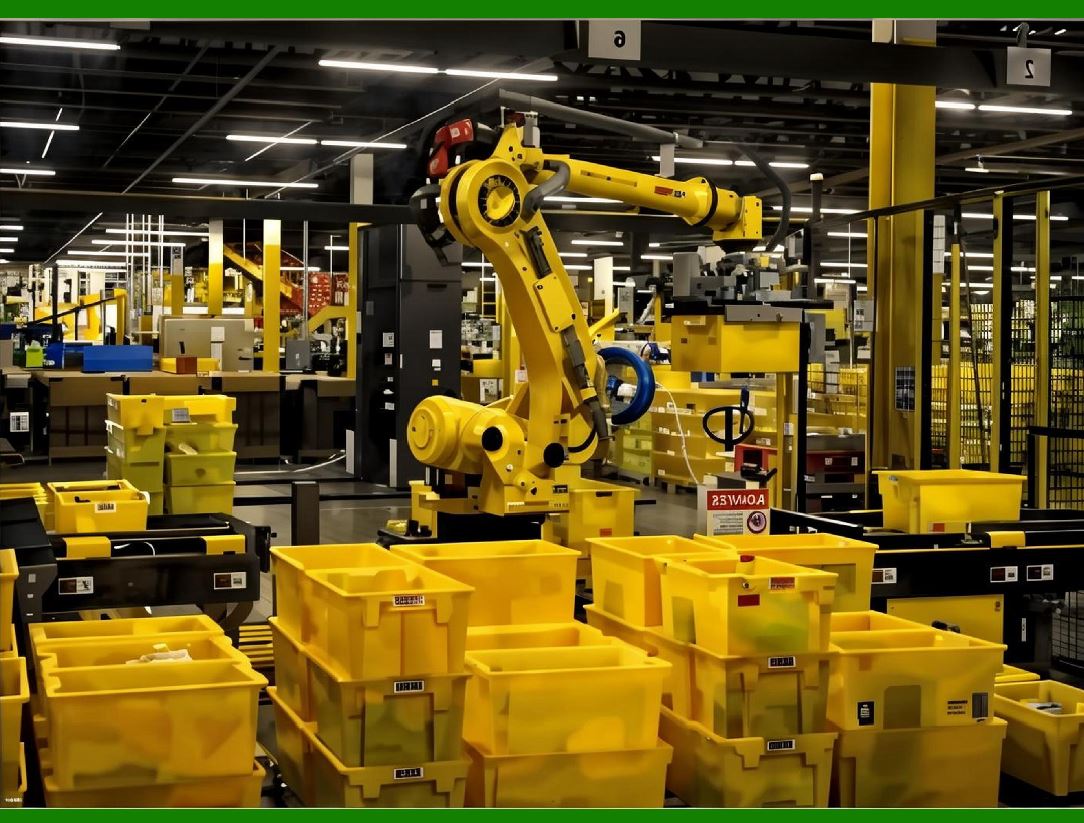
In practice, most collaborative cells use more than one function. A single robot may use speed and separation monitoring when a person is far away, safety-rated monitored stop when the person is closer, and power and force limiting when the person is very close. The functions are layered so that the robot's behavior changes smoothly as the situation changes. |
For example, consider a robot that loads and unloads a machine. When no one is near, the robot moves at full speed. When a person enters the cell, the robot slows down. When the person approaches the machine, the robot stops. When the person reaches into the machine, the robot remains stopped. When the person leaves, the robot resumes. In this case, the robot is using speed and separation monitoring, safety-rated monitored stop, and possibly power and force limiting as a final layer. |
The choice of functions depends on the task, the workspace, the people involved, and the risk assessment. There is no single correct answer. The goal is to find a combination that is safe, practical, and productive. |
|
31.5 What Makes Collaborative Operation Possible |
Collaborative operation depends on several technical building blocks. These include safety-rated sensors, safety-rated controllers, safety-rated software, and a careful design process. It also depends on a clear understanding of the difference between normal control and safety control. |
A safety-rated sensor is a sensor that has been designed and tested to a high level of integrity. It is not enough for a sensor to be accurate. It must also be reliable. It must be able to detect faults and report them. It must be able to fail in a safe way. Common safety-rated sensors include laser scanners, light curtains, safety mats, and vision systems. Some robots also use joint torque sensors and force-torque sensors that are safety-rated. |
A safety-rated controller is a controller that can enforce safety functions independently of the normal control system. It may be a separate unit or it may be integrated into the robot controller. It monitors the robot's state, the state of the sensors, and the state of the safety functions. If a fault is detected, it brings the robot to a safe state. |
Safety-rated software is software that has been developed and tested to a high level of integrity. It is not enough for software to be correct. It must also be reliable. It must be able to handle unexpected inputs and unexpected situations. It must be designed so that a single fault cannot cause a loss of safety. |
The design process is also critical. A collaborative robot installation must be based on a risk assessment that identifies all the hazards and evaluates the risks. The risk assessment must consider the task, the workspace, the people, the robot, the end effector, the workpiece, and the environment. It must consider normal operation, abnormal operation, and foreseeable misuse. It must consider the possibility of human error. The risk assessment must be documented and reviewed. |

|
31.6 Real Applications Across Industries |
The following sections describe how collaborative operation is used in a range of industries. The examples are chosen to show the variety of ways in which the four main functions are applied. They are not meant to be exhaustive. They are meant to give a sense of what is possible and what has already been done. |
31.6.1 Automotive Assembly |
The automotive industry was one of the first to adopt industrial robots, and it has been a leader in collaborative operation. In a typical automotive assembly plant, robots are used for welding, painting, material handling, and assembly. Many of these tasks are still done inside fences, because the robots are large and fast and the risks are high. But collaborative operation is increasingly used for tasks that require flexibility and human judgment. |
One common application is the installation of delicate components, such as wiring harnesses, trim pieces, and small brackets. A collaborative robot may hold a component in place while a human operator fastens it. The robot uses power and force limiting so that if the operator's hand is caught between the robot and the component, the robot stops before causing injury. The robot may also use hand guiding to let the operator position the component precisely. |
Another application is the use of collaborative robots for quality inspection. A robot may move a camera or a sensor over a surface while a human operator looks at the results. The robot uses speed and separation monitoring to slow down when the operator is near. If the operator needs to touch the surface, the robot stops. |
In some plants, collaborative robots are used for machine tending. A robot may load and unload a machine that cuts or forms metal parts. The robot uses safety-rated monitored stop when the operator needs to enter the cell to change a tool or adjust a fixture. The robot stops, the operator does the work, and the robot resumes. |
|
31.6.2 Electronics Manufacturing |
Electronics manufacturing is another industry where collaborative operation has found many uses. The products are small, the tolerances are tight, and the tasks often require a combination of speed and precision. Collaborative robots are used for assembly, testing, inspection, and packaging. |
One common application is the assembly of printed circuit boards. A collaborative robot may place components on a board while a human operator performs soldering or inspection. The robot uses power and force limiting so that it can work close to the operator without danger. The robot may also use hand guiding to let the operator teach it a new placement pattern. |
Another application is the testing of electronic devices. A robot may plug a device into a test fixture and then hand it to an operator for a visual inspection. The robot uses speed and separation monitoring to slow down when the operator reaches for the device. If the operator needs to adjust the device, the robot stops. |
In some factories, collaborative robots are used for packaging. A robot may pick up a finished product and place it into a box while a human operator folds the box or applies a label. The robot uses safety-rated monitored stop when the operator's hands are in the box. The robot waits until the operator's hands are clear and then places the product. |

|
31.6.3 Food and Beverage Processing |
Food and beverage processing is an industry where collaborative operation offers several benefits. The products are often irregular in shape, the tasks are often repetitive, and the environment is often wet and cold. Collaborative robots can work in these conditions and can be designed to meet the hygiene requirements of the industry. |
One common application is the picking and placing of food items. A collaborative robot may pick up a piece of meat or a piece of cheese and place it into a package. A human operator may inspect the item or adjust the package. The robot uses power and force limiting so that it can work close to the operator. The robot's surfaces are designed to be easy to clean, and the robot's joints are sealed to prevent the ingress of water and food particles. |
Another application is the assembly of sandwiches or other prepared foods. A collaborative robot may place ingredients on a base while a human operator adds a sauce or a garnish. The robot uses speed and separation monitoring to slow down when the operator's hands are near. If the operator needs to rearrange the ingredients, the robot stops. |
In some plants, collaborative robots are used for palletizing. A robot may pick up a box of food and place it on a pallet while a human operator stacks the boxes or wraps the pallet. The robot uses safety-rated monitored stop when the operator is on the pallet. The robot waits until the operator is clear and then places the box. |

|
31.6.4 Logistics and Warehousing |
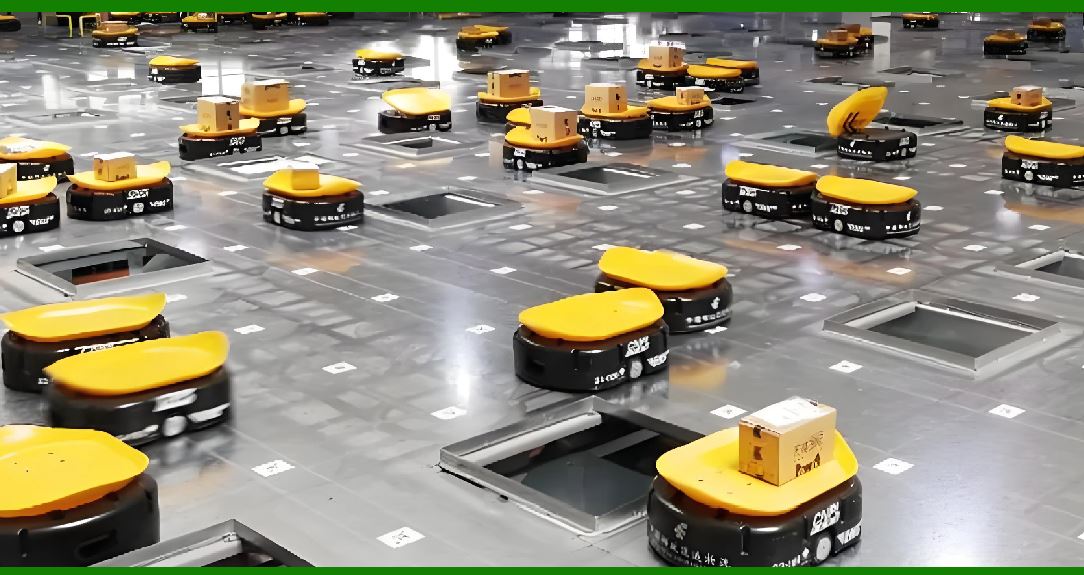
Logistics and warehousing is one of the fastest-growing areas for collaborative robots. The tasks are often repetitive, the volumes are high, and the need for flexibility is great. Collaborative robots are used for picking, packing, sorting, and palletizing. |
One common application is order picking. A collaborative robot may move along a shelf and pick items while a human operator picks items from the same shelf. The robot uses speed and separation monitoring to slow down when the operator is near. If the operator needs to reach into the same bin, the robot stops. The robot may also use hand guiding to let the operator teach it a new picking pattern. |
Another application is packing. A collaborative robot may pick up an item and place it into a box while a human operator adds padding or closes the box. The robot uses power and force limiting so that it can work close to the operator. The robot may also use a vision system to identify the item and determine the best way to pick it up. |
In some warehouses, collaborative robots are used for palletizing. A robot may pick up a box and place it on a pallet while a human operator stacks the boxes or wraps the pallet. The robot uses safety-rated monitored stop when the operator is on the pallet. The robot waits until the operator is clear and then places the box. |

|
31.6.5 Medical Device Manufacturing |
Medical device manufacturing is an industry where quality and precision are critical. The products are often small, the tolerances are tight, and the documentation requirements are strict. Collaborative robots are used for assembly, inspection, and packaging. |
One common application is the assembly of catheters or other small medical devices. A collaborative robot may hold a component while a human operator performs a delicate operation. The robot uses power and force limiting so that it can work close to the operator without danger. The robot may also use hand guiding to let the operator position the component precisely. |
Another application is the inspection of medical devices. A robot may move a camera or a sensor over a device while a human operator looks at the results. The robot uses speed and separation monitoring to slow down when the operator is near. If the operator needs to touch the device, the robot stops. |
In some plants, collaborative robots are used for packaging. A robot may pick up a finished device and place it into a sterile package while a human operator seals the package. The robot uses safety-rated monitored stop when the operator's hands are in the package. The robot waits until the operator's hands are clear and then places the device. |

|
31.6.6 Metalworking and Machining |
Metalworking and machining is an industry where collaborative operation can be used for machine tending, deburring, and inspection. The environment is often dirty, the parts are often heavy, and the risks are often high. Collaborative robots can be designed to work in these conditions and can be used to reduce the physical strain on human operators. |
One common application is machine tending. A collaborative robot may load and unload a lathe or a milling machine. The robot uses safety-rated monitored stop when the operator needs to enter the cell to change a tool or adjust a fixture. The robot stops, the operator does the work, and the robot resumes. The robot may also use hand guiding to let the operator teach it a new part position. |
Another application is deburring. A collaborative robot may hold a part while a human operator uses a tool to remove a burr. The robot uses power and force limiting so that it can work close to the operator. The robot may also use a force-torque sensor to apply a controlled force to the part. |
In some shops, collaborative robots are used for inspection. A robot may move a probe or a camera over a part while a human operator looks at the results. The robot uses speed and separation monitoring to slow down when the operator is near. If the operator needs to touch the part, the robot stops. |

|
31.6.7 Plastics and Injection Molding |
Plastics and injection molding is an industry where collaborative operation can be used for part removal, inspection, and packaging. The environment is often hot, the parts are often small, and the cycle times are often short. Collaborative robots can be designed to work in these conditions and can be used to reduce the physical strain on human operators. |
One common application is part removal. A collaborative robot may reach into a molding machine and remove a finished part. The robot uses safety-rated monitored stop when the operator needs to enter the cell to change a mold or adjust a setting. The robot stops, the operator does the work, and the robot resumes. The robot may also use hand guiding to let the operator teach it a new part position. |
Another application is inspection. A collaborative robot may hold a part while a human operator looks at it or measures it. The robot uses power and force limiting so that it can work close to the operator. The robot may also use a vision system to identify defects. |
In some plants, collaborative robots are used for packaging. A robot may pick up a finished part and place it into a box while a human operator adds padding or closes the box. The robot uses safety-rated monitored stop when the operator's hands are in the box. The robot waits until the operator's hands are clear and then places the part. |

|
31.6.8 Laboratory and Pharmaceutical Work |
Laboratory and pharmaceutical work is an industry where collaborative operation can be used for sample handling, testing, and packaging. The environment is often clean, the samples are often small, and the documentation requirements are strict. Collaborative robots can be designed to work in these conditions and can be used to reduce the risk of contamination and human error. |
One common application is sample handling. A collaborative robot may move a sample from one station to another while a human operator performs a test or an analysis. The robot uses speed and separation monitoring to slow down when the operator is near. If the operator needs to handle the sample, the robot stops. The robot may also use hand guiding to let the operator teach it a new sample position. |
Another application is testing. A collaborative robot may place a sample into a test instrument and then remove it. The robot uses safety-rated monitored stop when the operator needs to enter the cell to change a reagent or adjust a setting. The robot stops, the operator does the work, and the robot resumes. |
In some laboratories, collaborative robots are used for packaging. A robot may pick up a finished product and place it into a box while a human operator adds a label or a leaflet. The robot uses power and force limiting so that it can work close to the operator. The robot may also use a vision system to verify the label. |

|
31.6.9 Agriculture and Food Production |
Agriculture and food production is an industry where collaborative operation can be used for harvesting, sorting, and packaging. The environment is often outdoor, the products are often irregular, and the tasks are often seasonal. Collaborative robots can be designed to work in these conditions and can be used to reduce the physical strain on human workers. |
One common application is harvesting. A collaborative robot may pick a fruit or a vegetable while a human worker picks the same crop. The robot uses speed and separation monitoring to slow down when the worker is near. If the worker needs to reach into the same area, the robot stops. The robot may also use a vision system to identify the ripe fruit. |
Another application is sorting. A collaborative robot may pick up a product and place it into a bin while a human worker inspects it or grades it. The robot uses power and force limiting so that it can work close to the worker. The robot may also use a vision system to determine the quality of the product. |
In some farms, collaborative robots are used for packaging. A robot may pick up a product and place it into a box while a human worker adds padding or closes the box. The robot uses safety-rated monitored stop when the worker's hands are in the box. The robot waits until the worker's hands are clear and then places the product. |
|
31.6.10 Aerospace and Defense |
Aerospace and defense is an industry where collaborative operation can be used for assembly, inspection, and maintenance. The products are often large, the tolerances are tight, and the documentation requirements are strict. Collaborative robots can be designed to work in these conditions and can be used to reduce the physical strain on human workers. |
One common application is assembly. A collaborative robot may hold a component while a human operator fastens it. The robot uses power and force limiting so that it can work close to the operator without danger. The robot may also use hand guiding to let the operator position the component precisely. |
Another application is inspection. A robot may move a camera or a sensor over a surface while a human operator looks at the results. The robot uses speed and separation monitoring to slow down when the operator is near. If the operator needs to touch the surface, the robot stops. |
In some facilities, collaborative robots are used for maintenance. A robot may hold a tool while a human operator uses it. The robot uses power and force limiting so that it can work close to the operator. The robot may also use a force-torque sensor to apply a controlled force. |

|
31.6.11 Construction and Heavy Equipment |
Construction and heavy equipment is an industry where collaborative operation is still emerging. The environment is often unstructured, the tasks are often variable, and the risks are often high. Collaborative robots can be designed to work in these conditions and can be used to reduce the physical strain on human workers. |
One common application is the assembly of prefabricated components. A collaborative robot may hold a component while a human worker fastens it. The robot uses power and force limiting so that it can work close to the worker without danger. The robot may also use hand guiding to let the worker position the component precisely. |
Another application is inspection. A robot may move a camera or a sensor over a surface while a human worker looks at the results. The robot uses speed and separation monitoring to slow down when the worker is near. If the worker needs to touch the surface, the robot stops. |
In some sites, collaborative robots are used for material handling. A robot may pick up a tool or a part and hand it to a human worker. The robot uses safety-rated monitored stop when the worker's hands are near. The robot waits until the worker's hands are clear and then releases the tool or part. |

|
31.6.12 Research and Education |
Research and education is an area where collaborative operation is often used for teaching and for experimentation. The robots are often small, the speeds are often low, and the risks are often low. Collaborative robots can be used to teach students about robotics, programming, and safety. |
One common application is teaching. A collaborative robot may be used to demonstrate a concept in a classroom or a laboratory. The robot uses power and force limiting so that it can work close to the students without danger. The robot may also use hand guiding to let the students teach it a new motion. |
Another application is research. A collaborative robot may be used to test a new algorithm or a new sensor. The robot uses speed and separation monitoring to slow down when a researcher is near. If the researcher needs to intervene, the robot stops. |
In some institutions, collaborative robots are used for outreach. A robot may be used to demonstrate robotics to the public. The robot uses power and force limiting so that it can work close to the public without danger. The robot may also use hand guiding to let the public interact with it. |

|
31.7 The Role of Risk Assessment |
Risk assessment is the foundation of collaborative operation. It is the process of identifying the hazards, evaluating the risks, and deciding what measures are needed to reduce the risks to an acceptable level. It is not a one-time activity. It must be repeated whenever the task, the workspace, the robot, the end effector, the workpiece, or the people change. |
The risk assessment must consider all the ways in which a person could be harmed. This includes mechanical hazards, such as crushing, shearing, cutting, and impact. It includes electrical hazards, such as shock and fire. It includes thermal hazards, such as burns and scalds. It includes chemical hazards, such as exposure to toxic substances. It includes ergonomic hazards, such as repetitive strain and awkward posture. It includes psychological hazards, such as stress and fatigue. |
The risk assessment must also consider the likelihood of each hazard and the severity of the potential harm. A hazard that is very likely to occur but causes only minor harm may be less important than a hazard that is unlikely to occur but causes severe harm. The risk assessment must consider the people who will be exposed, including operators, maintenance workers, cleaners, and visitors. It must consider their training, their experience, and their physical capabilities. |
The risk assessment must lead to a set of measures that reduce the risks to an acceptable level. These measures may include engineering controls, such as guards and safety functions. They may include administrative controls, such as procedures and training. They may include personal protective equipment, such as gloves and goggles. The measures must be documented and reviewed. |

|
31.8 The Role of Standards |
Standards play an important role in collaborative operation. They provide a common language for describing safety functions and a common set of requirements for designing and testing them. They help manufacturers, integrators, and users to communicate and to trust each other. They also help regulators to evaluate the safety of a system. |
The most important standards for collaborative operation are those developed by the International Organization for Standardization, or ISO, and the International Electrotechnical Commission, or IEC. These include ISO 10218-1 and ISO 10218-2, which cover industrial robots and robot systems. They include ISO/TS 15066, which covers collaborative robots. They include ISO 13849-1 and IEC 62061, which cover the safety-related parts of control systems. They include IEC 61508, which covers functional safety in general. |
These standards are not laws, but they are often used as the basis for laws and regulations. They are also used as the basis for certification and for insurance. They are updated periodically to reflect new technology and new experience. It is important for anyone involved in collaborative operation to be familiar with the relevant standards and to follow them. |

|
31.9 The Role of the Human |
The human is a central part of collaborative operation. The human is not just a source of risk. The human is also a source of skill, judgment, and flexibility. The human can see things that the robot cannot see. The human can feel things that the robot cannot feel. The human can make decisions that the robot cannot make. The human can adapt to changes that the robot cannot anticipate. |
Collaborative operation works best when the human and the robot are given tasks that suit their strengths. The robot should do the tasks that are repetitive, strenuous, or dangerous. The human should do the tasks that require judgment, dexterity, or communication. The robot should provide the power and the precision. The human should provide the intelligence and the adaptability. |
The human must also be trained and prepared. The human must understand how the robot works, what it can do, and what it cannot do. The human must understand the safety functions and how they work. The human must understand what to do in an emergency. The human must be able to recognize when the robot is not behaving as expected and to take appropriate action. |

|
31.10 The Role of the End Effector |
The end effector is the part of the robot that interacts with the workpiece and with the environment. It is often the part that is closest to the human. It is often the part that determines whether a collaborative application is safe or not. |
A safe end effector is designed to minimize the risk of injury. It has no sharp edges. It has no pinch points. It has no hot surfaces. It is lightweight. It is rounded. It is easy to see. It is easy to clean. It is designed so that if it contacts a person, the force is distributed over a large area. |
The end effector must also be considered in the risk assessment. A heavy or sharp workpiece can cause injury even if the robot itself is safe. A tool that is powered, such as a drill or a saw, can cause injury even if the robot is stopped. A gripper that can drop a part can cause injury even if the robot is moving slowly. |

|
31.11 The Role of the Environment |
The environment is also an important factor in collaborative operation. The environment includes the floor, the walls, the ceiling, the lighting, the temperature, the humidity, the noise, and the presence of other equipment and other people. |
A safe environment is designed to support the collaborative application. The floor is level and clean. The walls and ceilings are free of obstructions. The lighting is adequate. The temperature and humidity are within the range that the robot and the sensors can tolerate. The noise is within the range that the people can tolerate. The other equipment and other people are considered in the risk assessment. |
The environment must also be considered in the design of the safety functions. For example, a laser scanner may be affected by dust or by reflective surfaces. A vision system may be affected by changes in lighting. A safety mat may be affected by the weight of a person or by the presence of a cart. These factors must be considered and addressed. |

|
31.12 Common Mistakes and How to Avoid Them |
Collaborative operation is not without its pitfalls. The following are some of the most common mistakes and some suggestions for avoiding them. |
The first mistake is to assume that a collaborative robot is inherently safe. No robot is inherently safe. A collaborative robot is safe only when it is used correctly and when the risks have been assessed and reduced. A collaborative robot can cause injury if it is moving too fast, if it is carrying too much weight, if it has a sharp end effector, or if it is used in a way that was not intended. |
The second mistake is to rely on a single safety function. A single safety function can fail. A single safety function can be defeated. A single safety function can be bypassed. It is better to use multiple layers of protection so that if one layer fails, another layer is still in place. |
The third mistake is to neglect the end effector. The end effector is often the most dangerous part of the system. It must be designed and selected with safety in mind. It must be included in the risk assessment. It must be tested and validated. |
The fourth mistake is to neglect the workpiece. The workpiece can be heavy, sharp, hot, or otherwise dangerous. It must be included in the risk assessment. It must be handled in a way that minimizes the risk. |
The fifth mistake is to neglect the human. The human is not a machine. The human can be distracted, tired, or careless. The human can make mistakes. The human can be unpredictable. The safety functions must be designed to accommodate the human. |
The sixth mistake is to neglect the environment. The environment can change. The lighting can change. The temperature can change. The layout can change. The safety functions must be designed to be robust to these changes. |
The seventh mistake is to neglect maintenance. A collaborative system requires maintenance. The sensors must be cleaned. The software must be updated. The safety functions must be tested. The maintenance must be planned and documented. |
The eighth mistake is to neglect training. The people who work with the robot must be trained. They must understand the robot. They must understand the safety functions. They must understand what to do in an emergency. The training must be repeated and refreshed. |
|
31.13 The Future of Collaborative Operation |
The future of collaborative operation is likely to be shaped by several trends. One trend is the increasing use of artificial intelligence and machine learning. These technologies can help the robot to recognize people, to predict their movements, and to adapt its behavior accordingly. They can also help the robot to learn new tasks and to improve its performance over time. |
Another trend is the increasing use of mobile robots. Mobile robots can move around the factory and can work in different locations. They can collaborate with people in ways that fixed robots cannot. They can also collaborate with other robots. They can be used for tasks such as material transport, inspection, and maintenance. |
Another trend is the increasing use of cloud computing and the Internet of Things. These technologies can help the robot to share data with other systems and to be monitored and controlled remotely. They can also help the robot to be updated and improved over time. |
Another trend is the increasing use of new materials and new designs. These can make the robot lighter, stronger, and more flexible. They can also make the robot safer. For example, a robot with a soft, compliant skin can absorb energy and reduce the force of an impact. |
Another trend is the increasing use of standards and regulations. As collaborative operation becomes more common, there will be more pressure to ensure that it is safe and reliable. This will lead to more standards and more regulations. It will also lead to more certification and more testing. |
|
31.14 A Detailed Summary of This Chapter |
This chapter has explained the four main collaborative functions: safety-rated monitored stop, hand guiding, speed and separation monitoring, and power and force limiting. It has explained how these functions work, how they are combined, and what makes them possible. It has described how collaborative operation is used in a wide range of industries, including automotive assembly, electronics manufacturing, food and beverage processing, logistics and warehousing, medical device manufacturing, metalworking and machining, plastics and injection molding, laboratory and pharmaceutical work, agriculture and food production, aerospace and defense, construction and heavy equipment, and research and education. It has discussed the role of risk assessment, standards, the human, the end effector, and the environment. It has identified some common mistakes and suggested how to avoid them. It has looked at the future of collaborative operation. |
The main message of this chapter is that collaborative operation is not a single technology. It is a set of techniques that can be used to allow humans and robots to share a workspace safely. The techniques are based on a clear understanding of the hazards and the risks. They are supported by standards and by a careful design process. They are implemented with safety-rated sensors, controllers, and software. They are used in a wide range of industries and a wide range of tasks. They are not a replacement for separation. They are an addition to the toolbox. When they are used correctly, they can make work safer, more efficient, and more satisfying. When they are used incorrectly, they can create new risks. The key is to understand the techniques, to assess the risks, and to choose the right combination for the task at hand. |
Collaborative operation is still evolving. New sensors, new controllers, new software, and new standards are being developed. New applications are being found. New lessons are being learned. The field is moving quickly, and it is likely to continue to move quickly for many years to come. For anyone involved in industrial robotics, it is a field worth watching and worth understanding. |
 cs@easiersoft.com