1. Introduction to EAN-128 Barcode |
1.1 Overview |
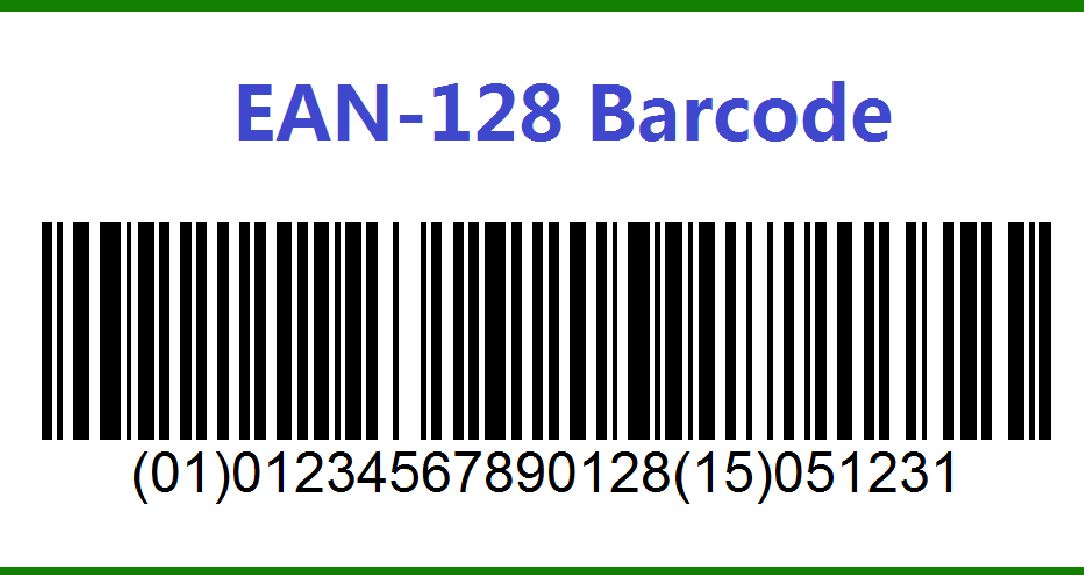
EAN-128, also known as GS1-128, is a standardized barcode used extensively in global supply chains for identifying and tracking goods. It is an application identifier (AI) based barcode that can encode various data elements needed for logistics, inventory management, and regulatory compliance. Unlike simpler barcodes like UPC or EAN-13, EAN-128 is designed to handle complex data requirements by utilizing a set of predefined application identifiers to specify the type of data being encoded. |
|
1.2 History and Development |
EAN-128 was developed by GS1, formerly known as the Uniform Code Council (UCC) and EAN International, as part of their initiative to improve and standardize product identification systems. The format was introduced to address the limitations of earlier barcodes that could not accommodate the varied data needs of modern supply chains. EAN-128 builds upon the 128-character ASCII set used by the Code 128 symbology, incorporating additional features to support diverse data types and structures. |

|
2. Structure and Encoding of EAN-128 |
2.1 Symbology |
EAN-128 utilizes the Code 128 symbology, which is a high-density, variable-length barcode encoding scheme. Code 128 is known for its capability to encode all 128 ASCII characters, including letters, numbers, and special symbols. The EAN-128 barcode inherits this flexibility but is enhanced with application identifiers to specify the data format and meaning. |

|
2.2 Application Identifiers (AIs) |
Application Identifiers (AIs) are numeric codes embedded within the EAN-128 barcode to identify the type of data encoded. These identifiers precede the data they describe and provide context for decoding. The AI is followed by the actual data, which can include various elements such as product codes, batch numbers, expiration dates, and more. AIs help standardize data interpretation across different systems and applications. |
2.2.1 Examples of Common AIs |
01: Global Trade Item Number (GTIN) - identifies a product. 10: Batch or Lot Number - identifies a specific batch of products. 17: Expiration Date - indicates the expiration date of a product. 21: Serial Number - provides a unique identifier for individual items. |

|
2.3 Data Encoding |
In EAN-128, the data is encoded using the Code 128 character set, which includes three subsets: Code 128A, Code 128B, and Code 128C. Each subset supports different types of characters: |
Code 128A: Encodes uppercase letters, numbers, and control codes. Code 128B: Encodes uppercase and lowercase letters, numbers, and special characters. Code 128C: Encodes numeric data in pairs, allowing for more compact representation. |
The choice of subset depends on the data being encoded. For example, numeric data is often encoded using Code 128C to optimize space. |

|
3. Applications and Use Cases |
3.1 Supply Chain and Logistics |
EAN-128 is widely used in supply chain management to encode product information, batch numbers, and other essential data. Its ability to encode various data types makes it suitable for tracking goods through different stages of the supply chain, from manufacturing to distribution. |
3.1.1 Example: Shipping Labels |
In shipping and logistics, EAN-128 barcodes are used on shipping labels to include information such as the destination address, package contents, and handling instructions. The barcode ensures that this information is readily accessible and can be scanned to streamline sorting and delivery processes. |

|
3.2 Retail and Inventory Management |
Retailers use EAN-128 to manage inventory and track product details. By encoding information such as product identifiers, quantities, and expiration dates, EAN-128 helps retailers maintain accurate inventory records and manage stock levels efficiently. |
3.2.1 Example: Shelf Life Tracking |
EAN-128 barcodes are particularly useful in industries where shelf life is critical, such as pharmaceuticals and food. By encoding expiration dates and batch numbers, retailers can monitor product freshness and ensure that items are rotated and removed from shelves before they expire. |

|
3.3 Healthcare and Pharmaceuticals |
In the healthcare industry, EAN-128 barcodes are used to track pharmaceutical products and medical supplies. They encode information such as drug names, dosages, and serial numbers, aiding in inventory management, recall processes, and regulatory compliance. |
3.3.1 Example: Medication Tracking |
Pharmacies and hospitals use EAN-128 barcodes on medication packaging to track drug information and ensure accurate dispensing. The barcodes help verify that the correct medication is administered to patients and assist in managing inventory levels. |

|
4. Technical Specifications and Standards |
4.1 Barcode Dimensions and Quality |
EAN-128 barcodes can vary in size depending on the amount of data encoded and the printing resolution. The barcode must be printed with sufficient quality to ensure that it can be scanned reliably by barcode readers. Key parameters include: |
Module Width: The width of the narrowest bar or space in the barcode. Bar Height: The height of the bars, which affects scanning readability. Quiet Zone: The blank space around the barcode that ensures proper scanning. |
4.2 Error Detection and Correction |
EAN-128 uses a checksum mechanism to detect errors in data transmission. The checksum is calculated based on the encoded data and is appended to the barcode. During scanning, the checksum is verified to ensure that the data has been transmitted correctly. |
4.3 Compliance with GS1 Standards |
EAN-128 is governed by GS1 standards, which define the rules for encoding data and the use of Application Identifiers. Compliance with these standards ensures interoperability and consistency across different systems and applications. |

|
5. Advantages and Limitations |
5.1 Advantages |
Versatility: EAN-128 can encode a wide range of data types, making it suitable for various applications. Data Integrity: The use of Application Identifiers helps ensure that data is accurately interpreted and used. Global Standard: EAN-128 is recognized and used worldwide, facilitating international trade and logistics. |
5.2 Limitations |
Complexity: The inclusion of Application Identifiers and the need for precise encoding can make EAN-128 more complex to implement compared to simpler barcodes. |
Scanning Requirements: The quality of the printed barcode and the scanning equipment used can affect readability and performance. |

|
6. Future Developments and Trends |
6.1 Integration with Digital Technologies |
As digital technologies advance, EAN-128 is being integrated with emerging systems such as Internet of Things (IoT) and blockchain. These integrations aim to enhance traceability, security, and data management in supply chains and other industries. |
6.2 Evolving Standards |
GS1 continues to update and refine standards for EAN-128 to address new challenges and opportunities. Future developments may include enhancements to data encoding, improved error correction mechanisms, and greater compatibility with digital formats. |
6.3 Adoption in New Markets |
EAN-128 is expanding its presence in new markets and industries, driven by the need for standardized and efficient data management solutions. As global trade and logistics become more complex, the demand for versatile barcoding solutions like EAN-128 is expected to grow. |

|
7. Conclusion |
EAN-128 is a powerful and versatile barcode system that plays a crucial role in modern supply chains, retail management, and various other applications. Its ability to encode complex data through the use of Application Identifiers makes it a valuable tool for managing and tracking products and information. Despite its complexity, the benefits of EAN-128 in improving data accuracy and efficiency make it an essential component of global logistics and inventory systems. |
 cs@easiersoft.com