1. Introduction to Code 11 Barcode Error Correction |
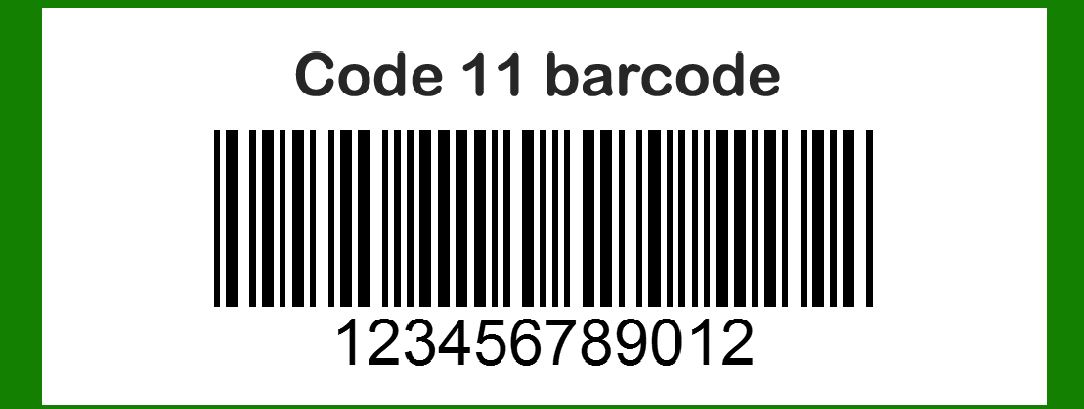
Error correction in barcodes is essential for ensuring data integrity, especially in environments where barcodes might be damaged or partially unreadable. The Code 11 barcode, developed by Intermec in 1977, is primarily used for labeling telecommunications equipment. It is designed to encode numeric data and the dash character, making it suitable for various applications. However, like any barcode, it can suffer from read errors due to damage, printing issues, or scanning problems. To address this, Code 11 incorporates a unique error correction mechanism that enhances its reliability. |
|
2. Structure of Code 11 Barcode |
Before diving into the error correction mechanism, it is essential to understand the structure of the Code 11 barcode. A typical Code 11 barcode includes: |
2.1 Characters |
Numeric Characters (0-9): The primary data set. Dash (-): An additional character used in encoding. |
2.2 Start and Stop Characters |
Each Code 11 barcode starts and ends with a unique character, which helps the scanner recognize the beginning and end of the barcode. |
2.3 Check Characters |
Depending on the length of the encoded data, one or two check characters are appended to the data. These check characters are crucial for error detection and correction. |

|
3. Check Characters in Code 11 |
The error correction mechanism in Code 11 relies on the use of check characters. These characters are calculated based on the encoded data and added to the end of the barcode before the stop character. The check characters enable the detection and correction of errors in the scanned data. |
3.1 Single Check Character |
For data strings of up to 10 characters, a single check character is used. This check character is calculated using a modulo-11 algorithm. |
3.2 Double Check Characters |
For data strings of 11 characters or more, two check characters are used. The first check character is calculated using a modulo-11 algorithm, while the second is calculated using a modulo-9 algorithm. These two check characters provide a higher level of error detection and correction. |

|
4. Calculating Check Characters |
The process of calculating check characters in Code 11 involves several steps: |
4.1 Single Check Character Calculation (Modulo-11) |
1.Assign Weights: Assign weights to each character in the data string, starting from the rightmost character with a weight of 1, and increasing the weight by 1 for each character to the left, up to a maximum of 10. 2.Sum the Products: Multiply each character by its assigned weight and sum the products. 3.Modulo Operation: Divide the sum by 11 and take the remainder. 4.Determine Check Character: The remainder is the value of the check character. If the remainder is 10, the check character is represented as the dash (-). |
Example: Single Check Character Calculation |
For the data string '12345': |
1.Assign weights: 5(1), 4(2), 3(3), 2(4), 1(5) 2.Calculate products: 51, 42, 33, 24, 1*5 = 5, 8, 9, 8, 5 3.Sum the products: 5 + 8 + 9 + 8 + 5 = 35 4.Modulo operation: 35 % 11 = 2 5.Check character: 2 |
The complete data string with the check character is '123452'. |
4.2 Double Check Character Calculation (Modulo-11 and Modulo-9) |
For data strings with 11 or more characters, two check characters are calculated. |
First Check Character (Modulo-11) |
1.Assign Weights: Assign weights as described in section 4.1. 2.Sum the Products: Multiply each character by its assigned weight and sum the products. 3.Modulo Operation: Divide the sum by 11 and take the remainder. 4.Determine First Check Character: The remainder is the first check character. |
Second Check Character (Modulo-9) |
1.Assign Weights: Assign weights to each character in the data string, including the first check character, starting from the rightmost character with a weight of 1, and increasing the weight by 1 for each character to the left, up to a maximum of 9. 2.Sum the Products: Multiply each character by its assigned weight and sum the products. 3.Modulo Operation: Divide the sum by 9 and take the remainder. 4.Determine Second Check Character: The remainder is the second check character. |
Example: Double Check Character Calculation |
For the data string '12345678901': |
First Check Character |
1.Assign weights: 1(1), 0(2), 9(3), 8(4), 7(5), 6(6), 5(7), 4(8), 3(9), 2(10), 1(11) 2.Calculate products: 11, 02, 93, 84, 75, 66, 57, 48, 39, 210, 1*11 = 1, 0, 27, 32, 35, 36, 35, 32, 27, 20, 11 3.Sum the products: 1 + 0 + 27 + 32 + 35 + 36 + 35 + 32 + 27 + 20 + 11 = 256 4.Modulo operation: 256 % 11 = 3 5.First check character: 3 |
Second Check Character |
1.Append the first check character to the data string: '123456789013' 2.Assign weights: 3(1), 1(2), 0(3), 9(4), 8(5), 7(6), 6(7), 5(8), 4(9), 3(10), 2(11), 1(12) 3.Calculate products: 31, 12, 03, 94, 85, 76, 67, 58, 49, 310, 211, 112 = 3, 2, 0, 36, 40, 42, 42, 40, 36, 30, 22, 12 4.Sum the products: 3 + 2 + 0 + 36 + 40 + 42 + 42 + 40 + 36 + 30 + 22 + 12 = 305 5.Modulo operation: 305 % 9 = 8 6.Second check character: 8 |
The complete data string with the check characters is '1234567890138'. |

|
5. Error Detection and Correction |
The primary purpose of the check characters in Code 11 is to detect and correct errors. The error correction capabilities depend on the number of check characters used. |
5.1 Single Check Character Error Detection |
Error Detection: A single check character can detect any single-digit error within the barcode. If a scanning error occurs, the recalculated check character will not match the encoded check character, indicating an error. |
5.2 Double Check Character Error Detection and Correction |
Error Detection: Double check characters significantly enhance error detection capabilities. They can detect up to two errors within the barcode. Error Correction: Double check characters can correct a single error within the barcode. By identifying which character has caused the discrepancy, the barcode can be corrected to match the check characters. |

|
6. Practical Examples of Error Correction |
6.1 Example 1: Single Check Character Error Detection |
Consider the data string '12345' with a check character '2': |
Encoded barcode: '123452' |
If the barcode is scanned as '123453': |
Recalculate the check character: 1(5), 2(4), 3(3), 4(2), 5(1) = 5 + 8 + 9 + 8 + 5 = 35 % 11 = 2 The recalculated check character '2' does not match the scanned check character '3', indicating an error. |
6.2 Example 2: Double Check Character Error Detection and Correction |
Consider the data string '12345678901' with check characters '38': |
Encoded barcode: '1234567890138' |
If the barcode is scanned as '1234567890137': |
Recalculate the first check character: 1(11), 0(10), 9(9), 8(8), 7(7), 6(6), 5(5), 4(4), 3(3), 2(2), 1(1) = 11 + 20 + 27 + 32 + 35 + 36 + 35 + 32 + 27 + 20 + 11 = 256 % 11 = 3 The recalculated first check character '3' matches, but the second check character '8' does not match '7', indicating an error. Identify and correct the error: By isolating the position of the error and correcting it to match the check characters, the corrected barcode '1234567890138' is obtained. |

|
7. Conclusion |
The error correction mechanism in Code 11 barcodes, utilizing one or two check characters, is a robust system for ensuring data integrity. By leveraging modulo-11 and modulo-9 algorithms, Code 11 can effectively detect and correct errors in encoded data. This error correction capability makes Code 11 a reliable choice for environments where data accuracy is critical, such as telecommunications and other industrial applications. The examples provided illustrate the practical application of these mechanisms, highlighting their importance in maintaining the integrity of scanned data. |

|
 cs@easiersoft.com