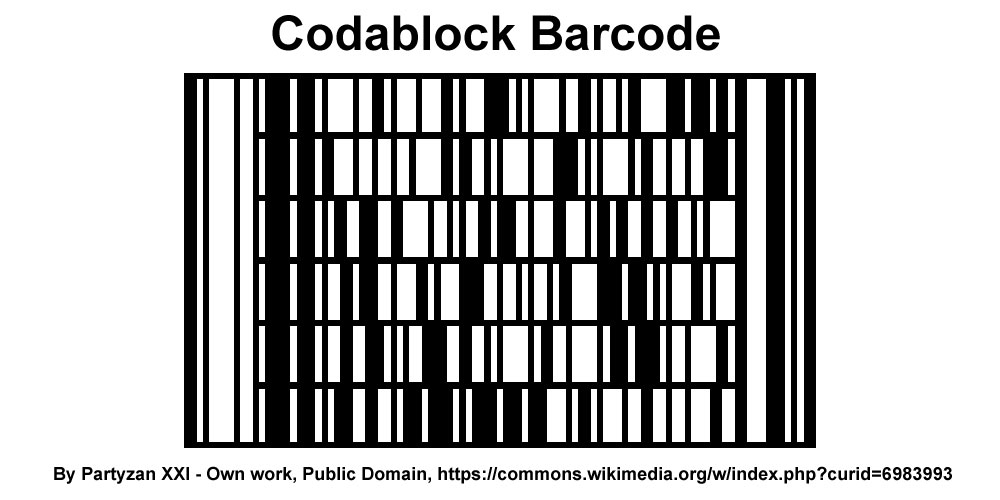
Codablock barcodes are a specialized type of stacked barcode primarily used in the healthcare industry, particularly for applications involving Health Industry Bar Code (HIBC) standards. |
Codablock barcodes are designed to encode large amounts of data in a compact format, making them suitable for labeling and tracking medical supplies, pharmaceuticals, and other healthcare-related items. Here's a detailed exploration of Codablock barcodes, their structure, encoding principles, applications, and relevance in the healthcare sector. |
|
1. Introduction to Codablock Barcode |
Codablock is a family of stacked barcodes that can be considered as stacked 1D barcodes or sometimes categorized as stacked 2D barcodes due to their ability to encode data vertically as well as horizontally. Developed to meet specific industry standards, Codablock barcodes are particularly favored in environments where compact data representation and high reliability are critical, such as healthcare, pharmaceuticals, and logistics. |

|
2. Structure and Encoding |
Codablock barcodes consist of multiple rows of traditional Codabar symbols stacked vertically. Each row typically represents a segment of encoded data, and the barcode reader interprets the entire stack to reconstruct the complete encoded message. The structure allows for the encoding of significantly more data compared to standard linear barcodes without increasing the physical size of the barcode itself. |

|
3. Encoding Scheme |
The encoding scheme of Codablock barcodes follows the rules and specifications defined by the HIBC, which ensure interoperability and standardized data representation within the healthcare industry. Codablock barcodes use a combination of start and stop characters, data characters, and checksums to ensure accuracy and readability during scanning. |

|
4. Applications in Healthcare |
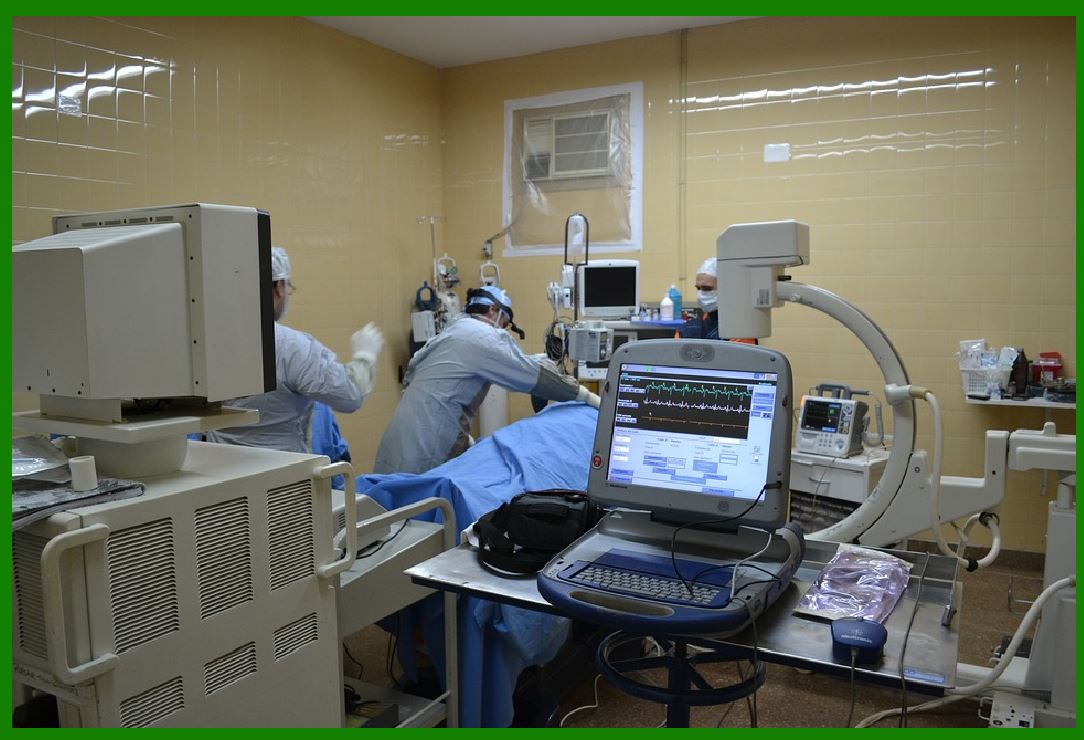
Codablock barcodes find extensive use in healthcare applications due to their ability to encode large amounts of critical information within a small footprint. Key applications include: |
Medical Supplies Tracking: Used to label and track medical equipment, supplies, and pharmaceuticals throughout their lifecycle, from manufacturing to patient use. Patient Identification: Employed for patient wristbands and medical records to ensure accurate patient identification and tracking within healthcare facilities. Pharmaceutical Packaging: Integrated into pharmaceutical packaging to facilitate inventory management, traceability, and compliance with regulatory requirements. Laboratory Specimen Identification: Applied to label laboratory specimens, ensuring accurate tracking and identification throughout testing and analysis processes. |
|
5. Advantages of Codablock Barcodes |
Data Density: Codablock barcodes can encode large amounts of data efficiently, making them suitable for applications requiring extensive information storage. Reliability: Designed to maintain data integrity and readability even when printed in small sizes or under varying environmental conditions. Standardization: Adherence to HIBC standards ensures compatibility with existing systems and processes within the healthcare industry. Space Efficiency: Compact size allows for easy integration into labels, packaging, and various forms of identification without consuming excessive space. |

|
6. Reading and Decoding |
Codablock barcodes are read using specialized barcode scanners capable of interpreting stacked barcode formats. These scanners capture the entire barcode stack in a single pass, decoding each row sequentially to reconstruct the encoded data. The decoding process involves recognizing start and stop characters, validating checksums, and assembling the segmented data into a coherent output. |

|
7. Implementation Challenges and Considerations |
Printing Quality: Ensuring high print quality is essential to maintain barcode readability, especially in healthcare environments where labels may undergo handling, sterilization, or exposure to various chemicals. Integration with IT Systems: Effective integration with hospital management systems, inventory databases, and electronic health records (EHR) requires compatibility and adherence to data exchange standards. Regulatory Compliance: Meeting regulatory requirements for barcode labeling in healthcare, including FDA regulations in the United States and similar standards in other regions, is crucial for adoption and implementation. |

|
8. Future Trends |
Enhanced Data Security: Integration with blockchain technology for enhanced security and traceability of medical supply chains. IoT Integration: Connecting Codablock barcodes with IoT devices for real-time monitoring and data analytics. Artificial Intelligence: Leveraging AI algorithms for enhanced barcode recognition and data extraction capabilities in complex healthcare environments. |
|
9. Conclusion |
Codablock barcodes represent a critical technology in the healthcare industry, facilitating efficient data management, patient safety, and regulatory compliance. Their ability to encode large volumes of information in a compact format makes them indispensable for applications ranging from medical supplies tracking to patient identification and pharmaceutical packaging. As healthcare continues to embrace digital transformation, Codablock barcodes are poised to play an increasingly vital role in ensuring accuracy, efficiency, and transparency across healthcare operations. |
 cs@easiersoft.com