Barcode Technology

Barcode History

Barcode Label Paper

Barcode Printer

Barcode Application

Inventory Management

AI Barcode QRCode

Barcode Scanner

Barcode Software

Barcode Software B

Barcode Software C

Barcode Software D

Barcode Software E

New Technology A

New Technology B

Robot Technology

Barcode Types

Barcode Types B

Barcode Types C

Barcode Types D

Barcode Types E

Barcode Types F

Electronic Technology

Psychology at Work

Barcode Technology and Barcode Software Related   <<< Back to Directory <<<

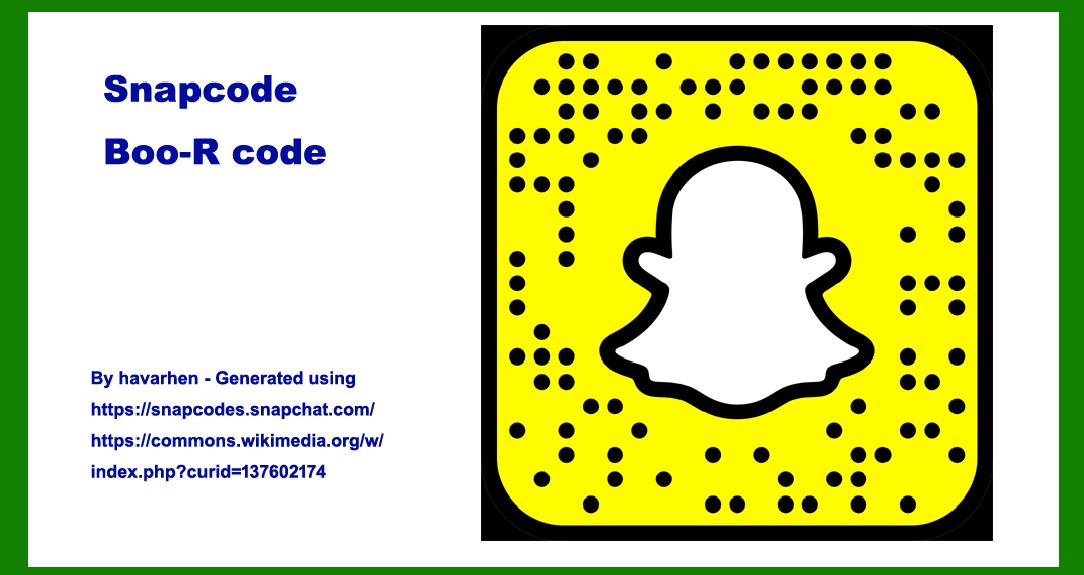
Encoding of the Snapcode (Boo-R code)

Recommended: Free barcode software - Bulk barcode generator and label printing, Free for life. Download

The Snapcode, also known as Boo-R code, is a type of 2D barcode primarily used by Snapchat for user identification and linking digital content to the platform. Understanding its encoding involves delving into the specifics of how information is structured and represented within this barcode format.

Overview of Snapcode (Boo-R Code)

Snapcodes are distinctive due to their circular design with a central Snapchat ghost logo and a surrounding pattern of dots and lines. These codes serve as a quick way to add friends, unlock content, or access specific features within the Snapchat app.

Encoding Structure

The encoding of Snapcodes involves several key elements that determine its functionality and appearance. Here's a detailed breakdown:

1.Circular Format: Unlike traditional square or rectangular barcodes, Snapcodes are circular. The circular shape is a visual trademark of Snapcodes and sets them apart from other 2D barcode types.

2.Central Ghost Logo: At the center of every Snapcode is the Snapchat ghost logo, which serves both as a branding element and a central reference point for decoding the code.

3.Data Encoding:

Grid Pattern: The area surrounding the central ghost logo consists of a grid pattern of dots and lines. These elements encode information such as a user's profile ID or a specific URL.

Positional Data: The exact placement and arrangement of dots and lines in the grid convey specific data. Each position within the grid can represent different binary states (on/off) or encode numeric values.

4.Error Correction: Like many modern 2D barcodes, Snapcodes utilize error correction techniques to ensure reliability in scanning. This typically involves adding redundancy to the encoded data so that even if part of the code is damaged or obscured, the underlying information can still be recovered.

Example of Snapcode Encoding

Let's break down how a hypothetical Snapcode might encode a user's profile URL:

1.Central Ghost Logo: Positioned at the center, the ghost logo is a fixed element and doesn't directly encode information but serves as a visual marker.

2.Surrounding Grid Pattern:

Imagine a grid of 10x10 dots surrounding the ghost logo.

Each dot or line within this grid can be either black (filled) or white (empty).

3.Encoding Data:

Suppose we want to encode the URL https://www.snapchat.com/add/exampleuser.

Convert the URL into a binary format suitable for encoding:

01101000 01110100 01110100 01110000 01110011 00111010 00101111 00101111

01110111 01110111 01110111 00101110 01110011 01101110 01100001 01110000

01100011 01101000 01100001 01110100 00101110 01100011 01101111 01101101

00101111 01100001 01100100 01100100 00101111 01100101 01111000 01100001

01101101 01110000 01101100 01100101 01110101 01110011 01100101 01110010

This binary data is then mapped onto the grid of dots and lines around the ghost logo.

4.Error Correction:

Additional bits are added to the encoded data to allow for error correction. This ensures that even if parts of the Snapcode are damaged or obscured, the scanning device can still accurately interpret the underlying information.

Decoding Process

When a user scans a Snapcode using the Snapchat app:

The app identifies the presence of a Snapcode based on the circular shape and ghost logo.

It then analyzes the surrounding grid pattern, decoding the binary data represented by the positions of dots and lines.

Error correction algorithms help in reconstructing the original binary data, even if some parts of the code are unreadable.

Finally, the app interprets this data, which could be a user's profile ID, a URL, or another form of digital content linked to Snapchat.

Conclusion

The Snapcode (Boo-R code) is a unique form of 2D barcode that integrates branding (Snapchat ghost logo) with functional data encoding (surrounding grid pattern). Its circular design and specific encoding techniques make it recognizable and efficient for quick interactions within the Snapchat ecosystem. Understanding its encoding structure involves grasping how binary data is translated into visual elements (dots and lines) and how error correction ensures reliable scanning and interpretation of the encoded information.


EasierSoft Barcode Label Design & Bulk Printing Software

---- Use Excel Data to Batch Print Barcodes on Label Sheets or Roll Labels  

---- How to use this barcode software

Download:  Free Barcode Software + Barcode Label Designer

Download Free Barcode Software at Softonic

     Download at CNET

Once you obtain a GS1/UPC/EAN barcode, or other barcode type and QR code, you can use our free software to batch print barcode labels onto Roll label paper using a professional label printer, or to batch print barcodes onto Avery 5160 label sheets using a regular laser or inkjet printer. Our software has free and paid versions.

The free version fully meets your needs for batch printing GS1/UPC/EAN barcodes. The paid version can import data from Excel and databases to batch print barcode labels with different values.

How to Start

Input Data

Import Excel Data

Print Barcode

Barcode Format

Label Designer

All Screen Shot

Export Barcode Image

Save Template

Output Word Excel

How to Use & FAQ:

Example: Print barcodes to 5163 label

Example: Print barcodes to 5164 label

Example: Print portrait orientation 5164

Example: Print barcodes to 5167 label

Example: Print barcodes to 5168 label

Example: Print portrait orientation 5168

Example: Print barcodes to 5169 label

Example: Print barcodes to 5660 label

Example: Print barcodes to 5661 label

Example: Print barcodes to 5662 label

Example: Print barcodes to 5663 label

Example: Print barcodes to 5664 label

Example: Print portrait orientation 5664

Example: Print barcodes to 5873 label

Example: Print barcodes to 5874 label

Two ways to import Excel data

Import Excel Data - Pro Edition

Import Excel Data - Std Edition

Import Data from Excel - Detail

Load Data From Excel File

Data Editing Table

Copy Data From Excel

Four ways to input barcode data

Add ASCII Key E

Input Multiple Lines of Text for Barcodes

Generates Sequential Serial Numbers

Import or copy data from Excel sheets

Special sequence number generation

Std Details: Simple Input Form

Std Details: Multiple Line Text Input

Details: Sequence Barcode Generator

Examples: Sequence Barcode Generator

Import Data From Excel Spreadsheet

Barcode Data Correspondence Diagram

Data Editor

Editing a Single Row Data in Form

Batch Editing Multiple Rows of Data

Batch Data Editing - Example 2

Design & print complex barcode labels

Configuring Text Elements on Label

Configuring Barcode Elements on Label

Configuring Image Elements on Label

Setting Line Elements on Label

Designing Labels for 5164 Sheet

Advanced Page Layout Settings

Add Barcode Elements to a Label

Configuring Parameters of a Barcode

Entering Multiple Values for a Barcode

Print barcode labels

Print bulk barcodes - How to start

Highlights

Excel integration: Import data directly from Excel to generate and print barcodes in bulk.

Label designer: Create complex labels with multiple barcodes, text, logos, and shapes.

Batch printing: Print thousands of barcodes at once using standard inkjet/laser printers or professional barcode printers.


Flexible editions:

Standard Edition: Simple batch printing with Excel data.

Professional Edition: Adds command-line automation for workflow integration.

Label Designer Edition: Advanced design features for complex labels.


Why Choose Our Barcode Solutions?

Cost-effective: Free online generator and permanent free desktop version available.

Easy to use: No technical expertise required—just input data and print.

Versatile: Supports nearly all 1D and 2D barcode types, including QR codes.

Trusted: Recommended by CNET and widely downloaded by users worldwide.


Suitable Use Cases

Small businesses and startups needing quick barcode labels for products.

Retailers and online sellers managing inventory with batch barcode printing.

Manufacturers requiring sequential or custom barcode labels for packaging.

Educational and testing environments where barcodes are used for tracking.


CONTACT

cs@easiersoft.com

If you have any question, please feel free to email us.


https://free-barcode.com


<<< Back to Directory <<<     Barcode Generator     Barcode Freeware     Privacy Policy