Part 8 User Profiles, Adoption Scenarios, and Practical Deployment Models |
81. Barcode Studio as a Multi-Audience Tool |
TEC-IT Barcode Studio is unusual in that it successfully serves very different categories of users with the same core application. Rather than targeting a single niche, it is designed to scale across skill levels, organizational sizes, and technical environments. |
This versatility is not accidental. It is the result of deliberate design decisions that balance ease of use with professional depth. Barcode Studio can be used productively by someone with no barcode background, while still offering the precision and control demanded by specialists. |

|
82. Individual and Occasional Users |
At the simplest level, Barcode Studio is accessible to individuals who need to generate barcodes occasionally. These users may include: |
* Office staff creating labels |
* Small business owners |
* Administrative personnel |
* Educators and researchers |
For these users, the graphical interface, presets, and automatic validation are critical. They allow barcodes to be created quickly without requiring deep understanding of symbology rules or printing physics. |
The learning curve for basic usage is intentionally shallow, enabling productive results within minutes of installation. |

|
83. Small and Medium-Sized Businesses |
Small and medium-sized businesses often lack dedicated barcode specialists but still rely heavily on barcode technology for daily operations. |
Typical use cases include: |
* Product labeling |
* Inventory tracking |
* Shipping and logistics |
* Internal asset management |
Barcode Studio fits well into these environments because it does not require integration into complex IT systems. It can be deployed on individual workstations and used immediately, while still producing professional-grade output. |
Saved configurations and batch processing features allow small teams to standardize barcode output without extensive training. |

|
84. Corporate and Enterprise Environments |
In larger organizations, barcode generation is often part of structured workflows governed by internal standards and compliance requirements. |
Barcode Studio supports these environments by offering: |
* Reproducible barcode definitions |
* Standards-compliant encoding |
* Cross-platform consistency |
* Integration into document and print workflows |
In enterprise contexts, Barcode Studio may be used by multiple departments, each with different needs. Its flexibility allows centralized standards to be enforced while still accommodating department-specific variations. |

|
85. Manufacturing and Industrial Users |
Manufacturing environments place particularly high demands on barcode quality and consistency. Barcodes may be exposed to heat, abrasion, chemicals, and long service lifetimes. |
Industrial users value Barcode Studio for its: |
* Precise dimension control |
* Support for industrial symbologies |
* Compatibility with thermal printers |
* Emphasis on scan reliability |
In these settings, Barcode Studio often becomes part of a standardized production process, with barcode definitions locked down and reused across long periods. |

|
86. Logistics and Supply Chain Operations |
Logistics operations depend heavily on accurate and robust barcodes. A single unreadable label can disrupt an entire shipment. |
Barcode Studio supports logistics use cases through: |
* GS1-compliant encoding |
* Batch generation from shipment data |
* High-contrast, printer-optimized output |
* Consistent formatting across partners |
By producing barcodes that conform to global standards, the software facilitates interoperability across organizational and national boundaries. |

|
87. Healthcare and Regulated Industries |
In healthcare and other regulated sectors, barcode errors can have serious consequences. Patient identification, medication tracking, and sample labeling all rely on precise barcode data. |
Barcode Studio standards-aware validation and structured data support make it suitable for these high-stakes environments. Its ability to enforce formatting rules reduces the risk of human error during barcode creation. |

|
88. Graphic Designers and Prepress Professionals |
Graphic designers often encounter barcodes as one element within a larger layout. For them, barcode generation tools must integrate smoothly into design workflows without compromising visual control. |
Barcode Studio meets these needs by providing: |
* High-quality vector output |
* Precise sizing and alignment |
* Transparency support |
* Predictable scaling behavior |
Designers can treat Barcode Studio as a specialized asset generator, producing barcode files that integrate seamlessly into their layouts. |

|
89. Software Developers and Technical Users |
Although Barcode Studio is a graphical application, it is also used by technically inclined users who prefer deterministic, repeatable outputs. |
Developers may use Barcode Studio to: |
* Prototype barcode designs |
* Validate encoding rules |
* Generate test data |
* Create reference assets |
In these scenarios, Barcode Studio complements programmatic barcode libraries by providing visual confirmation and manual control. |

|
90. Training, Onboarding, and Ease of Adoption |
One of Barcode Studio strengths is its ease of adoption. New users can be productive quickly, while advanced users can explore deeper features at their own pace. |
The interface is structured to reveal complexity gradually, avoiding overwhelming newcomers while still offering depth for experts. |
This makes Barcode Studio suitable for environments with mixed skill levels and frequent staff turnover. |

|
91. Deployment Models and Licensing Flexibility |
Barcode Studio can be deployed in various ways, from single-user installations to organization-wide rollouts. |
Its licensing model supports: |
* Individual workstations |
* Shared environments |
* Long-term usage without subscription dependence |
This flexibility allows organizations to choose deployment strategies that align with their operational and budgetary constraints. |

|
92. Long-Term Use and Maintenance |
Barcode Studio is often used over many years, with barcode definitions and workflows evolving gradually. Its ability to save, reuse, and update configurations supports long-term maintenance. |
Backward compatibility and standards adherence ensure that older barcode assets remain usable as systems evolve. |

|
93. Minimizing Dependency on External Services |
Unlike web-based barcode generators, Barcode Studio operates entirely offline once installed. This independence is important for organizations with strict data security requirements or limited internet connectivity. |
Offline operation also ensures that barcode generation remains available regardless of external service availability. |

|
94. Barcode Studio as an Internal Standardization Tool |
In many organizations, Barcode Studio becomes the de facto standard for barcode creation. By centralizing barcode generation in a single tool, organizations reduce variability and improve consistency. |
Standardization simplifies training, quality control, and system integration. |
95. Adaptability Across Business Lifecycles |
As organizations grow and change, their barcode needs often become more complex. Barcode Studio scales with these changes, supporting increasingly sophisticated workflows without requiring a switch to entirely new tools. |
This adaptability protects investment in training and configuration over time. |

|
96. User Confidence Through Predictability |
Users gain confidence when tools behave predictably. Barcode Studio consistent output, clear validation, and reproducible workflows build trust among its users. |
This trust encourages broader adoption and reduces reliance on ad hoc or unofficial barcode solutions. |
97. Supporting Both Centralized and Decentralized Workflows |
Barcode Studio can be used in centralized barcode generation models or decentralized setups where individual departments generate their own barcodes. |
Its flexibility allows organizations to choose governance models that fit their structure and culture. |

|
98. Reducing Operational Friction |
By simplifying barcode creation and reducing errors, Barcode Studio helps reduce operational friction across many processes. |
Tasks that might otherwise require specialized knowledge or external vendors can be handled internally with confidence. |
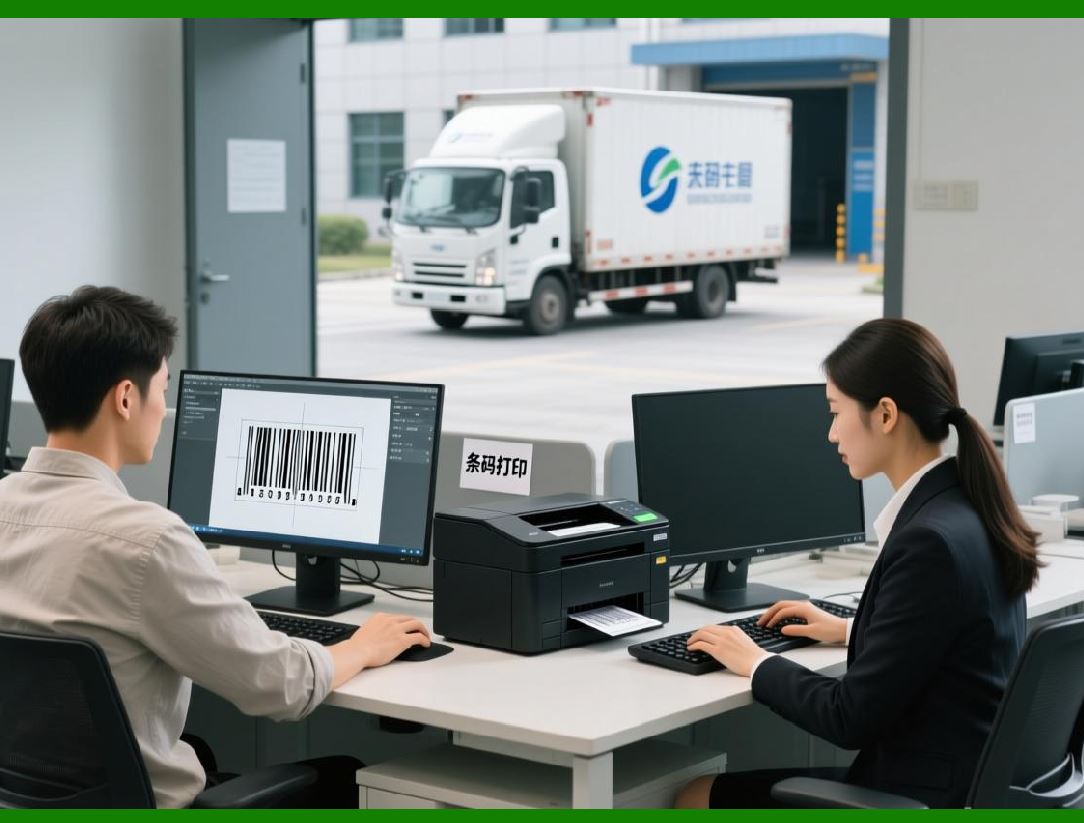
99. Barcode Studio as a Bridge Between Disciplines |
Barcode generation sits at the intersection of data, design, printing, and operations. Barcode Studio functions as a bridge between these disciplines, allowing users from different backgrounds to collaborate effectively. |
|
100. User Diversity as a Measure of Maturity |
The breadth of users who successfully rely on Barcode Studio is a testament to its maturity. It is not narrowly optimized for a single use case but designed to serve a wide ecosystem of needs. |
 cs@easiersoft.com