Article 59: The Decoder's Output Interface: USB, RS-232, and the Keyboard Wedge |
Summary |
This article explains how a barcode scanner's decoder hands its decoded data to a host device. It examines three output interfaces that dominate the industry: USB, RS-232 serial, and the proprietary keyboard wedge. It explains why USB enumeration must complete before the first scan, describes what happens when enumeration fails, and surveys real-world applications across retail, healthcare, logistics, manufacturing, and other sectors where interface behavior determines whether a scan succeeds or silently disappears. |

|
1. Introduction: The Last Centimeter of the Decoding Chain |
The decoder's output interface is the final link between a photon and a business transaction. Everything discussed in earlier parts of this book, the optics, the sensor, the analog front end, the digitizer, and the decoding algorithms, exists to produce one short string of characters. That string is worthless until it reaches the host application that prices a product, admits a patient, routes a parcel, or records a work order. The interface is the last centimeter of the decoding chain, and it is where many practical failures occur. |
The interface is electrically mundane. A USB connection is a differential pair running at low or high speed. An RS-232 link is a single-ended serial line swinging between positive and negative voltages. A keyboard wedge is often nothing more than a microcontroller pretending to be a keyboard by toggling a few pins. None of these is exotic. Yet the practical behavior of these interfaces, especially their startup and enumeration behavior, decides whether a scanner works reliably in the field or produces the most frustrating of all failure modes: a scan that appears to succeed but delivers nothing. |
This article treats the output interface as a systems problem rather than a signaling problem. It explains what each interface actually does at the moment of connection, why the timing of that connection matters so much, and how the answer plays out differently in retail, healthcare, logistics, manufacturing, banking, government, and other industries. The treatment is deliberately practical. The goal is to give designers, integrators, and technical managers a mental model they can use when a scanner 'does not work' and the cause turns out to be the host, not the scan engine. |
The article also serves as a bridge. Earlier articles covered how the decoder produces characters. This one covers how those characters leave the device. Later articles will cover the host-side software stack and the configuration tools that let a single scanner serve many hosts. The output interface is where the digital boundary of the scanner becomes visible, because it is the point at which the scanner's internal world of bits must negotiate with an external world that has its own rules, its own timing, and its own expectations. |

|
2. What an Output Interface Actually Does |
An output interface performs three jobs: it delivers characters, it establishes a relationship with the host, and it defines the rules for when delivery is allowed. Most people think only about the first job. The second and third jobs are where the interesting engineering lives. |
Character delivery is the obvious function. The decoder has produced a string, and the interface must move that string into the host's input stream. On USB, this means packaging the characters into interrupt transfers on an endpoint the host has agreed to poll. On RS-232, it means shifting bytes out of a UART at an agreed baud rate, with agreed framing bits, at an agreed parity. On a keyboard wedge, it means emitting the electrical equivalents of key presses and key releases in the correct sequence, including modifier keys for shifted characters. |
Relationship establishment is the less obvious function. Before characters can flow, the host must know that a device exists, what kind of device it is, and how to talk to it. USB formalizes this as enumeration. RS-232 has no formal enumeration, but it has an implicit one: both ends must agree on baud rate, data bits, parity, and stop bits before any byte is meaningful. A keyboard wedge relies on the host's keyboard controller recognizing a keyboard-like device at power-on or hot-plug. In every case, there is a handshake, even if the handshake is informal. |
Rule definition is the third function. The interface defines when delivery is permitted, how much can be delivered at once, and what happens when delivery fails. USB defines packet sizes, timeouts, and error recovery. RS-232 defines flow control through hardware lines or software characters. A keyboard wedge defines timing through the host's keyboard repeat and buffer behavior. These rules matter because a scanner that violates them produces data that the host either misinterprets or discards. |
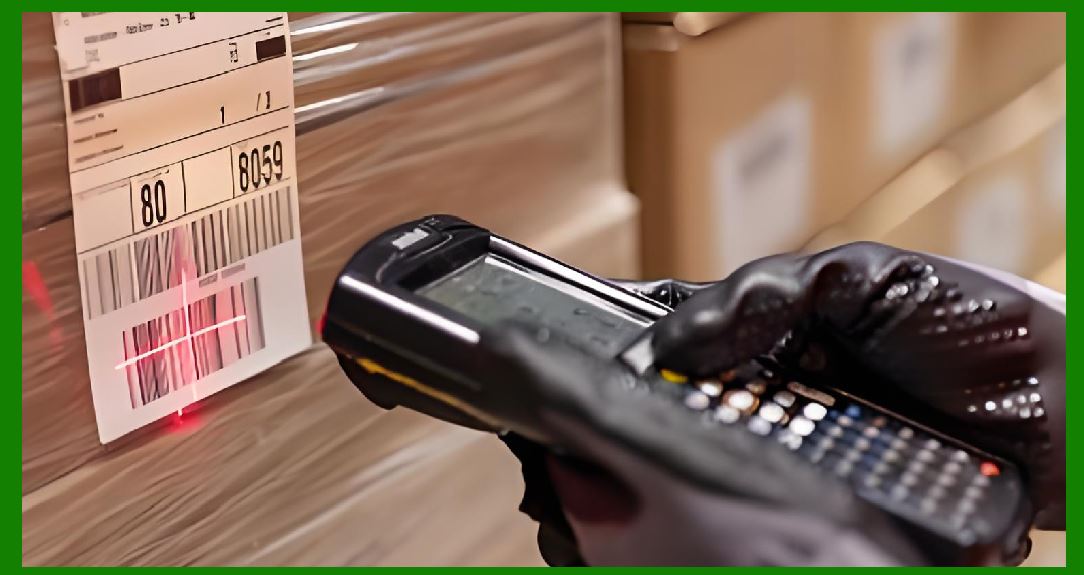
Understanding these three jobs explains a common field observation. A scanner can pass every bench test, decode every symbol placed in front of it, and still fail in deployment. The failure is rarely in the decode. It is in the relationship or the rules. The interface was not ready, or the host was not ready, or the two disagreed about timing. The rest of this article explores those failure modes interface by interface. |
|
3. USB: The Dominant Interface and Its Enumeration Ritual |
USB is the dominant scanner interface in modern deployments because it is cheap, fast, universally supported, and capable of supplying power over the same cable that carries data. A USB barcode scanner is, from the host's perspective, a specialized human interface device or a specialized virtual serial port, depending on how it is configured. The distinction matters enormously for enumeration. |
USB enumeration is the process by which the host discovers a newly attached device, assigns it an address, reads its descriptors, and loads or binds an appropriate driver. Enumeration begins when the device pulls up a resistor on one of the data lines, signaling attachment. The host detects this, resets the port, and begins a structured conversation. The host asks for the device descriptor, which includes the vendor ID and product ID. It then asks for configuration descriptors, interface descriptors, and endpoint descriptors. Only after this conversation does the host know how to send and receive data. |
The critical property of enumeration is that it takes time and it must complete before data can flow. A host will not accept scan data from a device it has not enumerated. If the scanner begins sending characters before enumeration finishes, those characters are lost. They are not buffered by the host, because the host does not yet know that an endpoint exists to buffer them from. This is the technical root of the rule stated at the outset: USB enumeration must occur before the first scan, or the host will miss the data. |
In practice, enumeration completes quickly, typically within a few hundred milliseconds of attachment. The problem is not the duration but the sequence. Consider a point-of-sale terminal that boots in the morning. The operating system starts, loads drivers, and begins enumerating attached devices. A cashier who is impatient may pick up the scanner and scan the first item before the operating system has finished enumerating the scanner. The scan engine decodes the symbol correctly. The decoder formats the characters correctly. The USB interface attempts to send them. But the host has not yet bound the driver, so the characters vanish. The cashier sees no result, assumes the scanner is broken, and scans again. By the second scan, enumeration has completed and everything works. The first scan was not lost because of a hardware fault. It was lost because of a race between human behavior and host startup. |
This race is common enough that many scanner vendors build in a startup delay or a 'USB ready' indicator. Some scanners buffer the first few scans until enumeration completes. Others simply refuse to emit data until they have received a configuration from the host. These mitigations help, but they do not eliminate the underlying issue. The host, not the scanner, controls when enumeration happens, and the host may be slow to start. |
USB has two common scanner configurations, and they enumerate differently. The first is the human interface device class, often configured as a keyboard. The host binds the standard keyboard driver, and the scanner's characters appear as keystrokes. This configuration requires no custom driver, which is why it is popular. The second is the communications device class, often configured as a virtual serial port. The host binds a virtual serial driver, and the scanner's characters appear on a serial port that applications can open. This configuration gives applications more control but requires the driver to be present and the port to be opened before data flows. In both cases, enumeration must complete first, but the consequences of a late start differ. A keyboard-class scanner that starts late simply loses keystrokes. A virtual-serial scanner that starts late may lose data and may also leave the application holding a port handle that never receives anything. |
USB also introduces the concept of alternate configurations and interface selection. A single physical scanner may present multiple interfaces, for example a keyboard interface and a vendor-specific interface. The host selects a configuration during enumeration, and the scanner must honor that selection. If the host selects a configuration the scanner did not expect, the scanner may enumerate successfully but deliver data on an endpoint the host is not polling. This produces a scanner that appears connected but produces nothing, a failure mode that is especially confusing because the device shows up in the operating system's device list. |

|
4. RS-232: The Enduring Serial Interface |
RS-232 is older than USB by decades, yet it remains common in scanners deployed in industrial, medical, and legacy retail environments. Its endurance is explained by its simplicity and its determinism. RS-232 is a point-to-point serial link with no enumeration protocol, no descriptors, and no driver negotiation. Both ends simply agree on a set of parameters and start exchanging bytes. That simplicity is both its strength and its weakness. |
The strength is predictability. An RS-232 scanner and its host agree on baud rate, data bits, parity, and stop bits, and from that moment the link behaves the same way every time. There is no enumeration race because there is no enumeration. The scanner can begin sending characters as soon as it is powered and configured, and the host can receive them as soon as its serial port is open. In systems where the host application starts before the scanner is powered, or where the scanner is hot-swapped, RS-232 avoids the USB startup problem entirely. |
The weakness is that the agreement is invisible. Nothing in the RS-232 standard verifies that both ends are configured identically. If the scanner is set to 9600 baud and the host to 19200, the host receives garbage. If the scanner sends eight data bits and the host expects seven, characters are corrupted. If parity is mismatched, every byte may be flagged as an error. These mismatches produce a characteristic failure: the scanner appears to work, the link light may even blink, but the host receives nonsense. Field technicians learn to check baud rate first, because it is the most common cause of 'the scanner is not working' in serial deployments. |
RS-232 also requires attention to flow control. A scanner can produce characters faster than a slow host can consume them. Without flow control, the host's receive buffer overflows and characters are lost. Hardware flow control uses additional lines, typically request-to-send and clear-to-send, to pause the scanner when the host is busy. Software flow control uses special characters, typically XON and XOFF, embedded in the data stream. Both work, but both must be configured consistently on both ends. A scanner configured for hardware flow control connected to a host expecting none may hang waiting for a clear-to-send that never arrives. A scanner with no flow control connected to a host that expects software flow control may overflow the host buffer during a burst of rapid scans. |
The physical layer of RS-232 introduces its own practical concerns. The standard specifies positive and negative voltages that are larger than modern logic levels, so interface chips are needed to translate between the serial line and the microcontroller. Cable length is limited by capacitance, and long cables in electrically noisy environments can corrupt data. Isolation is sometimes required in medical and industrial settings to prevent ground loops. These concerns are well understood, but they are easy to overlook when a scanner is moved from a benign office environment to a factory floor. |
RS-232 remains the interface of choice when determinism matters more than convenience. A laboratory instrument that must log every scan with a precise timestamp prefers a serial link it controls completely. A legacy point-of-sale system built around serial ports cannot easily adopt USB. An industrial controller with a serial port and no USB host cannot use a USB scanner without an adapter. In these environments, RS-232's lack of enumeration is a feature, not a bug. |

|
5. The Keyboard Wedge: Pretending to Be a Keyboard |
The keyboard wedge is the oldest and, in some ways, the cleverest scanner interface. It works by inserting the scanner's output into the host's keyboard input path, so that the host believes the characters were typed. The name comes from the original implementation, in which a device physically wedged between the keyboard and the computer, intercepting the keyboard cable and injecting scanner characters alongside the keyboard's own signals. Modern implementations are usually electronic rather than physical, but the principle is the same: the scanner presents itself as a keyboard, and the host's keyboard driver delivers the characters to whatever application has focus. |
The keyboard wedge's great advantage is that it requires no application changes. Any application that accepts typed input accepts scanner input. A point-of-sale application that was written before scanners existed can be driven by a keyboard-wedge scanner without modification. This property made the wedge the default interface for decades and keeps it relevant in environments where the application cannot be changed, such as legacy retail systems, library catalogs, and small medical practices. |
The wedge's great disadvantage is that it depends on the host's keyboard subsystem, which introduces timing and focus problems. Because the characters arrive as keystrokes, they go to whatever window has focus. If the cashier clicks on the wrong window before scanning, the barcode characters appear in the wrong application, possibly corrupting data or triggering unintended commands. This is not a theoretical concern. Field reports of barcodes appearing in spreadsheets, email clients, and chat windows are common. The wedge cannot know where its characters will land, because the host's keyboard driver does not distinguish between a real keyboard and a scanner. |
Timing is the second problem. The host's keyboard controller expects keystrokes at human speeds, with intervals between key presses that reflect physical typing. A scanner can emit characters much faster than a human, and some hosts cannot keep up. The result is dropped characters, transposed characters, or characters interpreted as keyboard shortcuts. A scanner that emits a barcode beginning with the characters for a modifier key plus a letter may trigger a menu command instead of delivering data. Vendors mitigate this by adding inter-character delays, configurable prefixes and suffixes, and 'keyboard language' settings that match the host's layout. These mitigations work, but they must be configured correctly, and the correct configuration depends on the host. |
The wedge also inherits the keyboard's limitations with special characters. A barcode may contain characters that require modifier keys, such as uppercase letters or symbols. The scanner must emit the correct sequence of modifier press, key press, key release, and modifier release for each character. If the host's keyboard layout differs from the scanner's assumption, the characters are wrong. A scanner configured for a US keyboard connected to a host using a UK layout may produce different symbols for the same barcode. This is a configuration problem, but it manifests as a data-integrity problem, which makes it expensive to diagnose. |
Despite these issues, the keyboard wedge persists because it solves a real problem: it connects a scanner to software that was never designed to talk to a scanner. In environments where the application is fixed and the host is a standard personal computer, the wedge is often the only practical option. Its limitations are known and manageable, provided the integrator understands them. |
|
6. Why Enumeration Timing Matters: The Race at Startup |
The rule that USB enumeration must precede the first scan is a specific case of a general principle: a host cannot receive data from a device it has not yet recognized. This principle applies to every interface, but USB makes it visible because USB formalizes recognition as a protocol with a definite start and end. Understanding the race at startup helps explain why scanners fail in the first moments after power-on and why those failures are so often misattributed to hardware. |
Consider the typical startup sequence in a retail store. The store opens, and the cashier powers on the point-of-sale terminal. The terminal's operating system begins booting. During boot, the operating system loads drivers and enumerates attached devices. The scanner, which was powered on with the terminal or shortly after, also begins its own startup sequence. It initializes its sensor, runs self-checks, loads its configuration, and prepares to decode. The two sequences run in parallel, and they are not synchronized. |
If the scanner finishes its startup before the host finishes enumerating, the scanner is ready to send data but the host is not ready to receive it. A scan during this window is decoded and formatted but not delivered. If the host finishes enumerating before the scanner is ready, the host is ready but the scanner has nothing to send. A scan during this window is not decoded at all, because the scanner is still initializing. Only after both sequences complete does the system work reliably. The window between power-on and reliable operation can be seconds or, on slow hosts, tens of seconds. |
This race is invisible to the user, who sees only a scanner that 'does not work' for the first few scans of the day. The user's response is predictable: scan again, then again, then report a fault. By the time a technician arrives, the system is working, and the fault cannot be reproduced. The technician tests the scanner, finds it functional, and closes the ticket. The problem recurs the next morning. This cycle is common enough that experienced integrators build startup procedures around it, such as waiting for a ready indicator before scanning or scanning a test symbol before beginning work. |
The race is also affected by power topology. A scanner powered from the USB bus receives power only after the host has enumerated it, which means the scanner's own startup begins after enumeration. This ordering eliminates the race in one direction but introduces a delay: the scanner cannot begin decoding until the host has granted it power. A scanner with an external power supply can begin decoding before the host is ready, which reintroduces the race. The choice of power topology therefore affects startup behavior, and integrators should choose deliberately rather than by accident. |
Hot-plugging introduces a related race. If a scanner is unplugged and replugged while the host is running, the host must re-enumerate the device before data can flow. The re-enumeration is usually faster than a full boot, but it is not instantaneous, and scans during the gap are lost. In environments where scanners are frequently moved between hosts, such as shared workstations in warehouses, this race is a recurring source of lost scans. |

|
7. Failure Modes and Their Symptoms |
Each interface has characteristic failure modes, and each failure mode produces a characteristic symptom. Learning to recognize the symptom is the first step toward diagnosing the cause. This section catalogs the most common failures in practical terms. |
The first failure mode is the silent loss at startup, described above. The symptom is that the first scan of the day does nothing, while later scans work. The cause is a race between scanner readiness and host enumeration. The fix is procedural, such as waiting for a ready indicator, or technical, such as configuring the scanner to buffer early scans. |
The second failure mode is the connected-but-silent device. The symptom is that the operating system shows the scanner as connected, but no data arrives. On USB, this can be caused by a configuration mismatch, in which the host selected an interface the scanner is not using, or by an application that has not opened the virtual serial port. On RS-232, it can be caused by a baud rate mismatch that produces no recognizable characters, or by a flow control mismatch that leaves the scanner waiting. On a keyboard wedge, it can be caused by a focus problem, in which the characters are delivered to a window other than the intended one. |
The third failure mode is corrupted characters. The symptom is that data arrives but is wrong. On RS-232, the usual cause is a framing or parity mismatch. On a keyboard wedge, the usual cause is a keyboard layout mismatch or an inter-character delay that is too short for the host. On USB, corruption is rare because the protocol includes error detection, but it can occur if the host driver is faulty or if the scanner is configured for the wrong report format. |
The fourth failure mode is the truncated scan. The symptom is that the beginning or end of the barcode is missing. On RS-232, truncation usually indicates buffer overflow caused by missing flow control. On a keyboard wedge, truncation usually indicates that the host could not keep up with the character rate. On USB, truncation is rare but can occur if the application reads the endpoint too slowly and the scanner overwrites its buffer. |
The fifth failure mode is the phantom keystroke. The symptom is that the scanner triggers unintended actions in the host application. This is specific to the keyboard wedge and occurs when the barcode's characters are interpreted as keyboard shortcuts or when the scanner emits modifier keys that the application treats as commands. The fix is to configure the scanner's prefix and suffix so that the host can distinguish scanner input from keyboard input. |
Each of these failure modes is diagnosable with a modest amount of information. Knowing which interface is in use, which configuration is selected, and which host software is receiving the data narrows the cause quickly. The most common mistake in diagnosis is to assume the scanner is at fault. In practice, the majority of output interface failures originate on the host side, in enumeration, configuration, or application behavior. |

|
8. Retail and Point of Sale |
Retail is the largest market for barcode scanners and the environment where output interface behavior is most visible to ordinary people. A supermarket checkout lane is a laboratory for interface design, because it combines high scan volumes, multiple operators, and legacy software with modern hardware. |
In a typical supermarket, the point-of-sale terminal runs a software stack that may be decades old, wrapped in layers of updates and integrations. The scanner is usually a USB device configured as a keyboard wedge or as a virtual serial port. The keyboard-wedge configuration is common because it requires no changes to the point-of-sale application, which was often written to accept typed input. The virtual-serial configuration is increasingly common because it allows the application to distinguish scanner input from keyboard input and to apply scanner-specific rules. |
The enumeration race is a daily reality in retail. Stores that open early often have terminals that boot slowly, and cashiers who arrive before the terminal is ready may scan the first item into a void. Many chains address this with a startup checklist that includes waiting for a green indicator on the scanner or scanning a test item before opening the lane. Others configure the scanner to buffer the first scan and deliver it once enumeration completes. Both approaches work, but both depend on the store's procedures being followed consistently, which is not guaranteed across thousands of locations. |
Pharmacy counters add a regulatory dimension. A pharmacy scanner may be used to read prescription barcodes that carry patient and medication information. A lost scan at startup means a prescription must be re-entered manually, which takes time and introduces the risk of transcription error. Some pharmacy systems require a successful test scan before the workstation is considered ready, which converts the enumeration race into a visible, checkable condition. |
Convenience stores and small retailers often use keyboard-wedge scanners connected to ordinary personal computers. The wedge's focus problem is a recurring issue in these environments, because the same computer may be used for email, inventory, and point of sale. A cashier who scans while the wrong window is focused may paste a barcode into an email or a spreadsheet. The usual mitigation is a dedicated point-of-sale application that runs in the foreground and captures all input, but this requires discipline that small operations do not always have. |
Self-checkout lanes introduce a new wrinkle. The customer, not a trained cashier, operates the scanner. Enumeration races and focus problems that a cashier would work around become customer-facing failures. Self-checkout systems typically include extensive diagnostics and clear visual feedback, because the customer cannot be expected to diagnose an interface problem. The scanner's output interface becomes part of the user experience, and its reliability directly affects customer satisfaction. |

|
9. Healthcare: Bedside Scanning and the Cost of a Lost Scan |
Healthcare uses barcode scanning at the bedside, in the pharmacy, and in the laboratory, and in each setting a lost scan has consequences beyond inconvenience. The output interface in healthcare must be reliable because the data it carries is often safety-critical. |
Bedside medication administration is the most demanding application. A nurse scans a patient's wristband and a medication's barcode to confirm that the right patient is receiving the right drug in the right dose. The scanner is usually a USB device connected to a cart-mounted computer or a handheld terminal. The interface must work every time, because a failed scan interrupts the workflow and, worse, may tempt a nurse to bypass the check. Enumeration races are a particular concern on carts that are powered down between shifts and booted at the start of each round. A scanner that is not enumerated when the nurse begins the round will fail on the first patient, and the nurse may not have time to troubleshoot. |
Hospitals address this with standardized hardware and startup procedures. Carts are often configured to keep the scanner powered and enumerated even when the computer sleeps, so that the scanner is ready when the nurse logs in. Some systems include a scanner self-test at login, which verifies that the scanner can deliver data before the nurse begins the round. These measures add time to the login process, but they prevent the more costly failure of a lost scan during medication administration. |
Pharmacy automation uses scanners to verify that the correct medication is loaded into the correct automated dispensing cabinet slot. The scanner is often an RS-232 device connected to a controller that runs the cabinet. RS-232's determinism is valued here because the controller and the scanner can be configured once and left alone. The absence of enumeration means there is no startup race, but it also means that a configuration mismatch is silent. A cabinet that has been serviced may have its scanner replaced with a unit set to a different baud rate, and the mismatch will not be discovered until a scan fails. |
Laboratory settings use scanners to track specimens through analyzers and storage. The scanners are often integrated into instruments that run continuously, and the output interface must be robust against long uptimes. USB is common, but some instruments use RS-232 because the instrument's controller was designed around serial ports. In either case, the interface must survive power events, cable swaps, and the occasional inadvertent unplugging. Laboratories often specify scanners with locking USB connectors or screw-terminal serial connectors to reduce the chance of disconnection. |
The common thread in healthcare is that the output interface is part of a safety process. A lost scan is not just a lost transaction. It is a gap in the record that may require rework, and rework in a clinical setting carries risk. Healthcare integrators therefore tend to favor interfaces and configurations that minimize the chance of silent failure, even at the cost of convenience. |
|
10. Logistics and Warehousing: Speed, Mobility, and Intermittent Connections |
Logistics and warehousing demand speed and mobility, and the output interface must keep up. A warehouse scanner may be used for thousands of scans per shift, and every lost scan costs time. The interface must also tolerate the physical realities of the environment: drops, temperature swings, dust, and the constant motion of workers and vehicles. |
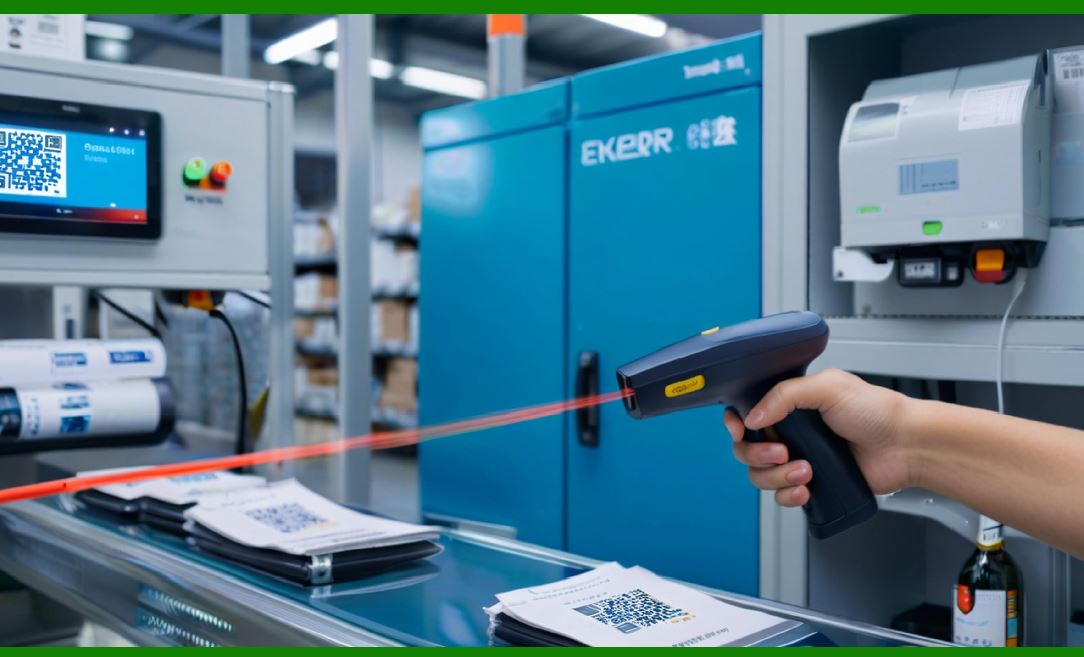
Handheld scanners in warehouses are often wireless, using Bluetooth or Wi-Fi to connect to a host. The wireless link adds a layer between the scanner and the host, and that layer introduces its own enumeration-like behavior. A Bluetooth scanner must pair with its host before data can flow, and pairing takes time. A worker who picks up a scanner at the start of a shift and scans immediately may lose the first scan while pairing completes. The same race that affects USB enumeration affects Bluetooth pairing, and the same mitigations apply: wait for a ready indicator, or configure the scanner to buffer early scans. |
Wi-Fi scanners face a different version of the problem. The scanner associates with an access point and establishes a session with the host application before data can flow. Association can take seconds, and in a large warehouse with many access points, roaming between access points can interrupt the session. A scan during a roam may be lost. Warehouse management systems address this by buffering scans on the scanner and transmitting them in batches, which decouples the scan from the network. The scanner stores the scan locally and delivers it when the connection is stable, so a brief network interruption does not lose data. |
Wired scanners in warehouses are usually USB or RS-232 devices connected to forklift-mounted terminals or fixed workstations. USB is common because it supplies power and data over one cable, but the vibration of a forklift can loosen connectors. RS-232 with locking connectors is sometimes preferred for this reason. The output interface must survive a hostile mechanical environment, and connector choice becomes as important as protocol choice. |
Sortation and conveyor systems use fixed-mount scanners to read parcels at high speed. These scanners are often connected via RS-232 or Ethernet to a programmable logic controller or an industrial computer. The interface must deliver scans with low and predictable latency, because the sortation decision must be made before the parcel reaches the diverter. RS-232's determinism is an advantage here, but its limited speed can be a constraint when scan rates are high. Ethernet-based interfaces are increasingly common because they combine speed with the ability to network many scanners. |
Cross-docking and receiving operations use scanners to record incoming and outgoing shipments. The scans are often batched and uploaded at the end of a shift, which means the scanner must store data reliably and deliver it in bulk. The output interface must handle large transfers without loss, and the host application must acknowledge receipt before the scanner clears its buffer. This is a different pattern from the real-time scans of a checkout lane, and it places different demands on the interface. |

|
11. Manufacturing and Industrial Automation |
Manufacturing environments place the output interface in the middle of a control loop, where a lost or delayed scan can stop a production line. The interface must be deterministic, robust, and maintainable over years of operation. |
Assembly lines use scanners to verify that the correct component is installed at the correct station. The scanner is often a fixed-mount device connected to a programmable logic controller via RS-232 or a fieldbus. The controller uses the scan to decide whether to allow the line to advance. A scan that arrives late is as bad as a scan that does not arrive at all, because the line has already moved. RS-232's predictable timing is valued here, and many industrial scanners offer configurable inter-character delays and handshaking to match the controller's expectations. |
Work-in-progress tracking uses scanners to record which unit is at which station. The scanners may be handheld or fixed, and they are often connected to a manufacturing execution system through a gateway. The output interface must deliver scans to the gateway reliably, and the gateway must deliver them to the execution system in order. USB is common on the shop floor because it is simple and widely supported, but the enumeration race is a concern when terminals are rebooted during shift changes. Industrial terminals often include a startup sequence that verifies scanner enumeration before allowing production to begin. |
Quality control uses scanners to associate test results with specific units. The scanner may be part of a test fixture that runs automatically, and the output interface must integrate with the fixture's controller. RS-232 is common in test equipment because it is easy to isolate and easy to diagnose. A mismatch in baud rate or parity is quickly identified with a serial analyzer, which is a standard tool in manufacturing maintenance. |
Traceability requirements in regulated industries, such as aerospace and medical devices, add a documentation burden. Every scan must be recorded with a timestamp and an operator identifier, and the record must be retrievable for years. The output interface must therefore deliver not just the barcode data but also the context in which it was scanned. Some systems achieve this by having the scanner emit a prefix that identifies the station, and the host application combines the prefix with the barcode and the timestamp. The interface becomes part of the audit trail, and its reliability is a compliance issue. |
Industrial environments also stress the physical layer. Electrical noise from motors and welders can corrupt RS-232 signals, and ground loops can damage interfaces. Isolation modules and shielded cables are common. USB is more resistant to some of these problems because it is differential, but USB cables are not immune to noise, and long cable runs are not permitted. The choice of interface often comes down to the physical layout of the factory floor as much as to the protocol. |

|
12. Financial Services, Banking, and Government |
Financial services and government applications use barcode scanning for document tracking, identity verification, and asset management, and they place a premium on accuracy and auditability. The output interface must deliver data that can be trusted and recorded. |
Banks use scanners to read checks, loan documents, and identification cards. The scanners are often specialized devices with multiple capabilities, and the output interface must deliver structured data rather than raw keystrokes. USB is the dominant interface, and the scanner is usually configured as a virtual serial port so that the application can control the data flow. Enumeration must complete before the application opens the port, and the application must handle the case where the scanner is not yet ready. Banking applications often include a device status check at startup, which verifies that the scanner is enumerated and the port is open before allowing transactions. |
Government agencies use scanners for passport reading, license verification, and records management. The scanners may be connected to desktop computers or to kiosks, and the output interface must comply with security requirements. Some agencies require that scanner data be encrypted or authenticated, which means the interface carries more than raw characters. USB's ability to support multiple interfaces and vendor-specific protocols makes it suitable for these requirements, but it also means that enumeration must select the correct interface and the application must authenticate the device. A scanner that enumerates as a keyboard when the application expects a vendor-specific interface will not deliver the required data. |
Document tracking in law firms, courts, and archives uses scanners to associate documents with case numbers and file locations. The scanners are often shared among many users, and the output interface must deliver scans to the correct user's session. USB is common, but shared workstations require careful configuration so that scans go to the active session rather than to a background service. The focus problem of the keyboard wedge is a real concern in these environments, and many organizations prefer virtual serial ports with application-level routing. |
The common requirement across these sectors is auditability. A scan must be traceable to a device, a time, and a user. The output interface must therefore deliver data in a way that the host can record unambiguously. This favors interfaces and configurations that preserve context, such as virtual serial ports with device identifiers, over interfaces that lose context, such as keyboard wedges that appear as anonymous keystrokes. |
|
13. Transportation, Ticketing, and Access Control |
Transportation and access control use scanners to read tickets, boarding passes, and identity cards, often in high-throughput settings where a lost scan means a queue. The output interface must be fast and reliable, and it must tolerate the environmental conditions of the application. |
Airport boarding gates use scanners to read boarding passes and passports. The scanners are often integrated into gate readers that combine barcode and RFID capabilities. The output interface is usually USB or Ethernet, and the gate application must receive the scan within a short window before the passenger is admitted. Enumeration races are a concern when gate readers are rebooted during the day, and airport operators often require that readers complete self-tests before accepting passengers. |
Rail and transit systems use scanners to read tickets and passes. The scanners may be handheld devices used by conductors or fixed devices at fare gates. Handheld scanners often use wireless connections, and the pairing race applies. Fixed scanners often use RS-232 or Ethernet, and the determinism of the wired connection is valued. Transit systems also require that scanners operate over wide temperature ranges and withstand vandalism, which influences the choice of connectors and enclosures. |
Access control systems use scanners to read employee badges and visitor passes. The scanners are often connected to door controllers via RS-232 or a fieldbus, and the controller decides whether to unlock the door. The output interface must deliver the badge number quickly, because the person is standing at the door waiting. A delayed scan is an inconvenience; a lost scan is a security event, because the person may be admitted by a manual override that bypasses the audit trail. |
Event ticketing uses scanners at venue entrances, where thousands of tickets are scanned in a short period. The scanners are often handheld wireless devices connected to a local network. The output interface must handle high scan rates and intermittent connectivity, and the application must detect duplicate scans to prevent ticket reuse. The interface's ability to deliver scans reliably under load is a key determinant of queue length and customer satisfaction. |
The common thread in transportation and access control is that the scan is part of a real-time decision. The interface must deliver data within the decision window, and a late scan is often as useless as a lost one. This favors interfaces with predictable latency and applications with robust error handling. |
|
14. Education, Libraries, and Small Business |
Education, libraries, and small businesses use barcode scanning for inventory, circulation, and point of sale, often with limited technical support. The output interface must be simple to install and simple to troubleshoot, because there may be no dedicated IT staff. |
Libraries use scanners to check out and check in books. The scanners are often keyboard-wedge devices connected to circulation desk computers. The wedge's ability to work with existing library software without modification is a major advantage, because library systems are often old and difficult to change. The focus problem is a known issue, and library staff learn to click on the circulation window before scanning. Some libraries use virtual serial ports instead, which require more configuration but avoid the focus problem. |
Schools use scanners for attendance, library circulation, and cafeteria point of sale. The scanners are often low-cost USB devices configured as keyboards. The enumeration race is a concern in computer labs where many devices are attached and the host takes time to enumerate them all. Schools often address this by keeping computers powered on continuously, so that enumeration happens once and the scanner remains ready. |
Small businesses use scanners for retail, inventory, and invoicing. The scanners are often keyboard-wedge devices because they work with off-the-shelf accounting and point-of-sale software. The simplicity of the wedge is its main selling point, but the focus problem and the layout mismatch problem are common sources of support calls. Vendors address this with configuration tools that let the user set the keyboard layout and the inter-character delay, but the user must know that these settings exist and how to change them. |
The common theme in these environments is that the output interface must be self-explanatory. The user is not a technician, and the failure modes must be easy to recognize and easy to fix. This favors interfaces and configurations with visible feedback, such as a scanner that beeps differently when it is not enumerated, and with documentation that explains the common failure modes in plain language. |

|
15. Cross-Industry Lessons |
Several lessons recur across industries, and they are worth stating explicitly because they apply regardless of the specific application. |
The first lesson is that enumeration and pairing are not optional. Any interface that requires the host to recognize the device before data can flow will have a startup window during which scans are lost. The window can be shortened with buffering and ready indicators, but it cannot be eliminated. Integrators should design procedures and applications that assume the window exists. |
The second lesson is that silent failures are the most expensive. A scanner that beeps but delivers nothing is harder to diagnose than a scanner that fails to beep. Interfaces and configurations that provide feedback, such as a ready light or a successful-enumeration tone, are worth the extra cost because they convert silent failures into visible ones. |
The third lesson is that the host side is usually the problem. The scanner is a well-tested device with a narrow function. The host is a complex system with many interacting components. When a scan is lost, the cause is more often in the host's enumeration, configuration, or application behavior than in the scanner's hardware. Diagnosticians should check the host first. |
The fourth lesson is that configuration must be documented. Every interface has parameters, such as baud rate, parity, keyboard layout, and inter-character delay, that must match between scanner and host. A replacement scanner that is configured differently from the original will fail in ways that are hard to diagnose if the original configuration was not recorded. Maintenance procedures should include a configuration record for every scanner. |
The fifth lesson is that the physical layer matters. Connectors loosen, cables break, and electrical noise corrupts signals. The most carefully configured interface will fail if the cable is damaged. Maintenance should include periodic inspection of cables and connectors, and spares should be kept on hand. |
These lessons are general, but they are learned most vividly in the field, where a lost scan has a name and a cost. The next section surveys the field practices that put these lessons into action. |
|
16. Design and Integration Checklist |
For designers and integrators, the output interface deserves a checklist of its own. The checklist below distills the practical advice from the preceding sections into a set of questions that should be answered before a scanner is deployed. |
First, choose the interface deliberately. USB is convenient but introduces enumeration. RS-232 is deterministic but requires configuration discipline. The keyboard wedge is compatible but inherits keyboard limitations. The choice should follow from the application's requirements, not from what happens to be available. |
Second, decide on the USB configuration. Will the scanner enumerate as a keyboard or as a virtual serial portA keyboard configuration is easier to integrate but harder to control. A virtual serial configuration gives the application more control but requires a driver and a port that the application must open. The choice affects enumeration behavior, so it should be made early. |
Third, plan for the startup window. Will the host be ready before the scannerWill the scanner buffer early scansWill there be a ready indicatorThe startup window cannot be eliminated, but it can be managed. |
Fourth, verify the configuration matches. Baud rate, parity, data bits, stop bits, flow control, keyboard layout, and inter-character delay must be consistent between scanner and host. The configuration should be recorded and checked at installation and at every replacement. |
Fifth, test the failure modes. Unplug the scanner and replug it. Reboot the host with the scanner attached. Scan during startup. The goal is to see how the system behaves when the interface is not ready, so that the behavior can be documented and, if necessary, improved. |
Sixth, provide feedback. A ready indicator, a successful-enumeration tone, or an application-level status check converts silent failures into visible ones. Feedback is cheap and pays for itself in reduced support calls. |
Seventh, document the installation. A photograph of the cable routing, a record of the configuration settings, and a note about the host software that receives the data will save time when the system needs maintenance. |
Eighth, plan for replacement. Spare scanners should be pre-configured to match the deployed units, or the configuration procedure should be documented so that a replacement can be configured quickly. A replacement scanner that is not configured correctly will fail in ways that mimic hardware faults. |
These questions are not exhaustive, but they cover the issues that most often cause output interface failures in practice. A deployment that answers them is likely to avoid the most common and most frustrating failure modes. |

|
17. Detailed Summary |
The decoder's output interface is the point at which decoded characters leave the scanner and enter the host, and it is where many practical failures occur. This article examined three interfaces, USB, RS-232, and the keyboard wedge, and explained how each one establishes a relationship with the host, delivers characters, and defines the rules for delivery. |
USB is the dominant interface because it is cheap, fast, and universally supported. Its defining behavior is enumeration, the process by which the host discovers the device and binds a driver. Enumeration must complete before data can flow, which means that a scan performed before enumeration finishes is lost. This race between scanner readiness and host startup explains the common experience of a first scan that does nothing while later scans work. The race can be managed with buffering, ready indicators, and startup procedures, but it cannot be eliminated. |
RS-232 is older but still common in industrial, medical, and legacy settings because it is deterministic. It has no enumeration protocol, so there is no startup race, but it requires both ends to agree on baud rate, parity, data bits, stop bits, and flow control. Mismatches produce corrupted or missing data, and the absence of a formal handshake means the mismatch is silent. RS-232 remains the interface of choice when determinism matters more than convenience. |
The keyboard wedge works by presenting the scanner as a keyboard, so that the host's keyboard driver delivers scanner characters to whatever application has focus. It requires no application changes, which is why it persists in legacy environments, but it inherits the keyboard's focus and timing problems. Characters can land in the wrong window, and fast scanner output can overwhelm slow hosts. These problems are manageable with configuration, but they require the integrator to understand them. |
Across industries, the same lessons recur. Enumeration and pairing are not optional, and the startup window is real. Silent failures are the most expensive, so feedback is valuable. The host side is usually the problem, so diagnosis should start there. Configuration must be documented, because a replacement scanner configured differently will fail. The physical layer matters, because connectors and cables fail. These lessons are learned in retail, healthcare, logistics, manufacturing, finance, government, transportation, education, and small business, and they apply regardless of the specific application. |
The article closed with a design and integration checklist that distills the practical advice into questions that should be answered before deployment. The checklist covers interface choice, USB configuration, startup planning, configuration verification, failure mode testing, feedback, documentation, and replacement planning. A deployment that answers these questions is likely to avoid the most common output interface failures and to deliver the reliability that the rest of the scanning system was designed to provide. |
The output interface is electrically mundane, but it is practically critical. It is the digital boundary of the scanner, the place where the device's internal world of bits meets the host's world of drivers and applications. Understanding that boundary, and respecting its timing and its rules, is what separates a scanner that works from a scanner that only appears to work. |
 cs@easiersoft.com