Chapter 21. The CCD Scanner Replaces the Single Photodiode with a Linear Array of Hundreds or Thousands of Photosite Elements, Each Accumulating Charge Proportional to Local Illumination over an Integration Period |
Summary |
This chapter explains, in plain language, how the charge-coupled device (CCD) changed barcode scanning by replacing a single light sensor with a line of many tiny sensors. Each sensor, called a photosite, gathers electrical charge in proportion to the light that falls on it during a short window of time called the integration period. Because hundreds or thousands of these photosites sit side by side, the scanner can capture an entire cross-section of a barcode in one shot instead of sweeping a single point of light across it. We will look at why this matters, how the parts work together, and then walk through real examples from retail, logistics, manufacturing, healthcare, banking, libraries, agriculture, and other fields. The goal is to show that spatial parallelism in silicon is not an abstract idea but a practical engine behind everyday scanning. |
|
1. Introduction: From One Point to a Whole Line |
Imagine reading a book by moving a single flashlight beam letter by letter across a page, one letter at a time. You could do it, but it would be slow, and you would need to move the beam with great precision. Now imagine opening your eyes and seeing the whole line of text at once. That is the difference between a single photodiode scanner and a CCD linear array scanner. |
A single photodiode is one small sensor. It produces one electrical signal that rises and falls with the brightness of whatever spot it is looking at. To read a barcode, the scanner must sweep that spot across the bars and spaces. The pattern of dark and light becomes a pattern of signal strength over time. The decoding electronics then reconstruct the barcode from that time-based waveform. |
A CCD linear array works differently. It contains hundreds or thousands of photosites arranged in a row. Each photosite measures the light falling on its own small area. During a short integration period, each photosite accumulates charge in proportion to the local illumination. At the end of the integration period, the charges are shifted out of the array, one after another, and converted into digital values. The result is a snapshot of brightness along a line. |
This shift from time-domain scanning to space-domain capture is the heart of the CCD scanner. It is called spatial parallelism because many sensing elements work in parallel across space, rather than one element working serially across time. The rest of this chapter explains why this matters, how it works in practice, and where it is used. |

|
2. Why Spatial Parallelism Matters |
2.1 Speed |
A single photodiode scanner must physically move a light spot across the barcode. The scan rate is limited by how fast the spot can move and how fast the signal can be sampled. A CCD array captures the whole line at once, so the capture time is set by the integration period, which can be very short. This allows many scans per second, which helps when the barcode is moving. |
2.2 Tolerance to Motion and Blur |
When a barcode moves past a single-spot scanner, the waveform can smear if the motion is too fast. A CCD array with a short integration period acts like a fast shutter on a camera. It freezes motion, so a moving barcode can still produce a clean line of brightness values. |
2.3 Robustness to Print Quality and Damage |
A single-spot scanner relies on a clean waveform over time. A scratch, a void, or a smudge can disrupt the waveform at a particular moment. A CCD array captures many points along the line at once, and the decoding software can use redundancy and error correction across the captured line. This makes CCD scanners more tolerant of imperfect labels. |
2.4 Alignment and Depth of Field |
Because the array captures a line rather than a point, the optical system can be designed to image a line onto the array. This gives a well-defined depth of field and makes alignment less critical in one dimension. The scanner does not need to track a moving spot precisely; it needs only to image the barcode line onto the sensor line. |
2.5 Digital Output and Processing |
The CCD array produces a sequence of charge packets that are converted to digital numbers. This makes it natural to apply digital signal processing: filtering, thresholding, edge detection, and decoding. The data is already in a form that a microcontroller or digital signal processor can handle. |
|
3. How a CCD Linear Array Works |
3.1 The Photosite |
A photosite is a small region of semiconductor material, usually silicon, that can collect charge generated by light. When photons strike the silicon, they create electron-hole pairs. The electrons are collected in a potential well created by electrodes on the surface. The amount of charge collected is proportional to the light intensity multiplied by the integration time, within the limits of the well capacity. |
3.2 The Integration Period |
The integration period is the time during which charge is allowed to accumulate. It is controlled by the timing signals applied to the electrodes. A short integration period is like a fast shutter speed; it reduces motion blur but requires more light. A long integration period gathers more light but risks saturation and blur. The scanner's control electronics adjust the integration period based on the available light and the speed of the application. |
3.3 Charge Transfer |
At the end of the integration period, the charge packets are shifted along the array by a sequence of clock signals. This is the charge-coupled principle: charge is transferred from one potential well to the next. The packets eventually reach an output amplifier, where they are converted into a voltage signal. The sequence of voltages represents the brightness profile along the array. |
3.4 The Output Chain |
The output amplifier feeds an analog-to-digital converter. The resulting digital values are stored in a line buffer. The decoder then processes the line buffer to find the barcode pattern. In many scanners, multiple lines are captured and combined to improve reliability. |
3.5 The Illumination System |
A CCD scanner needs a light source to illuminate the barcode. Common sources include light-emitting diodes and laser lines. The optics form an image of the barcode line onto the CCD array. The illumination must be uniform enough that variations in brightness are due to the barcode, not the light source. |
3.6 The Decoding Pipeline |
The decoding pipeline typically includes the following steps: capture a line, normalize the brightness, find edges, measure bar and space widths, convert to a symbol pattern, and apply error correction. Because the CCD array provides a spatial profile, the decoder can work directly on distances in the image rather than on time intervals. |

|
4. Practical Design Considerations |
4.1 Resolution and Pixel Count |
The number of photosites determines the spatial resolution. More photosites mean finer detail, which helps with high-density barcodes and small labels. However, more photosites also mean more data to process and more cost. The designer chooses the array size based on the smallest feature that must be resolved. |
4.2 Well Capacity and Dynamic Range |
Each photosite has a maximum charge it can hold, called the well capacity. If the light is too bright, the well saturates and the signal clips. If the light is too dim, the signal is lost in noise. The dynamic range is the ratio between the brightest and dimmest signals that can be handled. Good scanner design balances illumination, integration time, and well capacity to cover the expected range of labels. |
4.3 Blooming and Smear |
When a photosite saturates, excess charge can spill into neighboring photosites, causing blooming. This can distort the image. Smear occurs when charge continues to accumulate during the transfer process, especially with bright light sources. Designers use anti-blooming structures and careful timing to reduce these effects. |
4.4 Noise Sources |
The main noise sources are photon shot noise, dark current, and read noise. Shot noise is fundamental and depends on the number of photons collected. Dark current is thermal and can be reduced by cooling or by short integration times. Read noise comes from the output amplifier and the analog-to-digital converter. The designer balances these sources to achieve the required signal-to-noise ratio. |
4.5 Timing and Clocking |
The clock signals that transfer charge must be carefully timed. Fast transfer reduces smear but can introduce transfer inefficiency. Slow transfer is more efficient but slower. The clocking scheme is a key part of the design. |
4.6 Optics and Depth of Field |
The lens system must image the barcode line onto the CCD line with sufficient sharpness. The depth of field depends on the aperture and the magnification. A larger depth of field makes it easier to scan labels at different distances, but it reduces the amount of light reaching the sensor. |
4.7 Power and Heat |
CCD arrays require clock drivers and output amplifiers, which consume power and generate heat. Heat increases dark current, which adds noise. In compact handheld scanners, thermal design is important. |
4.8 Cost and Integration |
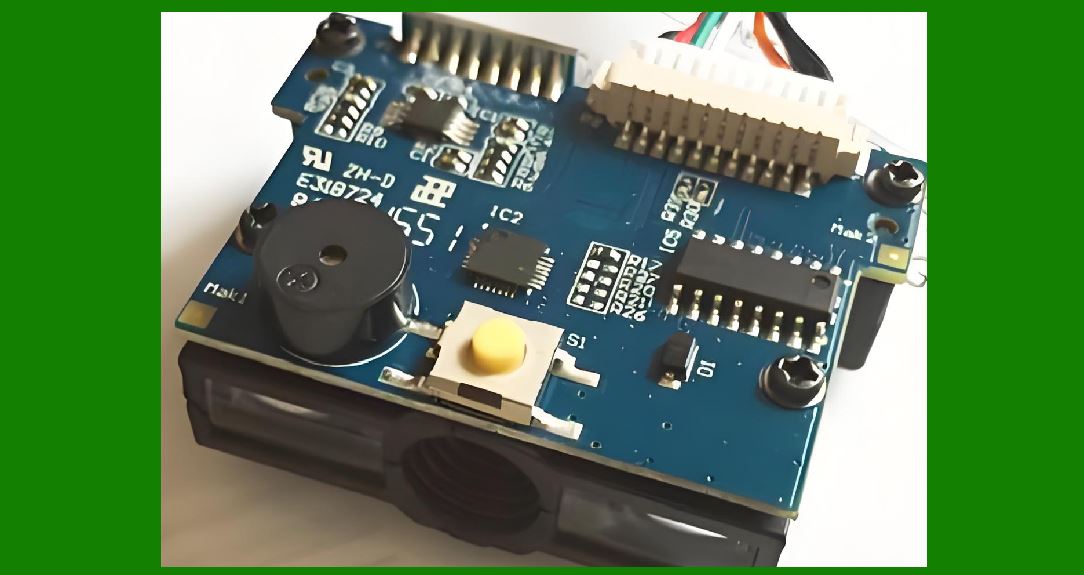
The CCD array is only one part of the scanner. The illumination, optics, analog front end, digital processing, and housing all contribute to cost. Integration of these parts into a reliable product is the real design challenge. |
|
5. Application Examples Across Industries |
5.1 Retail Point of Sale |
In a supermarket, a CCD scanner at the checkout counter captures a line across the barcode as the cashier slides the product past the window. The array captures the entire barcode at once, so the cashier does not need to align a single spot. This speeds up checkout and reduces errors. The same technology is used in self-checkout kiosks, where the customer passes items over a scanning window. The short integration period freezes the motion of the item, so the barcode can be read even if the customer moves quickly. |
5.2 Warehouse and Logistics |
In a distribution center, packages move along conveyors at high speed. A CCD scanner mounted above the conveyor captures a line across each package as it passes. Because the array captures many points at once, the scanner can read barcodes that are rotated or slightly skewed. Multiple scanners can be arranged around the conveyor to capture barcodes on different sides of the package. This is essential for automated sorting, where thousands of packages per hour must be routed correctly. |
5.3 Manufacturing and Production Lines |
On a factory floor, CCD scanners are used to track parts and products through assembly. A scanner can read a barcode on a moving part and send the information to a control system. Because the CCD array captures a line, the scanner can be mounted at a fixed distance and read parts as they pass without precise positioning. This is used in automotive assembly, electronics manufacturing, and food processing. In cleanroom environments, CCD scanners are preferred because they have no moving parts in the optical path, which reduces particle generation. |
5.4 Healthcare and Laboratories |
In hospitals, CCD scanners are used to read patient wristbands, medication labels, and specimen tubes. The ability to capture a line at once makes it easier to read curved surfaces such as tubes and vials. In laboratories, scanners read barcodes on microplates and sample containers. The high resolution of CCD arrays allows reading of small, high-density barcodes. The short integration period reduces motion blur when a technician moves a tube past the scanner. |
5.5 Banking and Financial Services |
In banking, CCD scanners are used to read barcodes on checks, deposit slips, and documents. The scanner captures a line across the document as it is fed through a transport mechanism. The spatial profile allows the decoder to handle documents that are slightly skewed or folded. This is important for high-volume check processing, where millions of documents are handled every day. |
5.6 Libraries and Archives |
Libraries use CCD scanners to read barcodes on books and media. A handheld scanner captures a line across the barcode label, which may be curved on a book spine. The array's spatial parallelism makes it easier to read labels at an angle. In archives, scanners are used to digitize documents and read barcodes on folders and boxes. The ability to capture a line at once reduces the time needed to process large collections. |
5.7 Agriculture and Food Traceability |
In agriculture, CCD scanners are used to read barcodes on produce labels, seed packets, and livestock tags. In food processing, scanners read labels on packages and containers as they move along the line. The ability to capture a line at once helps with irregularly shaped packages. Traceability systems rely on accurate scanning to track food from farm to table. |
5.8 Transportation and Ticketing |
In transportation, CCD scanners are used to read barcodes on tickets, boarding passes, and luggage tags. At an airport gate, a scanner captures a line across the boarding pass as the passenger presents it. The short integration period allows reading of passes that are moving or poorly aligned. The same technology is used in train stations and bus terminals. |
5.9 Postal and Parcel Services |
Postal services use CCD scanners to read barcodes on letters and parcels. High-speed sorting machines capture a line across each item as it passes. The spatial profile allows the decoder to handle items that are rotated or have wrinkled labels. This is essential for automated sorting of millions of items per day. |
5.10 Automotive and Heavy Industry |
In automotive manufacturing, CCD scanners are used to track engines, transmissions, and other components through assembly. The scanners are often mounted on robots or fixed stations. The ability to capture a line at once makes it easier to read barcodes on curved or reflective surfaces. In heavy industry, scanners are used to track steel coils, pipes, and other materials. |
5.11 Electronics and Semiconductor Manufacturing |
In electronics manufacturing, CCD scanners are used to read barcodes on printed circuit boards, components, and shipping trays. The high resolution of CCD arrays allows reading of very small barcodes. In semiconductor fabrication, scanners are used in cleanrooms to track wafers and carriers. The lack of moving parts in the optical path is an advantage in clean environments. |
5.12 Pharmaceuticals and Medical Devices |
In pharmaceutical manufacturing, CCD scanners are used to track bottles, blister packs, and cartons. The ability to capture a line at once helps with curved surfaces. In medical device manufacturing, scanners are used to track implants and instruments. Traceability is critical for regulatory compliance. |
5.13 Apparel and Retail Supply Chain |
In apparel, CCD scanners are used to read barcodes on hang tags and labels. The scanners are used in distribution centers and retail stores. The ability to capture a line at once makes it easier to read labels on soft, flexible items. This helps with inventory management and omni-channel fulfillment. |
5.14 Entertainment and Event Management |
In entertainment, CCD scanners are used to read barcodes on tickets and wristbands. At events, scanners capture a line across the ticket as the guest presents it. The short integration period allows fast processing of long lines of guests. The same technology is used in museums and theme parks. |
5.15 Government and Identification |
In government applications, CCD scanners are used to read barcodes on identification cards, driver's licenses, and passports. The scanners capture a line across the document. The spatial profile allows the decoder to handle documents that are slightly skewed or worn. This is used in border control, law enforcement, and election administration. |
|
6. Comparing CCD Arrays with Other Scanner Technologies |
6.1 Single Photodiode Scanners |
Single photodiode scanners are simple and inexpensive, but they rely on moving a spot across the barcode. They are slower and more sensitive to motion blur. CCD arrays capture a line at once, which is faster and more robust. |
6.2 Laser Scanners |
Laser scanners use a moving mirror to sweep a laser beam across the barcode. They can read at long distances and are common in retail. However, they have moving parts and can be sensitive to specular reflections. CCD arrays have no moving parts in the optical path and can capture a line at once. |
6.3 CMOS Image Sensors |
CMOS image sensors are an alternative to CCD arrays. They also use an array of photosites, but the charge-to-voltage conversion happens at each pixel. CMOS sensors are often cheaper and more integrated, but CCD arrays have advantages in noise performance and uniformity. The choice depends on the application. |
6.4 Area Image Sensors |
Area image sensors capture a two-dimensional image. They can read barcodes in any orientation but require more processing. Linear CCD arrays capture a line, which is sufficient for most barcode scanning and simpler to process. |

|
7. Limitations and Challenges |
7.1 Light Budget |
A CCD array needs enough light to fill the photosite wells during the integration period. In low-light conditions, the integration period must be longer, which can cause motion blur. The illumination system must be designed to provide enough light without causing glare or saturation. |
7.2 Depth of Field |
The depth of field is limited by the optics. A scanner designed for close range may not work at a distance. The designer must choose the optics based on the expected range of label distances. |
7.3 Resolution Limits |
The resolution is limited by the number of photosites and the optics. High-density barcodes require more photosites and sharper optics. There is a trade-off between resolution and cost. |
7.4 Power Consumption |
CCD arrays require clock drivers and output amplifiers, which consume power. In battery-powered handheld scanners, power management is important. |
7.5 Data Rate |
The output data rate is limited by the clocking speed and the analog-to-digital converter. Higher resolution means more data, which requires faster processing. |
7.6 Environmental Factors |
Dust, moisture, and temperature extremes can affect performance. The housing and optics must be designed to protect the sensor. In industrial environments, ruggedization is important. |
|
8. Design Reality: Putting the Pieces Together |
8.1 System Architecture |
A CCD scanner system includes the sensor, the illumination, the optics, the analog front end, the digital processing, and the interface. The designer must balance these parts to meet the requirements of the application. |
8.2 Calibration |
Calibration is needed to correct for variations in illumination, optics, and sensor response. A calibration target with known reflectance is used to set the gain and offset for each photosite. This improves the accuracy of the brightness profile. |
8.3 Decoding Software |
The decoding software must handle noise, blur, and distortion. It uses algorithms for edge detection, bar and space measurement, and error correction. The software is a key part of the scanner's performance. |
8.4 Testing and Validation |
The scanner must be tested with a variety of barcodes, labels, and environmental conditions. Testing ensures that the scanner meets the requirements of the application. Validation is important for regulated industries such as healthcare and pharmaceuticals. |
8.5 Manufacturing |
Manufacturing a CCD scanner requires precision assembly of the optics and sensor. The alignment of the sensor and the illumination must be controlled. Quality control is essential to ensure consistent performance. |

|
9. The Future of CCD Scanning |
9.1 Higher Resolution and Speed |
Future CCD arrays will have more photosites and faster clocking. This will allow reading of smaller barcodes and faster moving items. |
9.2 Integration with Digital Processing |
More processing will be integrated into the sensor module. This will reduce the size and cost of the scanner. |
9.3 New Illumination Sources |
New light sources, such as organic light-emitting diodes, may provide more uniform illumination. This will improve the accuracy of the brightness profile. |
9.4 Machine Vision and Beyond |
CCD scanners are part of a broader trend toward machine vision. The same spatial parallelism that makes barcode scanning possible is also used in quality inspection, robotics, and autonomous vehicles. |

|
10. Detailed Summary |
This chapter explained how the CCD scanner replaces the single photodiode with a linear array of hundreds or thousands of photosite elements. Each photosite accumulates charge proportional to local illumination over an integration period. The charges are then shifted out and converted to digital values, producing a spatial profile of brightness along a line. |
We began with the contrast between single-point scanning and spatial parallelism. A single photodiode must sweep a spot across the barcode, which is slow and sensitive to motion. A CCD array captures the whole line at once, which is fast, robust, and tolerant of motion blur and print defects. |
We then described how a CCD linear array works. The photosite collects charge generated by light. The integration period controls how long charge accumulates. Charge transfer moves the packets to an output amplifier. The output chain converts the signal to digital values. The illumination system provides light, and the decoding pipeline processes the line buffer to find the barcode pattern. |
We discussed practical design considerations: resolution and pixel count, well capacity and dynamic range, blooming and smear, noise sources, timing and clocking, optics and depth of field, power and heat, and cost and integration. These considerations shape the design of real scanners. |
We then walked through application examples across many industries. In retail point of sale, CCD scanners speed up checkout and reduce errors. In warehouse and logistics, they read barcodes on fast-moving packages. In manufacturing, they track parts through assembly. In healthcare, they read labels on wristbands and specimen tubes. In banking, they read barcodes on checks and documents. In libraries, they read labels on books and media. In agriculture, they support food traceability. In transportation, they read tickets and boarding passes. In postal services, they sort letters and parcels. In automotive and heavy industry, they track components. In electronics and semiconductor manufacturing, they read small barcodes in cleanrooms. In pharmaceuticals, they support regulatory compliance. In apparel, they help with inventory management. In entertainment, they process tickets and wristbands. In government, they read identification documents. |
We compared CCD arrays with other scanner technologies: single photodiode scanners, laser scanners, CMOS image sensors, and area image sensors. Each has its own advantages and trade-offs. |
We discussed limitations and challenges: light budget, depth of field, resolution limits, power consumption, data rate, and environmental factors. These challenges are addressed through careful design and testing. |
We described the design reality of putting the pieces together: system architecture, calibration, decoding software, testing and validation, and manufacturing. These are the practical steps that turn a sensor into a reliable product. |

|
Finally, we looked at the future of CCD scanning: higher resolution and speed, integration with digital processing, new illumination sources, and the broader trend toward machine vision. The same spatial parallelism that makes barcode scanning possible is also driving innovation in many other fields. |
In short, the CCD scanner is a clear example of how spatial parallelism in silicon changes what is possible. By replacing a single photodiode with a line of many photosites, the scanner captures a whole cross-section of a barcode at once. This makes scanning faster, more robust, and more versatile. The applications span retail, logistics, manufacturing, healthcare, banking, libraries, agriculture, transportation, postal services, automotive, electronics, pharmaceuticals, apparel, entertainment, and government. The design reality involves careful balancing of optics, illumination, sensor characteristics, and digital processing. The result is a technology that is both ubiquitous and invisible, working quietly behind the scenes in the everyday life of modern commerce and industry. |
 cs@easiersoft.com