Barcode Technology

Barcode History

Barcode Label Paper

Barcode Printer

Barcode Application

Inventory Management

AI Barcode QRCode

Barcode Scanner

Barcode Software

Barcode Software B

Barcode Software C

Barcode Software D

Barcode Software E

New Technology A

New Technology B

Robot Technology

Barcode Types

Barcode Types B

Barcode Types C

Barcode Types D

Barcode Types E

Barcode Types F

Electronic Technology

Psychology at Work

Barcode Technology and Barcode Software Related   <<< Back to Directory <<<

The history of PDF417 barcode

Recommended: Free barcode software - Bulk barcode generator and label printing, Free for life. Download

The history of PDF417 barcode

The PDF417 barcode is a stacked linear barcode format that finds applications in various domains such as transport, identification cards, and inventory management.

Let's delve into its history and features:

1. Invention and Origin:

The PDF417 symbology was invented by Dr. Ynjiun P. Wang at Symbol Technologies in 1991.

Dr. Ynjiun designed it as a system for encoding and decoding data in machine-readable graphic form.

2. Format and Structure:

The name 'PDF417' stands for Portable Data File 417.

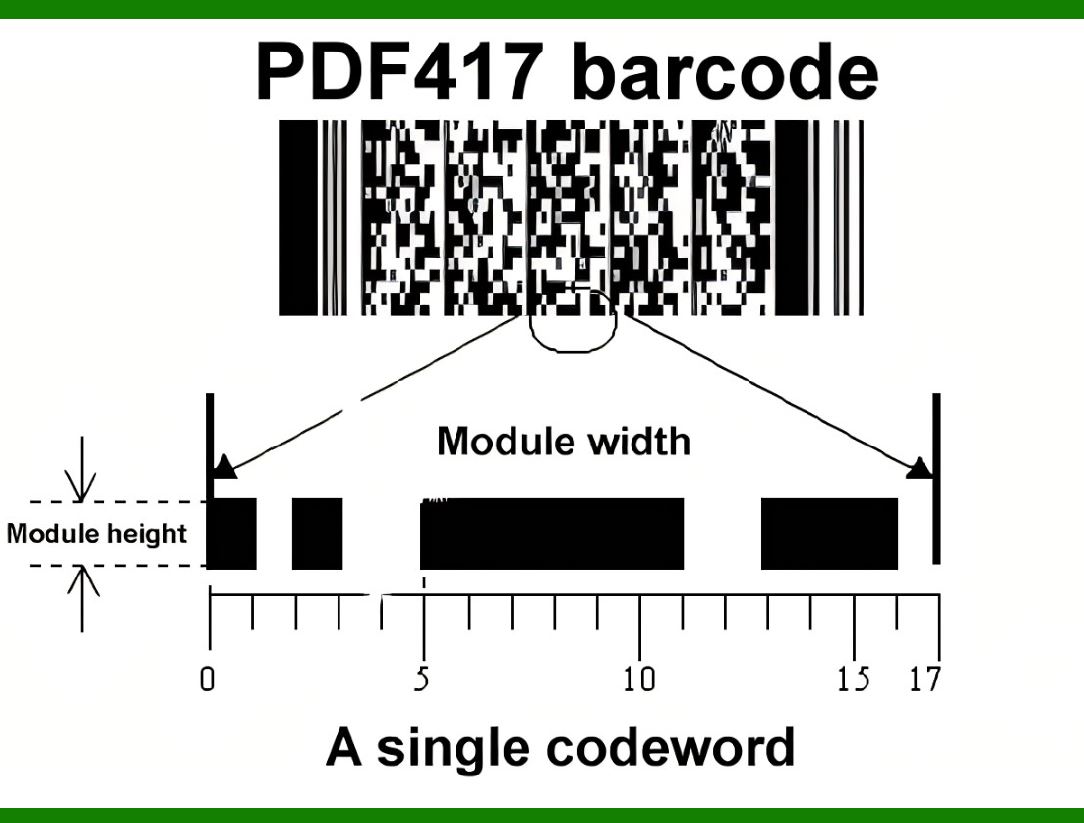
Each pattern in the code consists of 4 bars and spaces in a sequence that is 17 units (modules) long.

A PDF417 symbol consists of 3 to 90 rows, each resembling a small linear barcode.

3. Key components of each row include:

A quiet zone (minimum white space before the barcode).

A start pattern identifying the format as PDF417.

A row left codeword containing information about the row (e.g., row number and error correction level).

Data codewords representing numbers, letters, or other symbols.

A row right codeword with additional row information.

A stop pattern.

Another quiet zone.

All rows have the same width and the same number of codewords.

PDF417 uses a base 929 encoding, where each codeword represents a number from 0 to 928.

4. Applications:

PDF417 is widely used in both commercial and government applications.

Notable uses include:

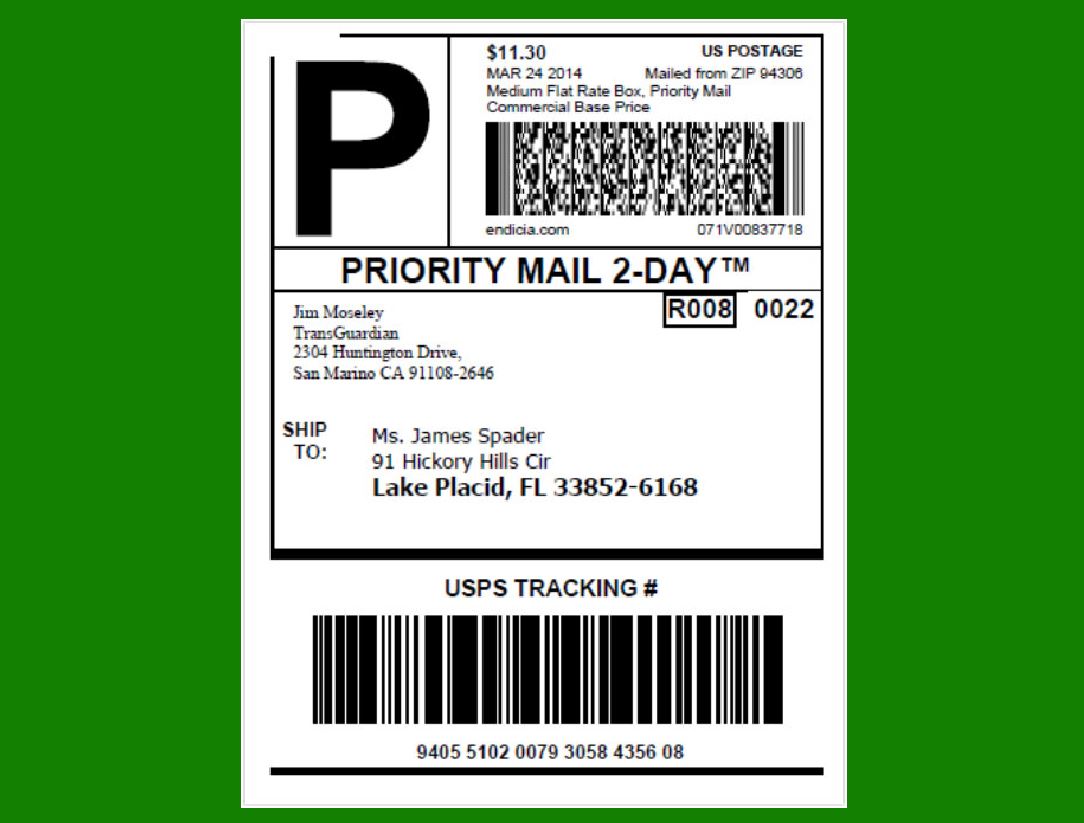
Postage printing: PDF417 (along with Data Matrix) can be used to print postage accepted by the United States Postal Service.

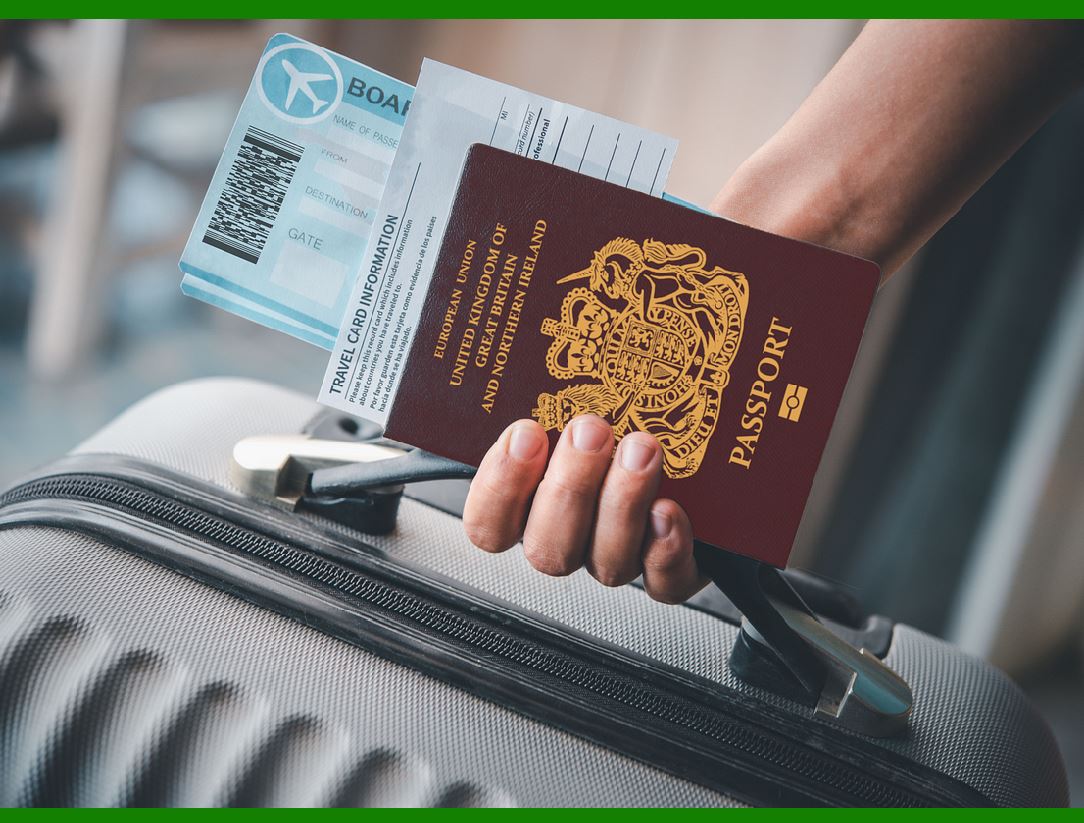
Airline industry: It serves as the 2D barcode for paper boarding passes (Bar Coded Boarding Pass, BCBP).

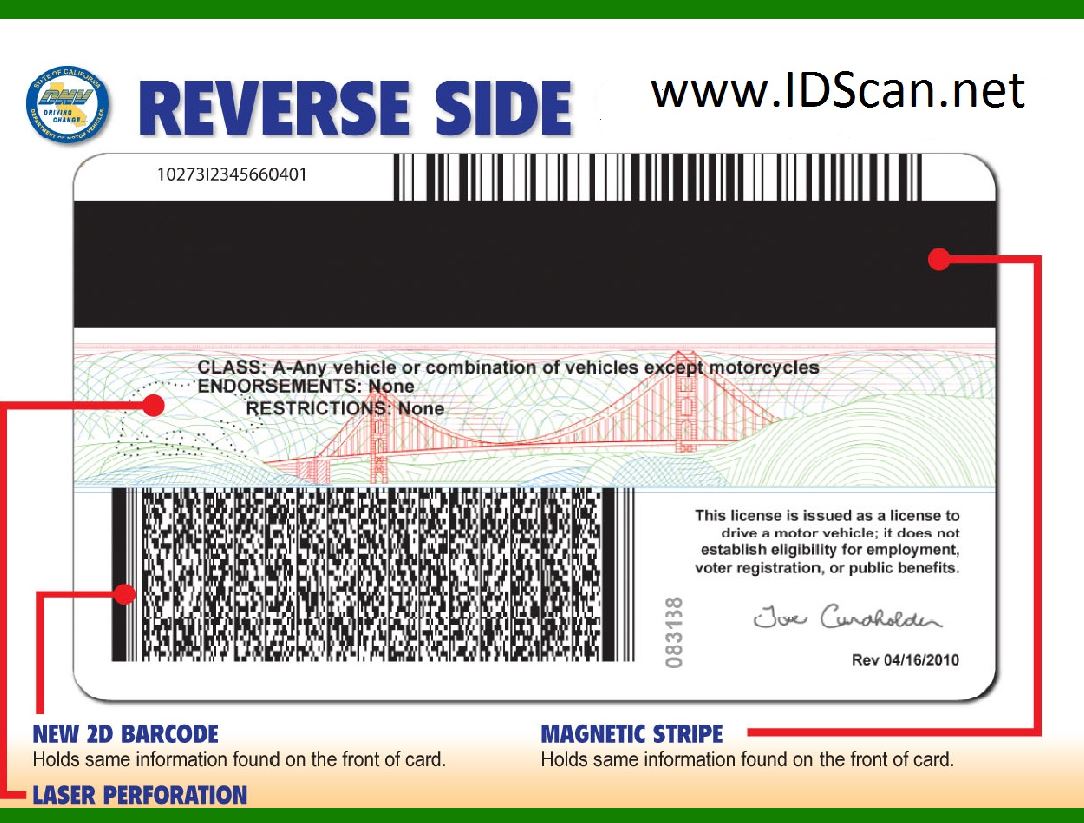
RealID compliant driver licenses: The Department of Homeland Security selected PDF417 as the machine-readable zone technology.

Visas and border crossing cards: Issued by the State of Israel.

6. Features:

Linking: PDF417 symbols can link to other symbols, allowing even more data to be stored.

User-specified dimensions: Users can customize the narrowest vertical bar (X dimension) and row height (Y dimension).

Public domain format: Implementing systems using PDF417 does not require any license.

In summary, PDF417 is a powerful barcode format with diverse applications, high data capacity, and security features. Its invention by Dr. Ynjiun P. Wang has significantly impacted data encoding and decoding in various fields.

The maximum data capacity of a PDF417 barcode depends on several factors, including the number of rows, the number of columns, and the error correction level.

PDF417 symbols consist of multiple rows, each containing a certain number of codewords.

The number of rows can vary from 3 to 90.

The number of columns (i.e., the width of each row) is determined by the specific application and the available space for printing the barcode.

PDF417 uses Reed-Solomon error correction to enhance reliability.

The error correction level can be adjusted to balance data capacity and error resilience.

Higher error correction levels result in more redundancy (additional codewords) but better error recovery.

In practice, the data capacity of PDF417 can vary significantly based on the specific use case, printing quality, and available space.

Some PDF417 symbols can store hundreds of alphanumeric characters, while others may hold less information.


EasierSoft Barcode Label Design & Bulk Printing Software

---- Use Excel Data to Batch Print Barcodes on Label Sheets or Roll Labels  

---- How to use this barcode software

Download:  Free Barcode Software + Barcode Label Designer

Download Free Barcode Software at Softonic

     Download at CNET

Once you obtain a GS1/UPC/EAN barcode, or other barcode type and QR code, you can use our free software to batch print barcode labels onto Roll label paper using a professional label printer, or to batch print barcodes onto Avery 5160 label sheets using a regular laser or inkjet printer. Our software has free and paid versions.

The free version fully meets your needs for batch printing GS1/UPC/EAN barcodes. The paid version can import data from Excel and databases to batch print barcode labels with different values.

How to Start

Input Data

Import Excel Data

Print Barcode

Barcode Format

Label Designer

All Screen Shot

Export Barcode Image

Save Template

Output Word Excel

How to Use & FAQ:

The supported barcode types

Load Excel data (pro)

Manually copy data from Excel files

Filter some data for printing

Edit imported barcode data

Input data (Pro)

Label Designer

Edit data in Label designer

Label Designer - Add new label

Label Designer - Printing

Set the barcode label format to be printed

Other Barcode Label Format Settings

Barcode types supported by this program

Barcode Label Font Settings

Configuring the Barcode Print Rotation

Text Alignment for Barcode Labels

Automatically Adjusting Barcode Width

Text Beneath the Barcode

Configuring Barcode Size

Auto Calculate the Barcode Size

Export Barcode images

Export Barcode Image Format

File Names for Exported Barcode

Resolution of Exported Barcode Images

Fixed Folder for Exporting Barcode

Default Barcode Image Export Format

Print bulk barcodes quickly

Print barcodes to Avery 5160 label

How to bulk Barcode Printing

Sample - Avery 5162 (2x7) Label Sheet

Example: Print barcodes to 5*3cm roll

Example: Print barcodes to 5161 label

Example: Print barcodes to 5162 label

Example: Print barcodes to 5163 label

Example: Print barcodes to 5164 label

Example: Print portrait orientation 5164

Example: Print barcodes to 5167 label

Example: Print barcodes to 5168 label

Example: Print portrait orientation 5168

Example: Print barcodes to 5169 label

Example: Print barcodes to 5660 label

Example: Print barcodes to 5661 label

Example: Print barcodes to 5662 label

Example: Print barcodes to 5663 label

Example: Print barcodes to 5664 label

Example: Print portrait orientation 5664

Example: Print barcodes to 5873 label

Example: Print barcodes to 5874 label

Two ways to import Excel data

Import Excel Data - Pro Edition

Highlights

Excel integration: Import data directly from Excel to generate and print barcodes in bulk.

Label designer: Create complex labels with multiple barcodes, text, logos, and shapes.

Batch printing: Print thousands of barcodes at once using standard inkjet/laser printers or professional barcode printers.


Flexible editions:

Standard Edition: Simple batch printing with Excel data.

Professional Edition: Adds command-line automation for workflow integration.

Label Designer Edition: Advanced design features for complex labels.


Why Choose Our Barcode Solutions?

Cost-effective: Free online generator and permanent free desktop version available.

Easy to use: No technical expertise required—just input data and print.

Versatile: Supports nearly all 1D and 2D barcode types, including QR codes.

Trusted: Recommended by CNET and widely downloaded by users worldwide.


Suitable Use Cases

Small businesses and startups needing quick barcode labels for products.

Retailers and online sellers managing inventory with batch barcode printing.

Manufacturers requiring sequential or custom barcode labels for packaging.

Educational and testing environments where barcodes are used for tracking.


CONTACT

cs@easiersoft.com

If you have any question, please feel free to email us.


https://free-barcode.com


<<< Back to Directory <<<     Barcode Generator     Barcode Freeware     Privacy Policy