Barcode Technology

Barcode History

Barcode Label Paper

Barcode Printer

Barcode Application

Inventory Management

AI Barcode QRCode

Barcode Scanner

Barcode Software

Barcode Software B

Barcode Software C

Barcode Software D

Barcode Software E

New Technology A

New Technology B

Robot Technology

Barcode Types

Barcode Types B

Barcode Types C

Barcode Types D

Barcode Types E

Barcode Types F

Electronic Technology

Psychology at Work

Barcode Technology and Barcode Software Related   <<< Back to Directory <<<

The history of ITF-14 (SCC-14) barcode

Recommended: Free barcode software - Bulk barcode generator and label printing, Free for life. Download

The history of the ITF-14 (SCC-14) barcode

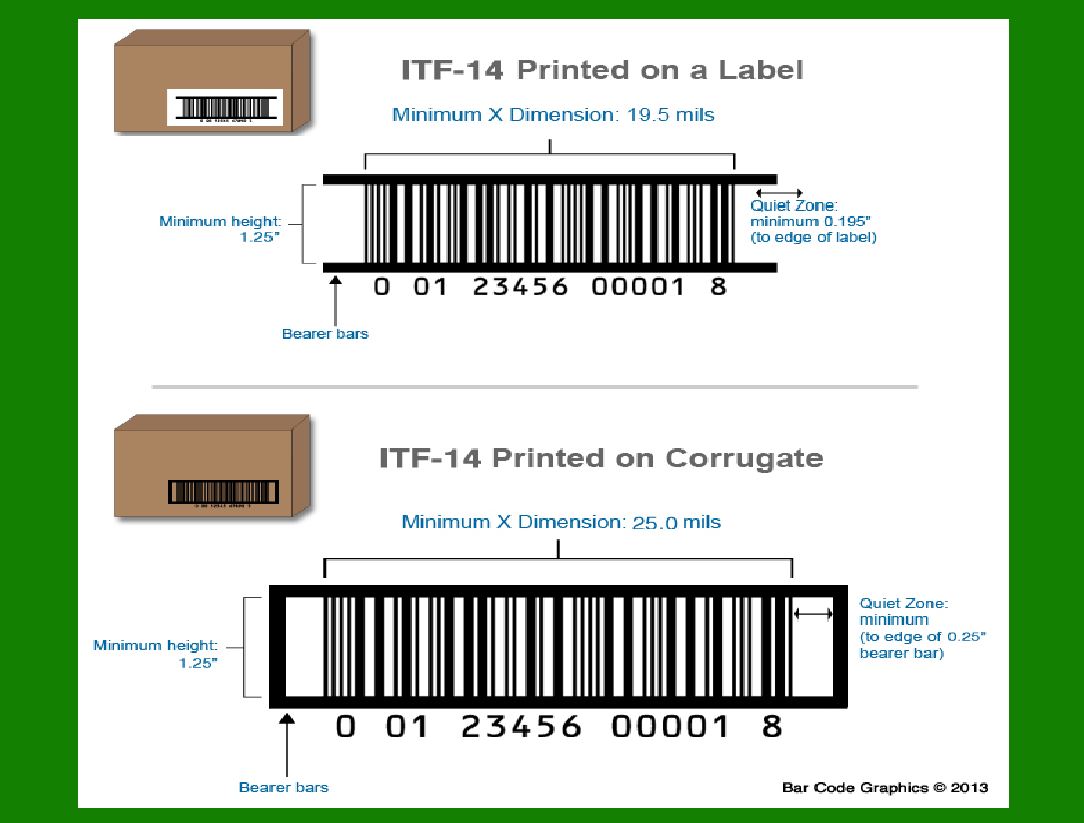
The ITF-14 (Interleaved 2 of 5) barcode, also known as the SCC-14 (Shipping Container Code), plays a crucial role in supply chain management and retail logistics.

Let's delve into its history and purpose:

1. Origins:

The ITF-14 barcode traces its historical origins back to 1973, when the U.S. Uniform Code Committee (UCC) developed it.

The primary goal was to create a barcode capable of representing packaging units, specifically to meet the needs of large retailers.

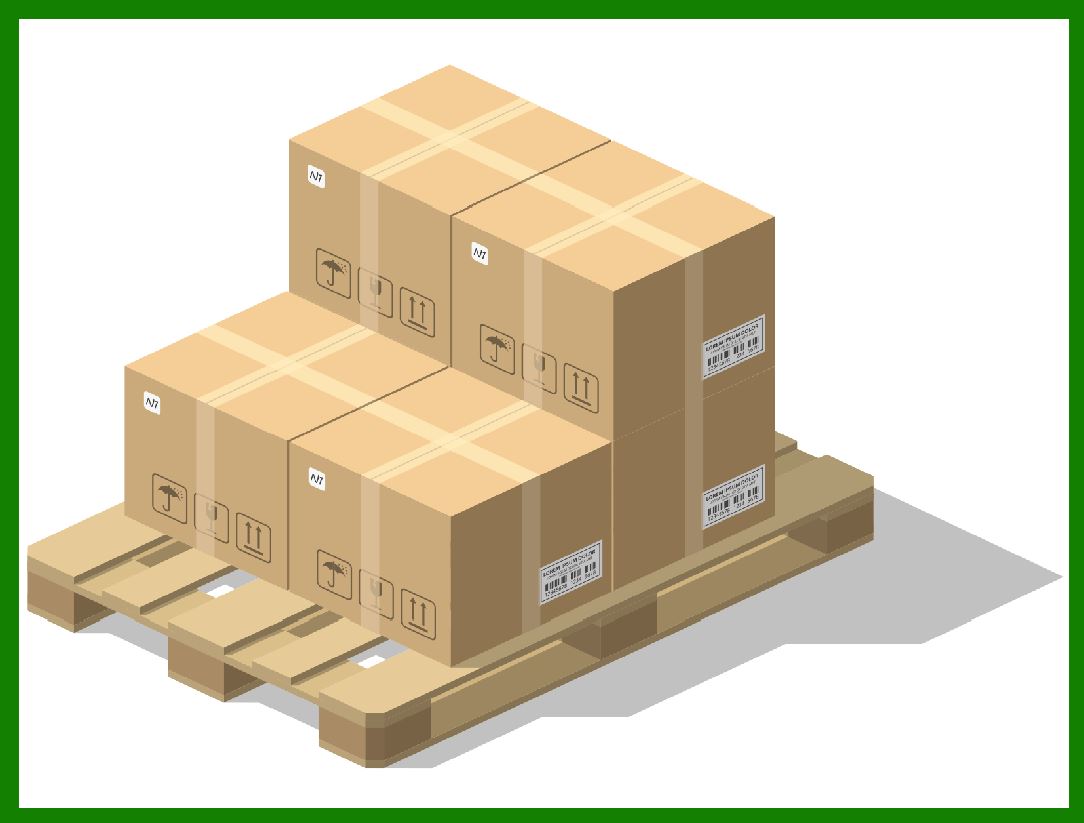
The ITF-14 barcode is designed for use on shipping cartons and pallets containing multiple units of a product.

2. Function and Purpose:

The ITF-14 barcode serves as a Shipping Container Code. When placed on the outside of a shipping carton or pallet, it allows retailers to efficiently scan shipments as they arrive at their warehouses.

Retailers use the ITF-14 to track the number of individual units of a product within a shipment. It helps them manage inventory and streamline logistics.

The barcode includes a 14-digit numeric code, which is created using the Interleaved 2 of 5 (ITF) symbology. This code represents the packaging variant of the product.

3. Terminology:

The ITF-14 barcode is also referred to by various names, including:

Master Carton Code

SCC-14 (Shipping Container Code)

GTIN-14 (Global Trade Item Number): This is the same as the ITF-14 but expressed in a different format.

DUN-14 (Distribution Unit Number)

4. How It Works:

The ITF-14 barcode is typically placed on the outer packaging (master carton) of a product shipment.

It includes a single digit (the 'Logistic Variant' or 'Packaging Indicator') added in front of the EAN-13 code (which represents the individual product).

When scanned, the system recognizes the number of individual units contained in the master carton based on the ITF-14 code.

In summary, the ITF-14 (SCC-14) barcode ensures efficient inventory management, accurate tracking of product shipments, and seamless logistics within the supply chain.

Whether you are a retailer or a manufacturer, understanding and correctly implementing this barcode can significantly enhance your business operations.

What is the difference between ITF-14 and EAN-14?

ITF-14 (Interleaved 2 of 5):

Purpose: The ITF-14 barcode primarily serves as a Shipping Container Code. It is used on the outer packaging (master carton) of product shipments.

EAN-14:

Purpose: The EAN-14 barcode, also known as the GTIN-14 (Global Trade Item Number), is used to designate packaging levels of individual products.

Encoded using the EAN-13 symbology.

ITF-14 is for shipping containers, while EAN-14 designates packaging levels within a product.

Both barcodes play essential roles in supply chain management, but their applications differ.


EasierSoft Barcode Label Design & Bulk Printing Software

---- Use Excel Data to Batch Print Barcodes on Label Sheets or Roll Labels  

---- How to use this barcode software

Download:  Free Barcode Software + Barcode Label Designer

Download Free Barcode Software at Softonic

     Download at CNET

Once you obtain a GS1/UPC/EAN barcode, or other barcode type and QR code, you can use our free software to batch print barcode labels onto Roll label paper using a professional label printer, or to batch print barcodes onto Avery 5160 label sheets using a regular laser or inkjet printer. Our software has free and paid versions.

The free version fully meets your needs for batch printing GS1/UPC/EAN barcodes. The paid version can import data from Excel and databases to batch print barcode labels with different values.

How to Start

Input Data

Import Excel Data

Print Barcode

Barcode Format

Label Designer

All Screen Shot

Export Barcode Image

Save Template

Output Word Excel

How to Use & FAQ:

Sample - Avery 5162 (2x7) Label Sheet

Example: Print barcodes to 5*3cm roll

Example: Print barcodes to 5161 label

Example: Print barcodes to 5162 label

Example: Print barcodes to 5163 label

Example: Print barcodes to 5164 label

Example: Print portrait orientation 5164

Example: Print barcodes to 5167 label

Example: Print barcodes to 5168 label

Example: Print portrait orientation 5168

Example: Print barcodes to 5169 label

Example: Print barcodes to 5660 label

Example: Print barcodes to 5661 label

Example: Print barcodes to 5662 label

Example: Print barcodes to 5663 label

Example: Print barcodes to 5664 label

Example: Print portrait orientation 5664

Example: Print barcodes to 5873 label

Example: Print barcodes to 5874 label

Two ways to import Excel data

Import Excel Data - Pro Edition

Import Excel Data - Std Edition

Import Data from Excel - Detail

Load Data From Excel File

Data Editing Table

Copy Data From Excel

Four ways to input barcode data

Add ASCII Key E

Input Multiple Lines of Text for Barcodes

Generates Sequential Serial Numbers

Import or copy data from Excel sheets

Special sequence number generation

Std Details: Simple Input Form

Std Details: Multiple Line Text Input

Details: Sequence Barcode Generator

Examples: Sequence Barcode Generator

Import Data From Excel Spreadsheet

Barcode Data Correspondence Diagram

Data Editor

Editing a Single Row Data in Form

Batch Editing Multiple Rows of Data

Batch Data Editing - Example 2

Design & print complex barcode labels

Configuring Text Elements on Label

Configuring Barcode Elements on Label

Configuring Image Elements on Label

Setting Line Elements on Label

Designing Labels for 5164 Sheet

Advanced Page Layout Settings

Add Barcode Elements to a Label

Highlights

Excel integration: Import data directly from Excel to generate and print barcodes in bulk.

Label designer: Create complex labels with multiple barcodes, text, logos, and shapes.

Batch printing: Print thousands of barcodes at once using standard inkjet/laser printers or professional barcode printers.


Flexible editions:

Standard Edition: Simple batch printing with Excel data.

Professional Edition: Adds command-line automation for workflow integration.

Label Designer Edition: Advanced design features for complex labels.


Why Choose Our Barcode Solutions?

Cost-effective: Free online generator and permanent free desktop version available.

Easy to use: No technical expertise required—just input data and print.

Versatile: Supports nearly all 1D and 2D barcode types, including QR codes.

Trusted: Recommended by CNET and widely downloaded by users worldwide.


Suitable Use Cases

Small businesses and startups needing quick barcode labels for products.

Retailers and online sellers managing inventory with batch barcode printing.

Manufacturers requiring sequential or custom barcode labels for packaging.

Educational and testing environments where barcodes are used for tracking.


CONTACT

cs@easiersoft.com

If you have any question, please feel free to email us.


https://free-barcode.com


<<< Back to Directory <<<     Barcode Generator     Barcode Freeware     Privacy Policy