The History of EZcode: A Detailed Timeline |
1. Introduction and Early Development |
1.1 Origin and Concept (Early 2000s) |
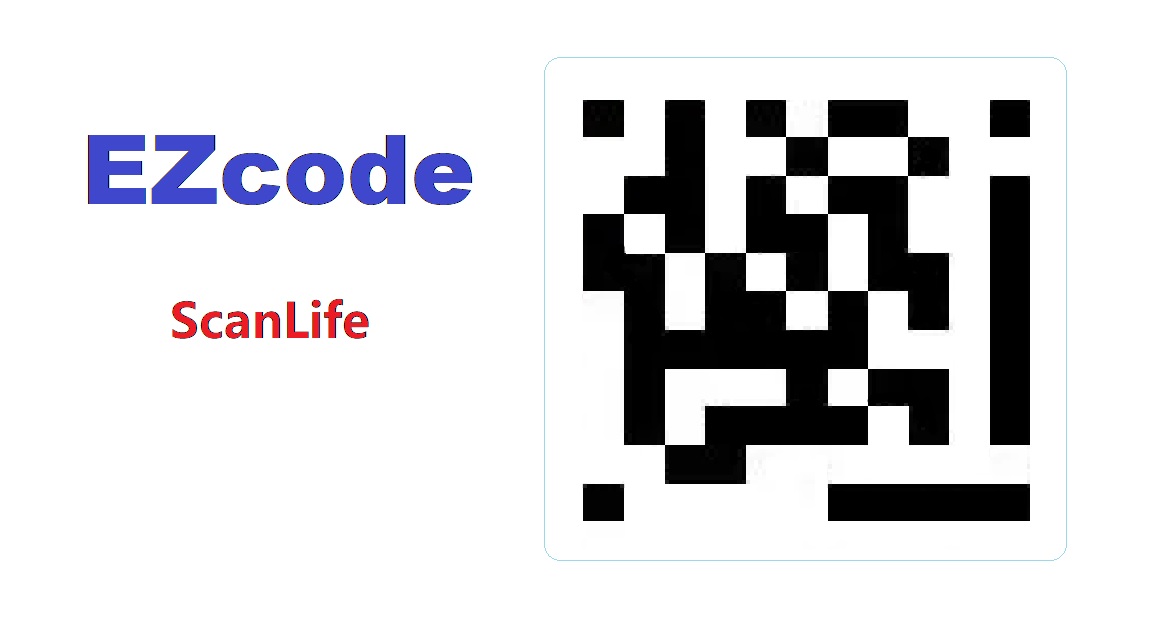
EZcode, a 2D barcode technology, was developed by ScanLife, a company specializing in mobile barcode solutions. The concept of EZcode emerged in the early 2000s as mobile phones with cameras began to gain popularity. ScanLife aimed to create a barcode that was easily scannable by mobile devices, enhancing the usability and efficiency of mobile interactions with printed media. |
|
1.2 Foundation of ScanLife (2000) |
ScanLife was founded in 2000 by a team of entrepreneurs and technology experts, including notable figures such as Matt Thompson. The company was established with a vision to leverage mobile technology for scanning and decoding barcodes. Their goal was to develop a universal barcode system that could be used across different mobile devices and applications. |

|
2. Development of EZcode |
2.1 Initial Development (2002-2003) |
By 2002, ScanLife began working on EZcode, aiming to create a 2D barcode that was optimized for mobile phone cameras. The development focused on making the barcode easy to scan and decode using low-resolution cameras common in early mobile phones. This involved designing a barcode format that could be efficiently read despite potential challenges like varying lighting conditions and camera quality. |
2.2 Pilot Testing and Feedback (2004) |
In 2004, ScanLife conducted pilot tests of EZcode with selected partners and early adopters. During these tests, the company gathered feedback on the usability and performance of EZcode in real-world scenarios. This phase was crucial for refining the technology and addressing issues related to barcode readability and scanning efficiency. |

|
3. Commercial Launch and Adoption |
3.1 Official Launch (2005) |
EZcode was officially launched by ScanLife in 2005. The barcode was designed to be easily integrated into various marketing and advertising materials. Its versatility made it suitable for a wide range of applications, from product packaging to print advertisements. The launch marked a significant milestone for ScanLife, positioning EZcode as a leading mobile barcode solution. |
3.2 Early Adoption and Use Cases (2005-2007) |
Following its launch, EZcode gained traction among businesses and marketers. Early adopters included companies in retail, entertainment, and media, who used EZcode to enhance customer engagement and provide additional information through their mobile campaigns. For example, a retail chain might use EZcode on product packaging to offer promotional discounts or detailed product information to customers via their mobile phones. |
3.3 Expansion and Integration (2007-2009) |
During this period, ScanLife focused on expanding the use of EZcode and integrating it with various mobile applications. The company worked on partnerships with mobile phone manufacturers and app developers to ensure broad compatibility and support for EZcode. This expansion helped establish EZcode as a widely recognized and utilized 2D barcode format in the mobile space. |

|
4. Technological Advancements and Enhancements |
4.1 Improvements in Scanning Technology (2010-2012) |
As mobile technology advanced, so did the scanning capabilities of mobile devices. ScanLife took advantage of these improvements to enhance the performance of EZcode. The company updated its algorithms and software to better handle different scanning conditions and improve the overall accuracy and speed of decoding EZcodes. |
4.2 Integration with QR Codes (2013-2015) |
With the growing popularity of QR codes during this period, ScanLife explored ways to integrate EZcode with QR code technology. This integration allowed for a seamless user experience, where users could scan both EZcode and QR codes using the same mobile application. The goal was to provide flexibility and convenience to users and businesses alike. |
4.3 Introduction of Enhanced Features (2016-2018) |
ScanLife continued to innovate by introducing enhanced features for EZcode. These included advanced error correction mechanisms, improved encoding techniques, and support for more complex data types. These enhancements aimed to keep EZcode competitive with other 2D barcode technologies and to address the evolving needs of users and businesses. |

|
5. Contemporary Use and Status |
5.1 Current Applications (2019-Present) |
As of 2019, EZcode continues to be used in various applications, although it faces strong competition from other 2D barcode formats like QR codes and Data Matrix. ScanLife maintains support for EZcode through its mobile applications and services, allowing businesses to leverage the technology for customer engagement and information dissemination. |
5.2 Evolving Market Dynamics (2020-Present) |
In recent years, the market for 2D barcodes has evolved significantly with the rise of new technologies and applications. While EZcode remains a viable option for certain use cases, its adoption has been impacted by the dominance of QR codes and other barcode formats. ScanLife continues to adapt to these market changes by exploring new opportunities and technologies to stay relevant in the industry. |

|
6. Conclusion |
EZcode, developed by ScanLife, has had a notable history since its inception in the early 2000s. From its initial development and commercial launch to its current status, EZcode has played a significant role in the evolution of mobile barcode technology. Although its prominence has been challenged by other formats, EZcode remains an important part of the 2D barcode landscape, reflecting the broader trends and advancements in mobile scanning technology. |

|
 cs@easiersoft.com